
Looking for guidence on JavaScript to add spot colours to a new colour group in InDesign
Hi, its as it says in the subject.
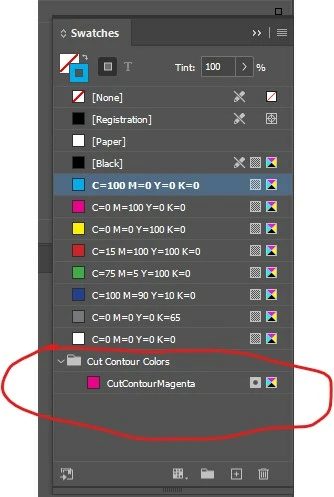
I can create the colours, and i can create the colour groups, but I can't move the new colours into the colour groups.
I'm still new to this, so I might be going about it the wrong way.
Here is my code.
//Add Zund Spot Colours to swatch document
myDoc.colors.add({colorValue: [94,76,5,0], name: "Thru-cut", model:ColorModel.SPOT, id:947650, parentColorGroup: "Zund Spot Colours"});
myDoc.colors.add({colorValue: [97,6,93,0], name: "Crease", model:ColorModel.SPOT, id:976930, parentColorGroup: "Zund Spot Colours"});
myDoc.colors.add({colorValue: [2,89,82,0], name: "Kiss-cut", model:ColorModel.SPOT, id:289820, parentColorGroup: "Zund Spot Colours"});
myDoc.colors.add({colorValue: [73,67,64,74], name: "Register", model:ColorModel.SPOT, id:73676474, parentColorGroup: "Zund Spot Colours"});
myDoc.colors.add({colorValue: [60,26,0,0], name: "Punch", model:ColorModel.SPOT, id:602600, parentColorGroup: "Zund Spot Colours"});
myDoc.colors.add({colorValue: [24,91,81,16], name: "Score", model:ColorModel.SPOT, id:24918116, parentColorGroup: "Zund Spot Colours"});
myDoc.colors.add({colorValue: [56,40,86,21], name: "V-cut", model:ColorModel.SPOT, id:56408621, parentColorGroup: "Zund Spot Colours"});
//Add these colours to the "Zund Spot Colours" colorGroup
myDoc.colorGroups.add("Zund Spot Colours",["Thru-cut", "Crease", "Kiss-cut", "Register", "Punch", "Score", "V-cut"]);
//Add Litho Specialty Spots to document
myDoc.colors.add({colorValue: [0,100,100,0], name: "NUMBERING", model:ColorModel.SPOT, id:01001000, parentColorGroup: "Litho Specialty Spot Colours"});
myDoc.colors.add({colorValue: [100,0,0,0], name: "SPOTVARNISH", model:ColorModel.SPOT, id:100000, parentColorGroup: "Litho Specialty Spot Colours"});
myDoc.colors.add({colorValue: [100,0,100,0], name: "FOILING", model:ColorModel.SPOT, id:10001000, parentColorGroup: "Litho Specialty Spot Colours"});
myDoc.colors.add({colorValue: [0,28,100,0], name: "SPOTLATEX", model:ColorModel.SPOT, id:0281000, parentColorGroup: "Litho Specialty Spot Colours"});
myDoc.colors.add({colorValue: [97,0,41,0], name: "SPECIALVARNISH", model:ColorModel.SPOT, id:970410, parentColorGroup: "Litho Specialty Spot Colours"});
myDoc.colors.add({colorValue: [0,64,100,0], name: "SCORING", model:ColorModel.SPOT, id:0641000, parentColorGroup: "Litho Specialty Spot Colours"});
myDoc.colors.add({colorValue: [40,0,100,0], name: "EMBOSSDEBOSS", model:ColorModel.SPOT, id:4001000, parentColorGroup: "Litho Specialty Spot Colours"});
myDoc.colors.add({colorValue: [34,65,100,19], name: "FOLDING", model:ColorModel.SPOT, id:346510019, parentColorGroup: "Litho Specialty Spot Colours"});
myDoc.colors.add({colorValue: [100,66,0,0], name: "DIECUT", model:ColorModel.SPOT, id:1006600, parentColorGroup: "Litho Specialty Spot Colours"});
//Add these colours to the "Litho Specialty Colours" colorGroup
myDoc.colorGroups.add("Litho Specialty Spot Colours",["NUMBERING", "SPOTVARNISH", "FOILING", "SPOTLATEX", "SPECIALVARNISH", "SCORING", "EMBOSSDEBOSS", "FOLDING", "DIECUT"]);
 AdChoices