
Participant
April 5, 2018
Answered

Main anchor point missing in InDesign

  • April 5, 2018
  • 2 replies
  • 2157 views

Hi there,

I appear to be missing the large anchor point in InDesign. I've taken a screenshot from online of the one I mean. When the cursor moves over it a particular pop-out appears.
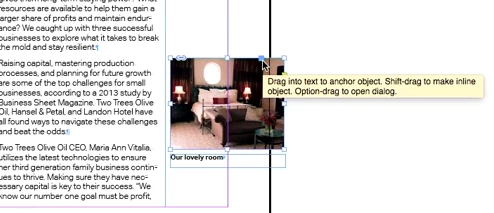

I'm at a complete loss as to how to find it/get it back

Here's a screenshot of what mine looks like if i select the image with either cursor:
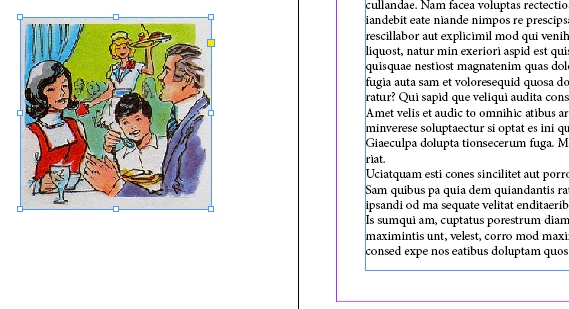

I hope this is just me missing something painfully obvious. Any help appreciated.

edit: I have tried starting a new doc etc. it's the same each time.
This topic has been closed for replies.
Correct answer winterm

I don’t have version 5 at hand anymore, however, I’m pretty sure I used to use this feature with versions prior to 5.5. It just wasn’t so quick and straightforward. From the memory:

with Text tool, click somewhere in your text (usually - at the beginning) and choose Object > Anchored Object > Insert. You’ll get a dialog box where you can define various options (content, position, etc.)

Object, anchored to your current insertion point, will be created.

Further, if you need identical objects tied to another text portions, you can just copy/paste that Anchor Object Marker (¥), as ordinary text.

2 replies

Bill Silbert
Community Expert
Community Expert
April 6, 2018

What version of InDesign do you have? Versions of InDesign prior to CS5.5 don't have it.

Participant
April 6, 2018

Hey, thank you both for your responses. So i'm using CS5, that explains it. Is it still possible to anchor an image in text in CS5?

Cheers.

winterm
wintermCorrect answer
Legend
April 6, 2018

I don’t have version 5 at hand anymore, however, I’m pretty sure I used to use this feature with versions prior to 5.5. It just wasn’t so quick and straightforward. From the memory:

with Text tool, click somewhere in your text (usually - at the beginning) and choose Object > Anchored Object > Insert. You’ll get a dialog box where you can define various options (content, position, etc.)

Object, anchored to your current insertion point, will be created.

Further, if you need identical objects tied to another text portions, you can just copy/paste that Anchor Object Marker (¥), as ordinary text.

winterm
Legend
April 5, 2018

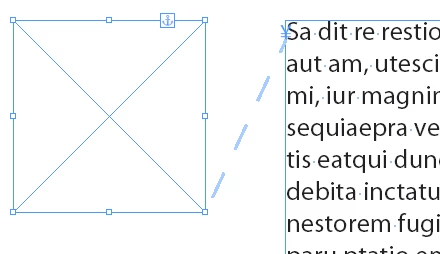
View > Extras > Show Anchored Object Control

CABE_Martha
Participating Frequently
February 20, 2023

2023 and this was driving me nuts! Where did the anchor handle go?! Why would one choose to hide it? I sure didn't. Many, many, many thanks!
Working in InDesign 18.1. Cheers! 

jmlevy
Community Expert
Community Expert
February 20, 2023

Check in the View menu > Extras