Isaac Smeele
Known Participant
April 11, 2022
Question

Major Color Issue with Indesign and Acrobat

  • April 11, 2022
  • 3 replies
  • 1764 views

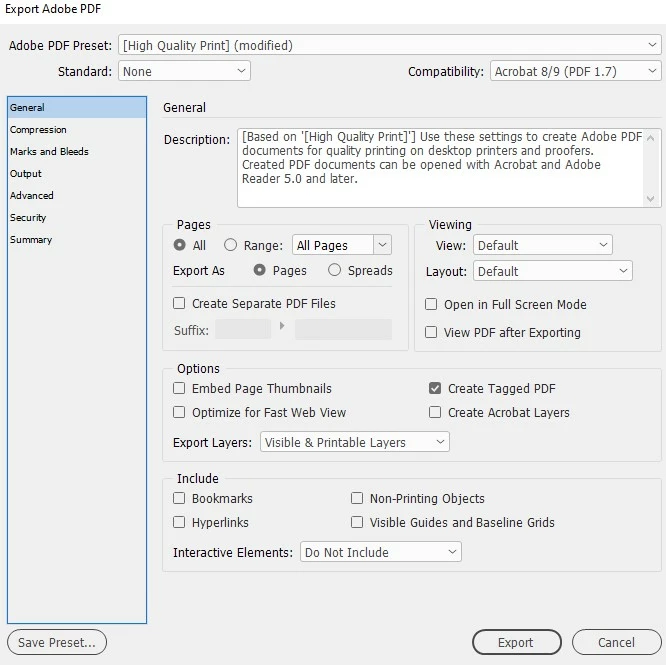
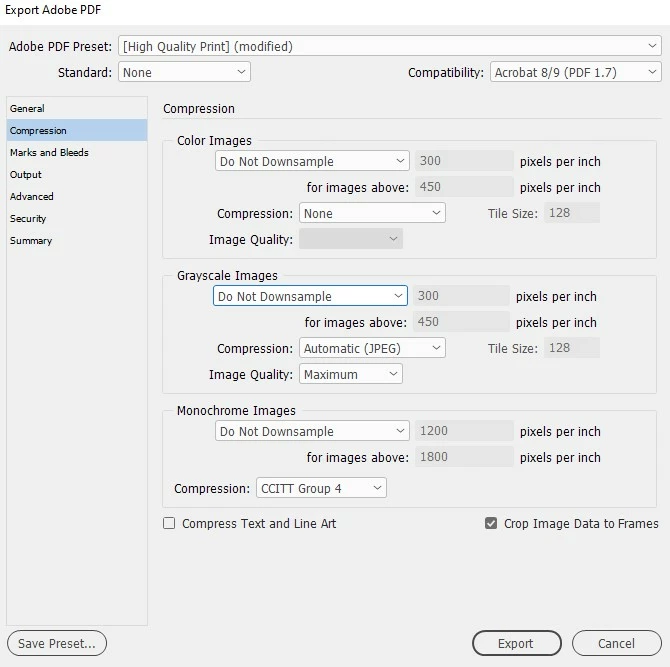
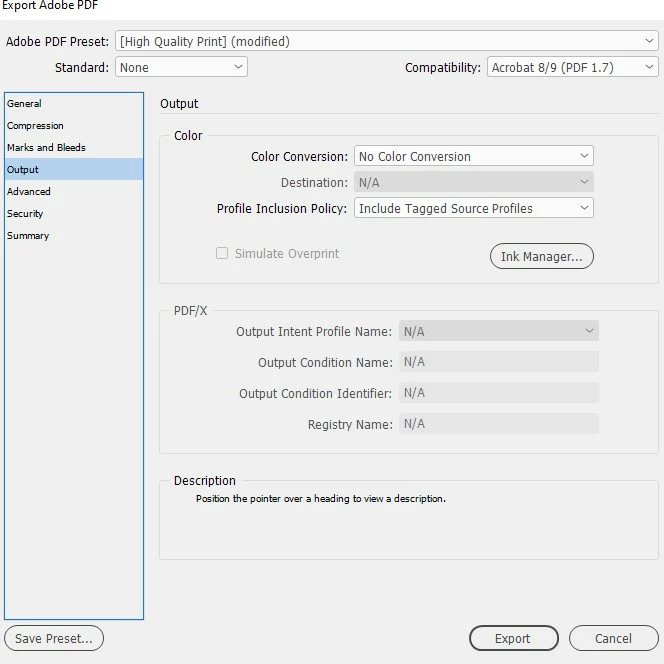
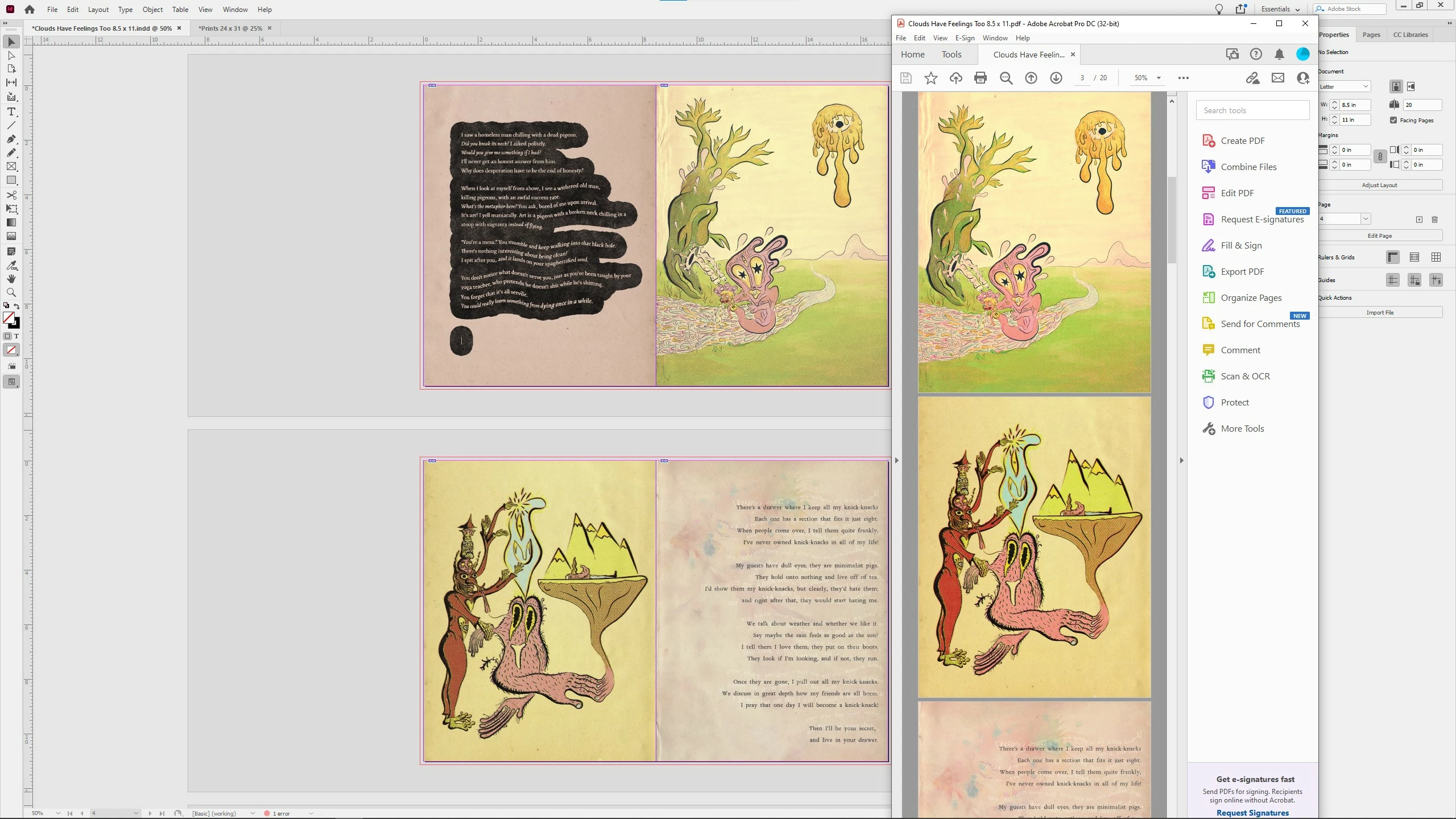
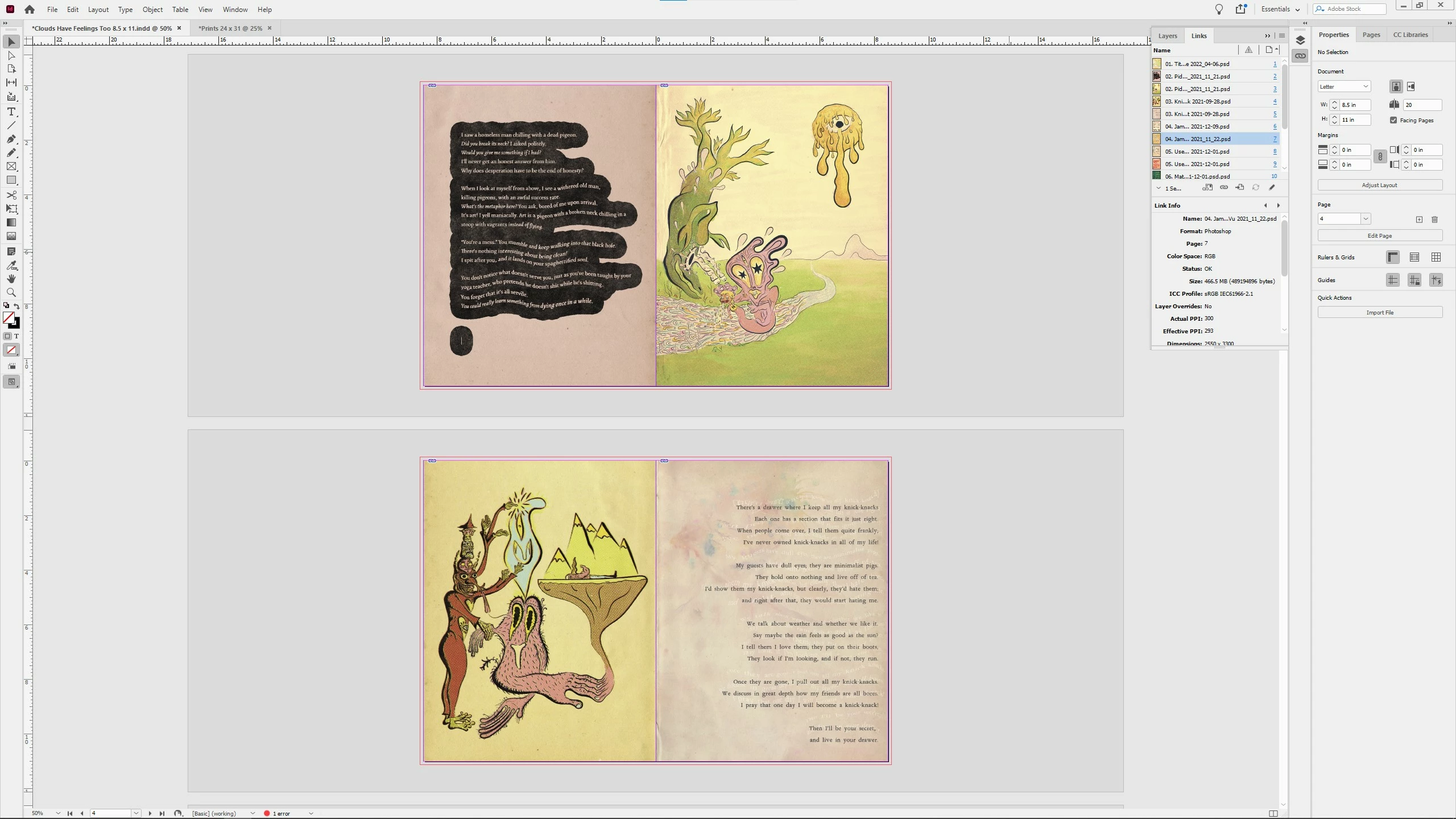
Exporting to pdf and my colours are waaaaay off in acrobat. The weird thing is in the windows preview pane they aren't wrong. What's going on? Here are screen shots of my export process please help!

This topic has been closed for replies.

3 replies

Erica Endicott
Participating Frequently
August 16, 2023

I just had the weirdest thing happen, as I was trying to solve this same problem. I tried all kinds of different ways to output my PDF and kept getting a mismatch in the color. I tried all kinds of different color settings in all my programs (InDesign, Photoshop, and Acrobat) and kept getting a mismatch. Finally I tried looking at Acrobat's Preferences. Under Page Display, I tried changing the transparency color blending space from RGB to CMYK, no change. I then tried changing the Overprint Preview to Always, no change. Then I tried, on a lark, changing the Smooth Text from For Laptop/LCD Screens to None. BINGO! Now, here's the weirdest thing: when I tried to change it back, the color did not go back to being wrong. It seems it's not a setting problem, it's a bug. Somehow I triggered it to display my colors correctly. Hopefully others can try this and see if it works for them. If Adobe has a bug reporting page, I'll post this there.

rob day
Community Expert
Community Expert
April 11, 2022

Hi @Isaac Smeele , does it happen if you use the default PDF/X-4 preset? If it still happens what are your document’s assigned profiles Edit>Assign Profiles....?

Isaac Smeele
Known Participant
April 11, 2022

Hi, using that export profile yielded the same results, see attached image of the results and assigned profiles.

rob day
Community Expert
Community Expert
April 11, 2022

Can you show a screen capture of the PDF/X-4 document with Acrobat’s Output Preview open?


Steve Werner
Community Expert
Community Expert
April 11, 2022

Check to see if you color management settings are the same in InDesign as in Acrobat.


You can set the settings individually in InDesign, Acrobat, as well as Illustrator and Photoshop, but it's easiest to do it in Adobe Bridge. 


In Bridge, choose Edit > Color Settings. In the dialog show below, choose the setting appropriate for your geographic region, and click Apply. Then you'll see Synchronized at the top.


Here is where the settings are in InDesign: Choose Edit > Color Settings and you'll see this:


In Acrobat, go to Preferences > Color Management:


Steve Werner
Community Expert
Community Expert
April 11, 2022

You didn't say where you are located, if you're in a different part of the world, in Bridge, check Show Expanded List of Color Settings Files, and you'll also see choices for Europe and Japan.