

JonathanArias
Legend
November 7, 2017
Answered

Make all numbers after a "." superscript

  • November 7, 2017
  • 1 reply
  • 5174 views

Hi,

Looked this up in past post but i could not find the answer. Sorry if this has been asked before.

I am typesetting a 58 page document, editorial re-submitted the document and they added references numbers, i need to replace text and the new text has reference numbers all over at the end of sentences.

How do i have indesign automatically look for the numbers at the end of a sentence  and make those numbers superscript?

Thank you
    This topic has been closed for replies.
    Correct answer Barb Binder

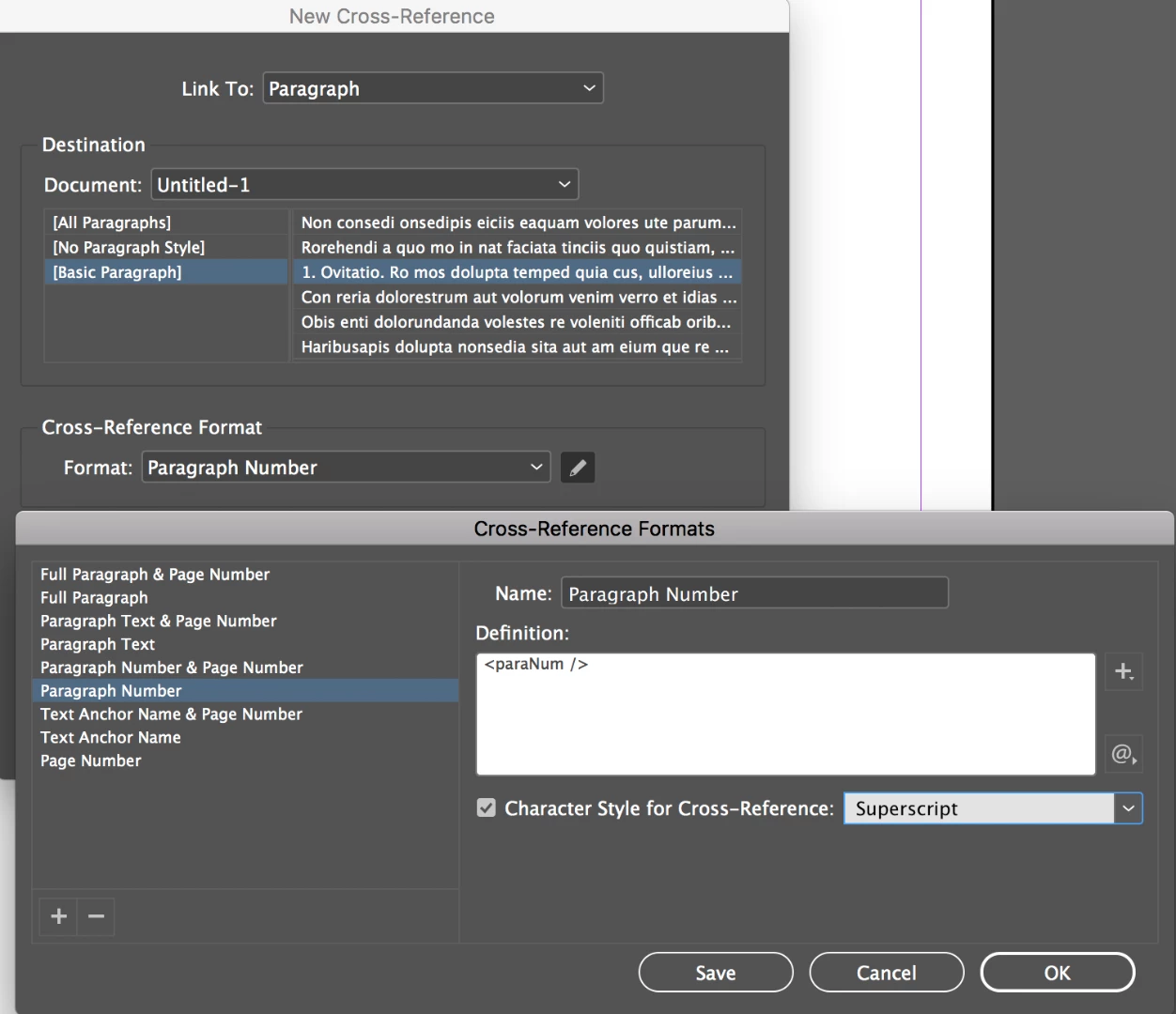
    Jonathan, are you using x-refs for those numbers? If so, you can set up a character style to automatically make all the paragraph number-only references superscript. And of course, they will update automatically if the paragraph numbers change.

    1 reply

    Jongware
    Community Expert
    Community Expert
    November 7, 2017

    With a GREP style if you are sure if all numbers after a full stop ought to be superscript:

    – apply a character style containing Superscript to

    (?<=\.)\d+

    If this applies to too much digits (you may have a $0.00 amount somewhere, and this is an all or nothing deal), use Find/Change with the same GREP over your document. It's probably faster to check each occurrence than hunting down errors and adjusting the GREP for just those cases.

    JonathanArias
    Legend
    November 7, 2017

    ok, yes, that works, however, it only reads the first digit, see attached screenshot.

    JonathanArias
    Legend
    November 7, 2017

    Jonathan, are you using x-refs for those numbers? If so, you can set up a character style to automatically make all the paragraph number-only references superscript. And of course, they will update automatically if the paragraph numbers change.


    I am not using cross references, is that a better fit for what i am doing?