


Copy link to clipboard
Copied
When using the hotkey "cmd+a" for marking big amounts of text at the same time, Indesign lock itself up and I have to close the programme and start it all over again. Anyone who have a solution for this problem?


 1 Correct answer


FWIW: I did some tests with InDesign CC 2019 version 14.0.1.209 ( that's the bug fix version from InDesign Prerelease ).
I cannot see any delay after selecting all text in my 300 pages document with one story running through all the pages.
So I think this bug is fixed.
However not for CC 2018.1 or any version before down to CC 2015.
CC 2014, CC version 9.3.0 and CS6 never had that problem.
All tests done on my German Windows 10 machine.
Regards,
Uwe

 14
Replies
14
14
Replies
14

Copy link to clipboard
Copied
Hi cillan47304961 ,
I think this is a known bug with InDesign. I see this with my installed versions CC 2015.4, CC 2017.1, CC 2018.1.
Not with versions CC 2014, CC v9.3 and CS6 before. The bug is not resolved yet.
How long did you wait until you killed the operation?
I see a delay of about 4 to 5 seconds with a 200 pages document with one story that flows from page to page. Others reported longer delays up to some minutes depending on the length of the story or the complexity of formatting in the story, especially with fully formatted tables.
My tests are with InDesign on Windows 10.
What is your OS? What is your exact version of InDesign?
Regards,
Uwe
Copy link to clipboard
Copied
I waited for several minutes without anything happening, and I have tried to not use the hotkey but with the same result. It is really annoying.
OS 10.13.2 and Indesign 13.1.
Kind regards,
Cilla
Copy link to clipboard
Copied
Hi Cilla,
can you give me an example what you like to do after selecting all text of the story?
Maybe I can write a quick script that is not working with selection, but changing directly something on the story.
Best,
Uwe
Copy link to clipboard
Copied
FWIW: Just for the records, the strange behavior of Select All with text is also reported here:
InDesign freezes when I select all text (Ctrl+A)
Regards,
Uwe
Copy link to clipboard
Copied
I want to mark all the text in a book to be able to use a paragraph format. My alternative is to mark all the text by hand, and it takes a lot of time.
Kind regards,
Cilla
Copy link to clipboard
Copied
What's the exact name of the paragraph style?
Is the style in a paragraph style group?
If not, this simple ExtendScript script below will apply a paragraph style to the whole story of a selected text frame.
Just fill in the right style name where the code says My paragraph Style name:
// Some text or a text frame selected:
var styleName = "My paragraph Style name";
app.selection[0].parentStory.texts[0].appliedParagraphStyle =
app.documents[0].paragraphStyles.itemByName( styleName );
alert("Done!");
How to save, install and use ExtendScript scripts:
Indiscripts :: Indiscripts for Dummies
Best,
Uwe
Copy link to clipboard
Copied
Here is different code snippet that will work without doing changes in the code.
To get it right select a bit text in your story you want to apply the paragraph style to.
Format the one paragraph of your selection to the one you like to use for the whole story. The script will pick up that style of your selection and applies it to all text of the story that belongs to your selection.
( function()
{
if( app.documents.length == 0 ){ return };
if( app.selection.length != 1 ){ return };
if( !app.selection[0].hasOwnProperty("baselineShift") ){ return };
var paraStyle = app.selection[0].appliedParagraphStyle ;
app.selection[0].parentStory.texts[0].appliedParagraphStyle = paraStyle ;
}() )
Best,
Uwe
Copy link to clipboard
Copied
Hi,
This is ufortunately a bit beyond my knowledge - I only use paragraph styles in Indesign, see picture below, and do not program myself.
Or maybe I misunderstand you because my English is not good enough?

/Cilla
Copy link to clipboard
Copied
cillan47304961 wrote
This is ufortunately a bit beyond my knowledge
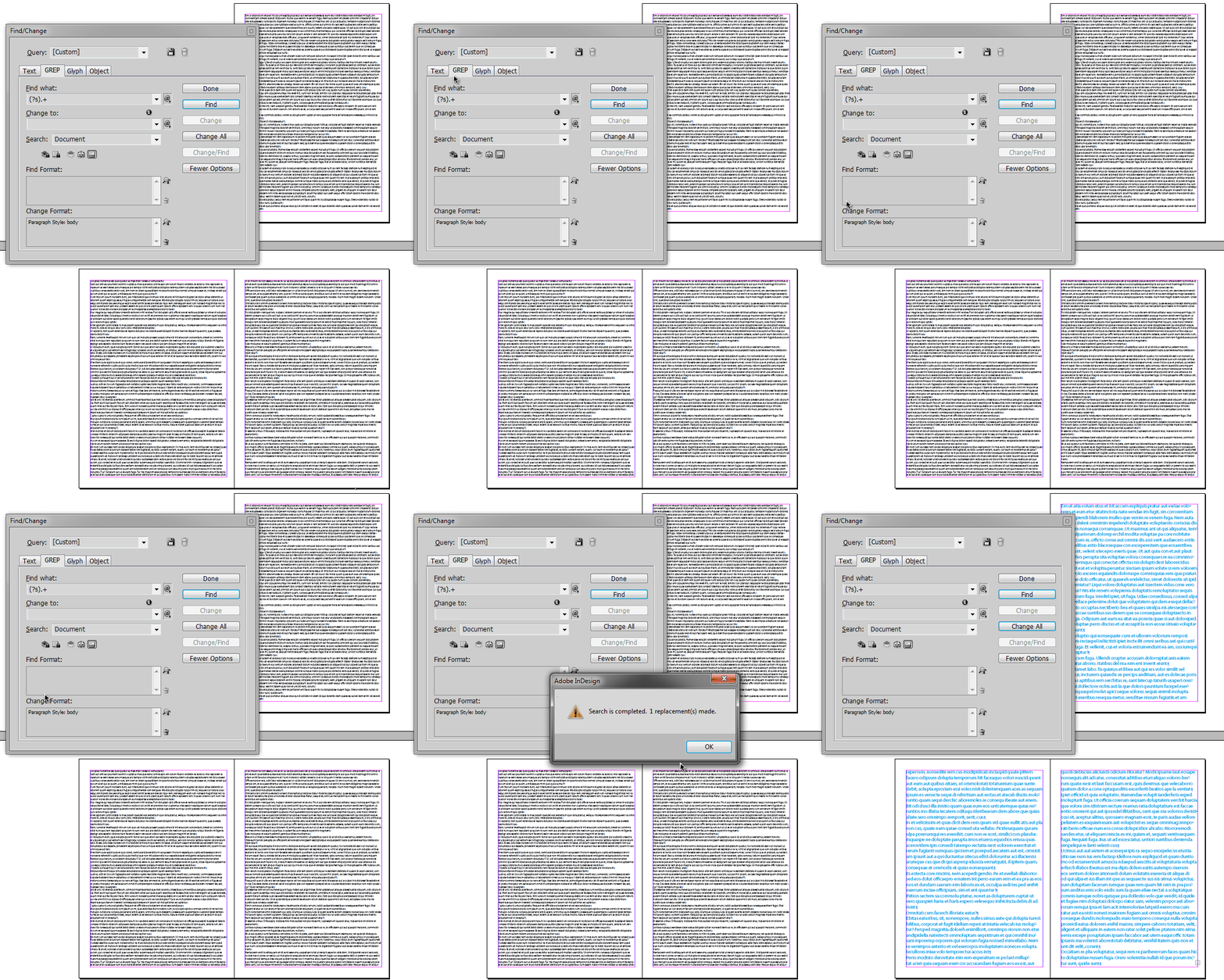
Non-techies may find easier to use a GREP code and Find/Change panel capabilities...
Regex used in this demo is simple as that:
(?s).+
Copy link to clipboard
Copied
cillan47304961 wrote
…
This is ufortunately a bit beyond my knowledge - I only use paragraph styles in Indesign, see picture below, and do not program myself.
Hi Cilla,
no fear! You need not to write any "program". Just use the code from my reply 7.
The steps to do a script file and how you can use it are outlined in the link I posted in reply 6.
Or do like winterm suggested with find/change with GREP Find/Change.
What's perhaps missing in his video:
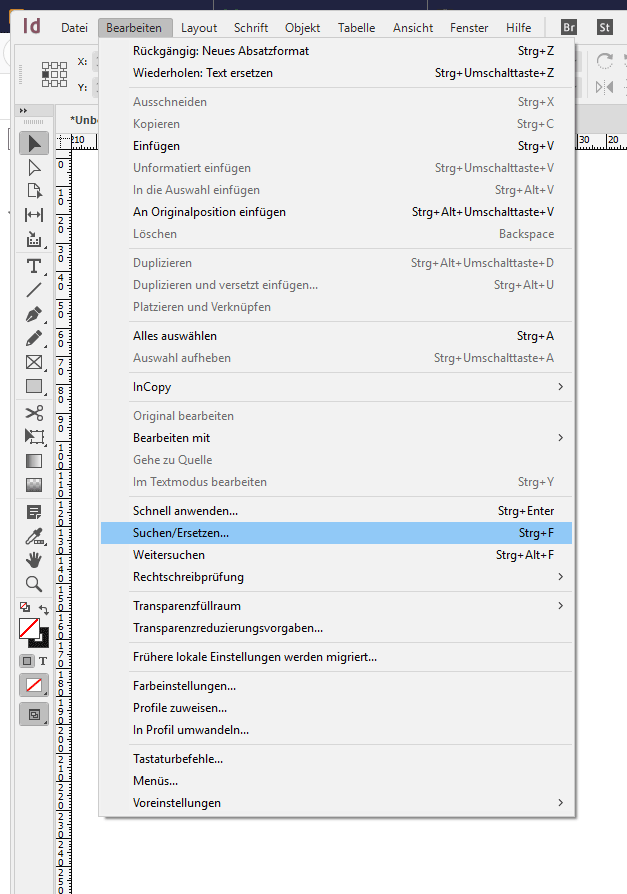
1. Select one of the text frames of the story you want to change formatting.
Open the Find/Change Panel.
From my German InDesign:
2. Copy paste the expression (?s).+ to the input field Find what: of the GREP tab.
No input in the Change to: field.
Next open the options in the Search: field and do Story. Not "Document" and not "All Documents".

3. With a click to the T symbol of the Change Format: field you define the paragraph style you want to change your text to.
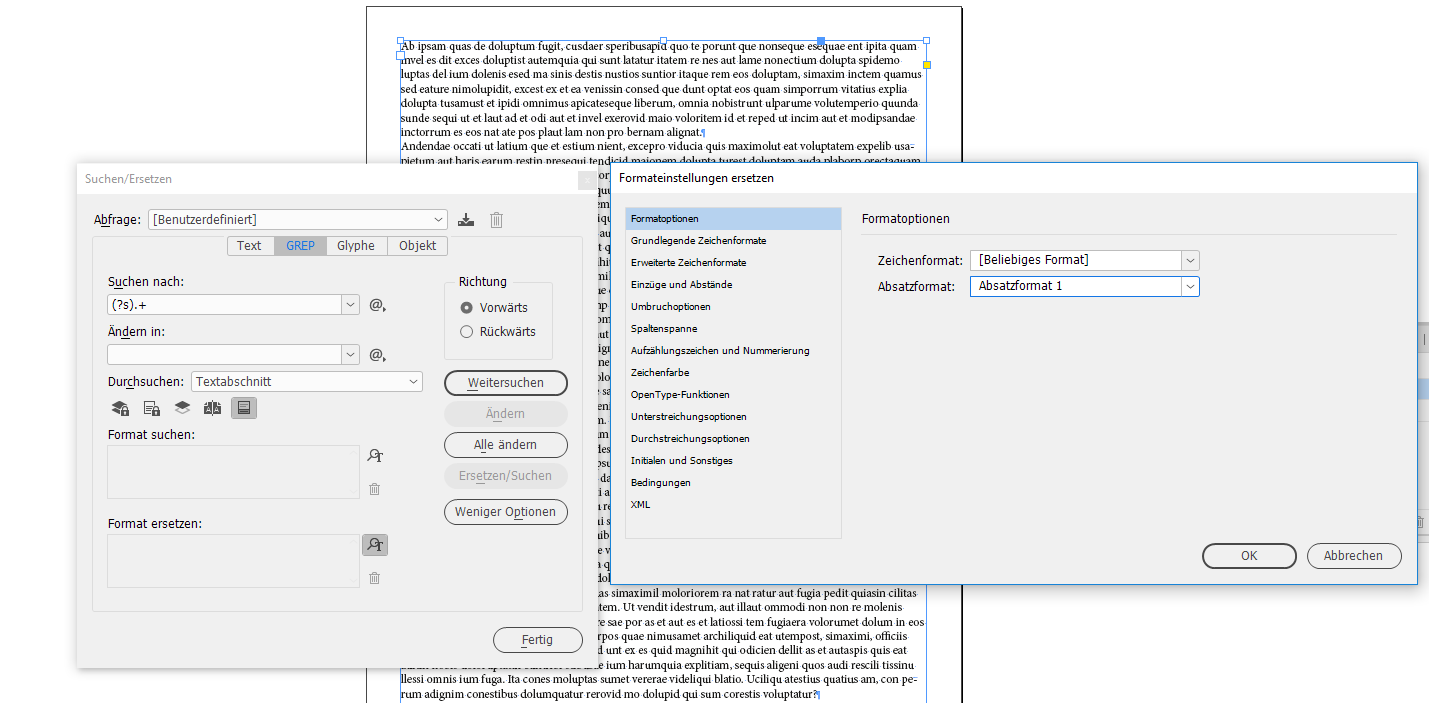
As a final step do Change All.
Regards,
Uwe
Copy link to clipboard
Copied
Thank you, I will try this!
Kind regards,
Cilla
Copy link to clipboard
Copied
Hi Cilla,
were you successful with GREP Find/Replace running on your long story?
Best,
Uwe
Copy link to clipboard
Copied
FWIW: I did some tests with InDesign CC 2019 version 14.0.1.209 ( that's the bug fix version from InDesign Prerelease ).
I cannot see any delay after selecting all text in my 300 pages document with one story running through all the pages.
So I think this bug is fixed.
However not for CC 2018.1 or any version before down to CC 2015.
CC 2014, CC version 9.3.0 and CS6 never had that problem.
All tests done on my German Windows 10 machine.
Regards,
Uwe

Copy link to clipboard
Copied
Hi Uwe,
We've fixed multiple issues in the newest update (14.0.1) related to text and other reported ones. I am hoping that it fixed this one as well. Here's the release notes with complete details: InDesign CC October 2018 (14.0.1) release notes
Regards,
Om


 AdChoices