fredl11600511
Inspiring
December 15, 2016
Answered

Master Page applies to entire spread

  • December 15, 2016
  • 2 replies
  • 2113 views

I have a doc with master page spreads: one spread has running feet, the other doesn't. When I apply the running feet master page to the left page only in a spread of the doc (either by dragging the left master page to that page or by going to the menu with the page chosen and "apply master page") it applies itself to the entire spread. If I then apply the blank master to the right hand page, the running foot remains. The only way I can get rid of it is to override and delete.

So why does the master page spread apply itself to the entire spread when I've only chosen one page in the spread? How to prevent this?
This topic has been closed for replies.
Correct answer fredl11600511

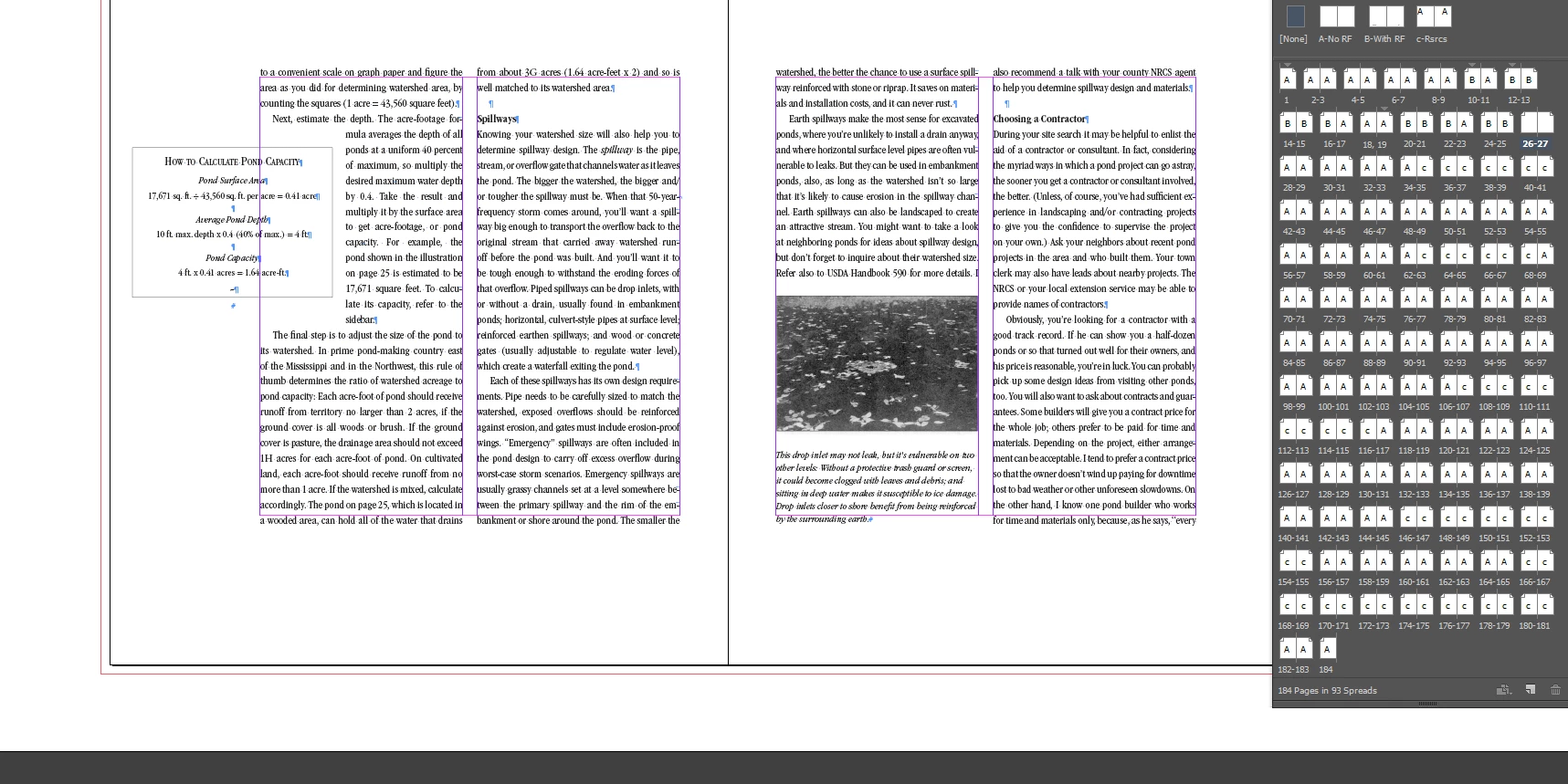
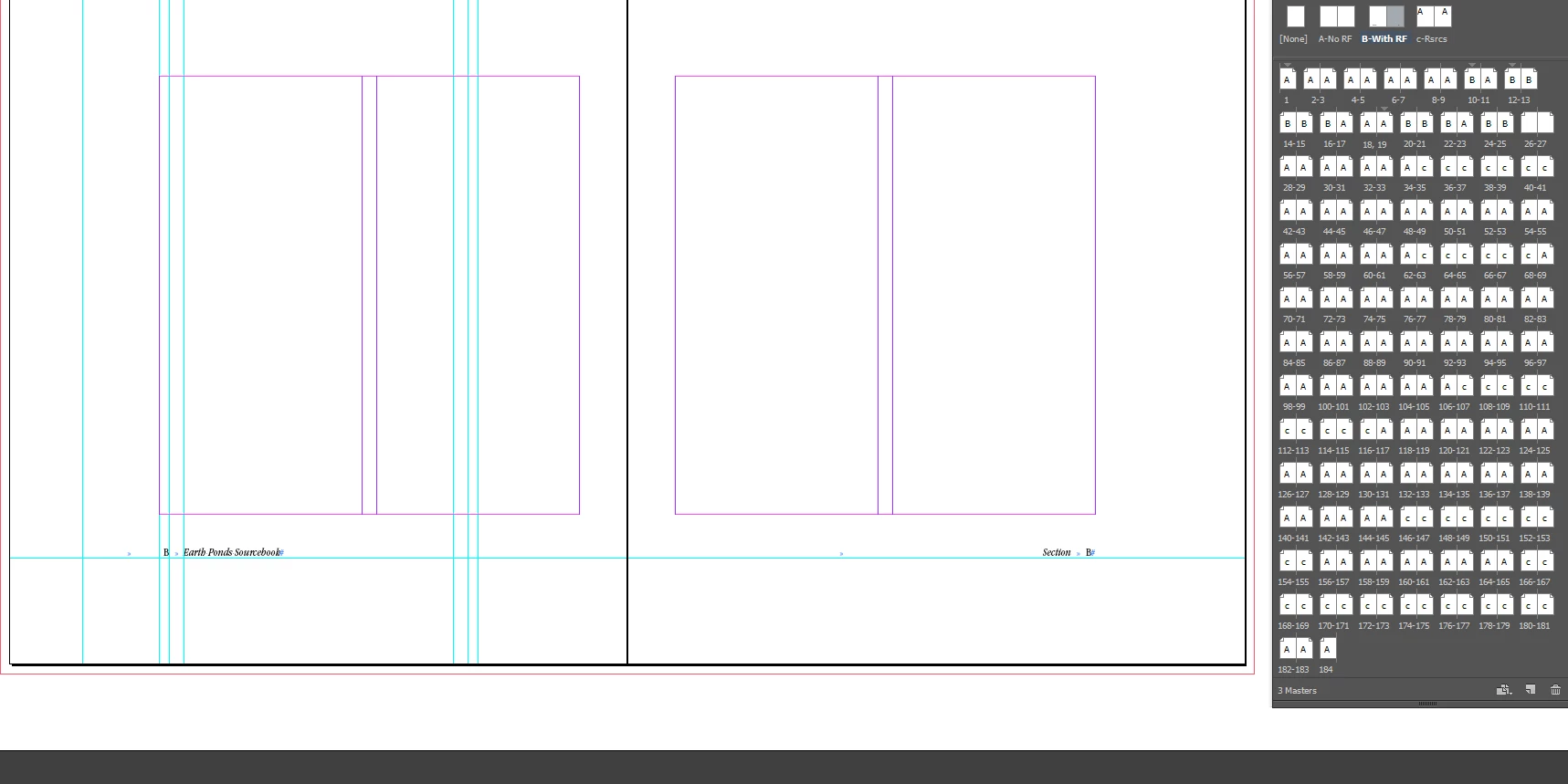
Happy to share. I've created 4 screen shots:

1. The setup, showing master pages and a spread (pages 26 and 27) that has no master applied (no running feet).

2. The master page (B) with running feet

3. The spread with Master B applied to page 26 only, but running feet appear on both 26 and 27.

I would honestly love it if it turns out that I'm doing something incredibly stupid that was an easy fix!


And you know what: thinking on a similar post I found I went back and realized that I did something maybe not incredibly stupid but stupid enough. On the master page I ran the text frame on both pages right up to (but not over) the gutter in the middle. So, obviously it saw the recto running foot frame as belonging to the verso page. I'm very sorry to have taken everyone's time. Just never occurred to me that the gutter was radioactive.

2 replies

Barb Binder
Community Expert
Community Expert
December 15, 2016

Alternatively, click to select the specific body page, the use Alt/Opt click on the master page to assign it to just one body page. When they are both selected, they both change.

~Barb at Rocky Mountain Training
fredl11600511
Inspiring
December 15, 2016

Tried alt/click just now. no difference.

Mike Witherell
Community Expert
Community Expert
December 15, 2016

Have you trashed preferences lately? Have you tried to export to IDML and reopen that?

Mike Witherell
Mike Witherell
Community Expert
Community Expert
December 15, 2016

And just to be sure, you are dragging the Left Master icon onto the left-hand page, releasing the drag when you see a thick black outline around just the left-hand page?

Mike Witherell
fredl11600511
Inspiring
December 15, 2016

That is correct. In fact, upon seeing your question I repeated the action just to be sure I was seeing the black outline on only the left page. The right hand page still shows the "A" master (no running feet), yet the running foot (set in "B") is there.

vinny38
Legend
December 15, 2016

The right hand page still shows the "A" master (no running feet), yet the running foot (set in "B") is there.

Hi

It first looked like a bug but... I'm confused with what you just said there...

Do you have 2 master pages (A and B)?

Could you send screenshots?