Participant
October 30, 2020
Answered

Menu bar text is very small

  • October 30, 2020
  • 3 replies
  • 1063 views

I cannot seem to increase the size of my menu icons or words, they are painfully small.

I am using windows.
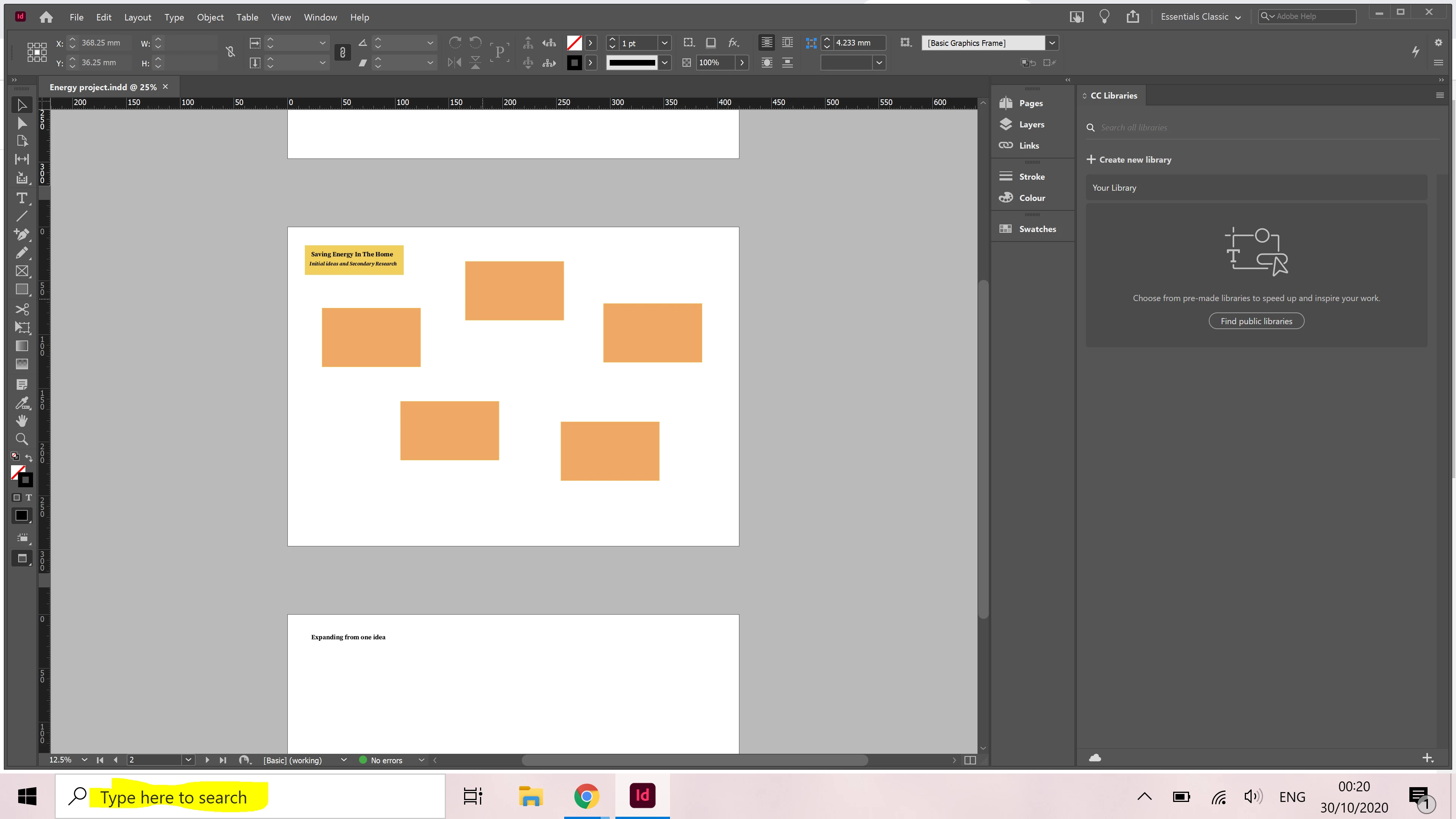
 I sort of want them to be the size of the highlighted text. I'd appreciate any advice.

This topic has been closed for replies.
Correct answer BobLevine

The UI scaling in Windows is pure unadulterated crap! It is capable of 100% 150% or 200% scaling and is based on the O/S UI scaling. Adobe refuses to even acknowledge how bad it is. 

3 replies

October 30, 2020

Not only are the font sizes tiny, but the application window often opens as a small 1/4" box on my screen that I have to grab and resize by hand.

Given the impending doom of Apple's forthcoming OS, many Mac folks are thinking about switching to Windows. Adobe would be wise to catch this wave and fix the interface problems.


BobLevine
Community Expert
Community Expert
October 30, 2020
It is worth noting here that Photoshop and Illustrator are far superior in this regard and honestly, I don't see a tsunami of Mac users moving to Windows any time soon.
October 30, 2020

<< I don't see a tsunami of Mac users moving to Windows any time soon. >>

Lot of chatter on the non-Adobe design forums about this. Many designers already are Mac and Windows savvy.

Might not be a "tsunami" of users that switch, but probably enough to make a difference.


BobLevine
Community Expert
BobLevineCommunity ExpertCorrect answer
Community Expert
October 30, 2020

The UI scaling in Windows is pure unadulterated crap! It is capable of 100% 150% or 200% scaling and is based on the O/S UI scaling. Adobe refuses to even acknowledge how bad it is. 

Mike Witherell
Community Expert
Community Expert
October 30, 2020

Edit > Preferences > UI Scaling

Be careful what zoom amount you choose in Windows 10 display settings, too

Mike Witherell
Rosie5F89Author
Participant
November 5, 2020