
anetteø53010163
Participant
May 28, 2020
Answered

Missing fonts in InDesign on macOS

  • May 28, 2020
  • 1 reply
  • 1635 views

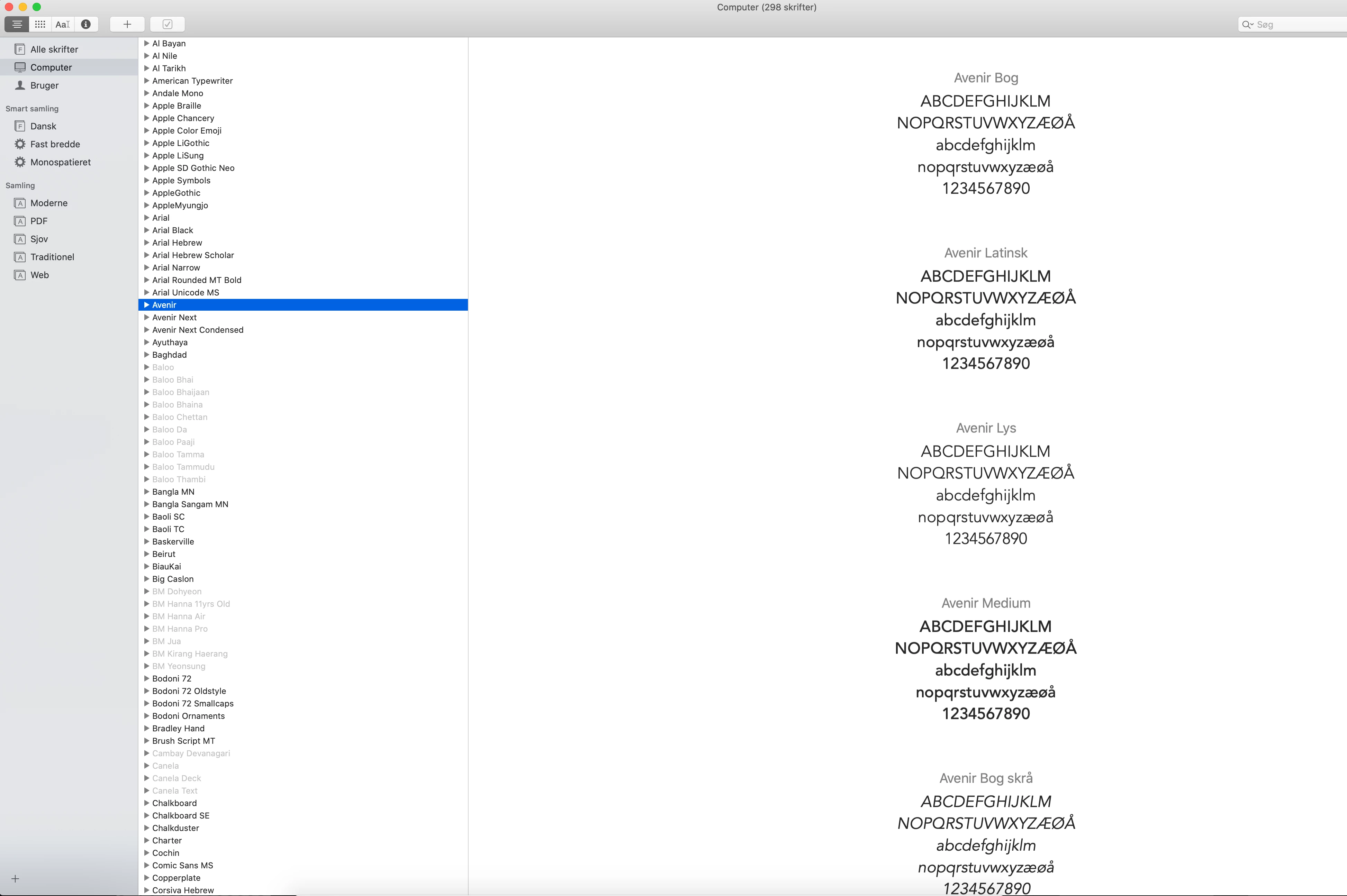
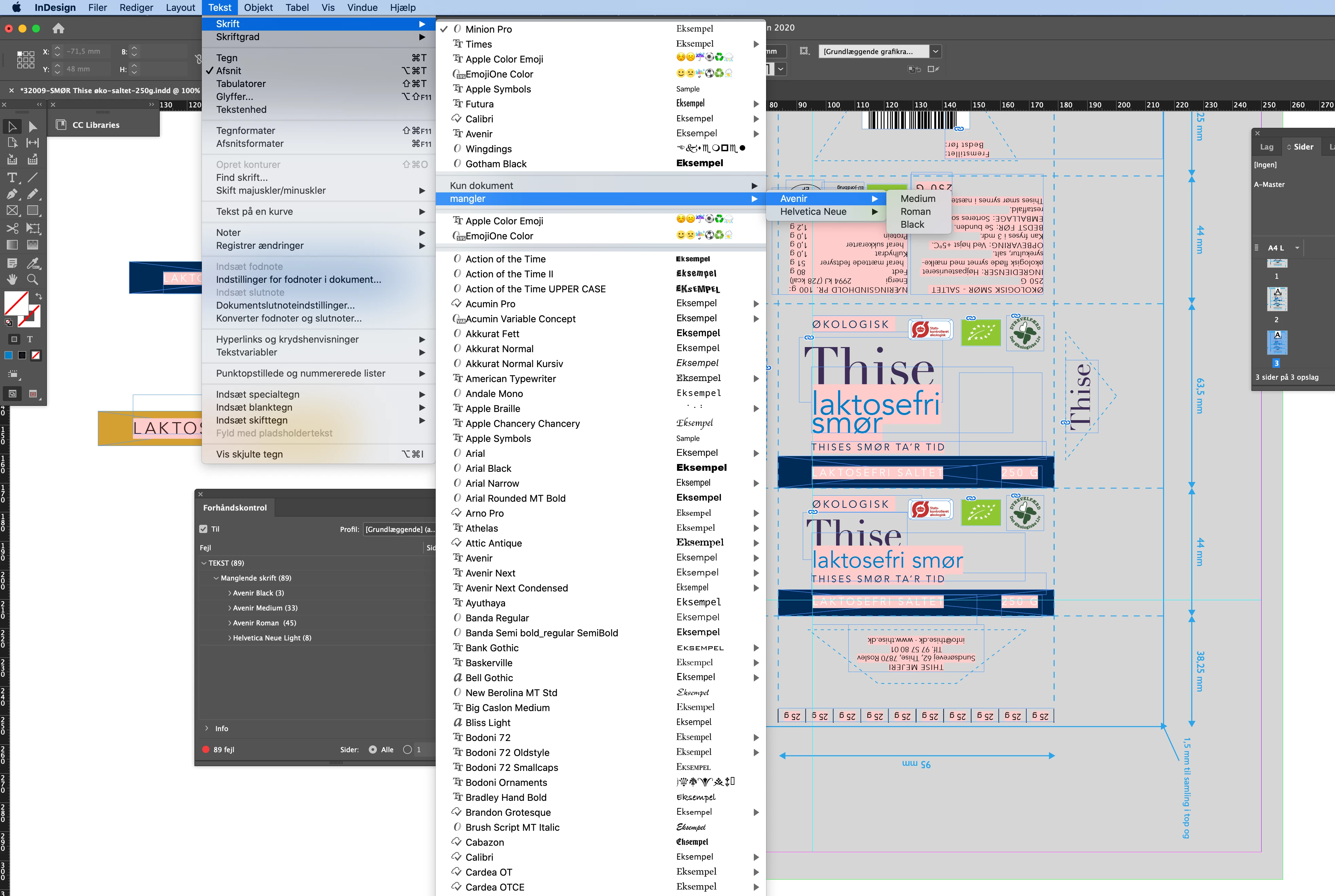
My InDesign suddenly comes up with a message, that some fonts are missing, eventhough the fonts are installed on my Mac, and eventhough the fonts have been working for several years. Sometimes it helps, that I restart InDesign, but sometimes it takes several attemps before the fonts come up properly. It is very annoying, that I have to spend precious time on this. Is there something I can do, to avoid this problem?
 

{Renamed by MOD}

This topic has been closed for replies.
Correct answer Srishti Bali

Hi Anette,


Sorry to hear about this. We're currently investigating this issue. Could you please share a sample file where you could reproduce this issue? Also, please confirm that if the issue is specific to a particular font or file?


After sharing the file, try these steps:


I would also suggest if you could upvote this issue here (https://indesign.uservoice.com/forums/601180-adobe-indesign-bugs/suggestions/39577768-missing-fonts-...). This is the best way of communicating with the Engineering and Product Management teams regarding issues and suggestions so they can be implemented in future releases. 


Regards,

Srishti

1 reply

Srishti Bali
Community Manager
Srishti BaliCommunity ManagerCorrect answer
Community Manager
June 9, 2020

Hi Anette,


Sorry to hear about this. We're currently investigating this issue. Could you please share a sample file where you could reproduce this issue? Also, please confirm that if the issue is specific to a particular font or file?


After sharing the file, try these steps:


I would also suggest if you could upvote this issue here (https://indesign.uservoice.com/forums/601180-adobe-indesign-bugs/suggestions/39577768-missing-fonts-...). This is the best way of communicating with the Engineering and Product Management teams regarding issues and suggestions so they can be implemented in future releases. 


Regards,

Srishti