October 8, 2023
Question

Missing gradient options

  • October 8, 2023
  • 2 replies
  • 352 views

Hi!

I feel like I'm going insane, because I DID use the option just yesterday, but today the panel seems to have disappeared.  I want to "apply gradient across stroke" like seen in the screenshot from a YTvideo below.
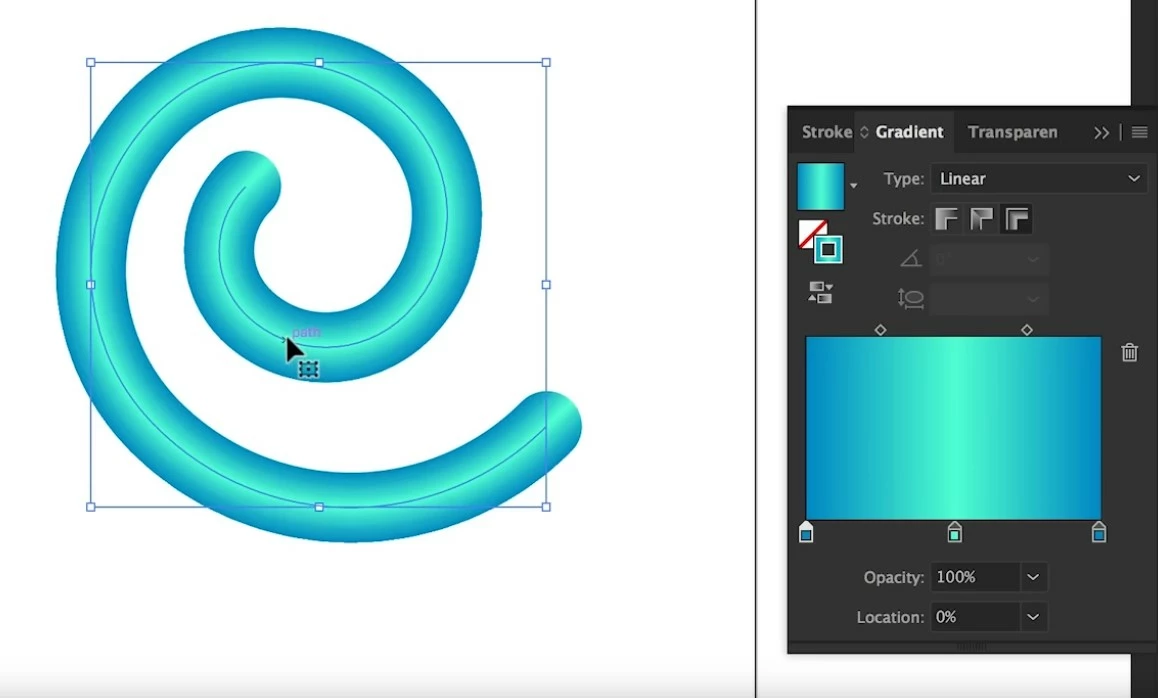
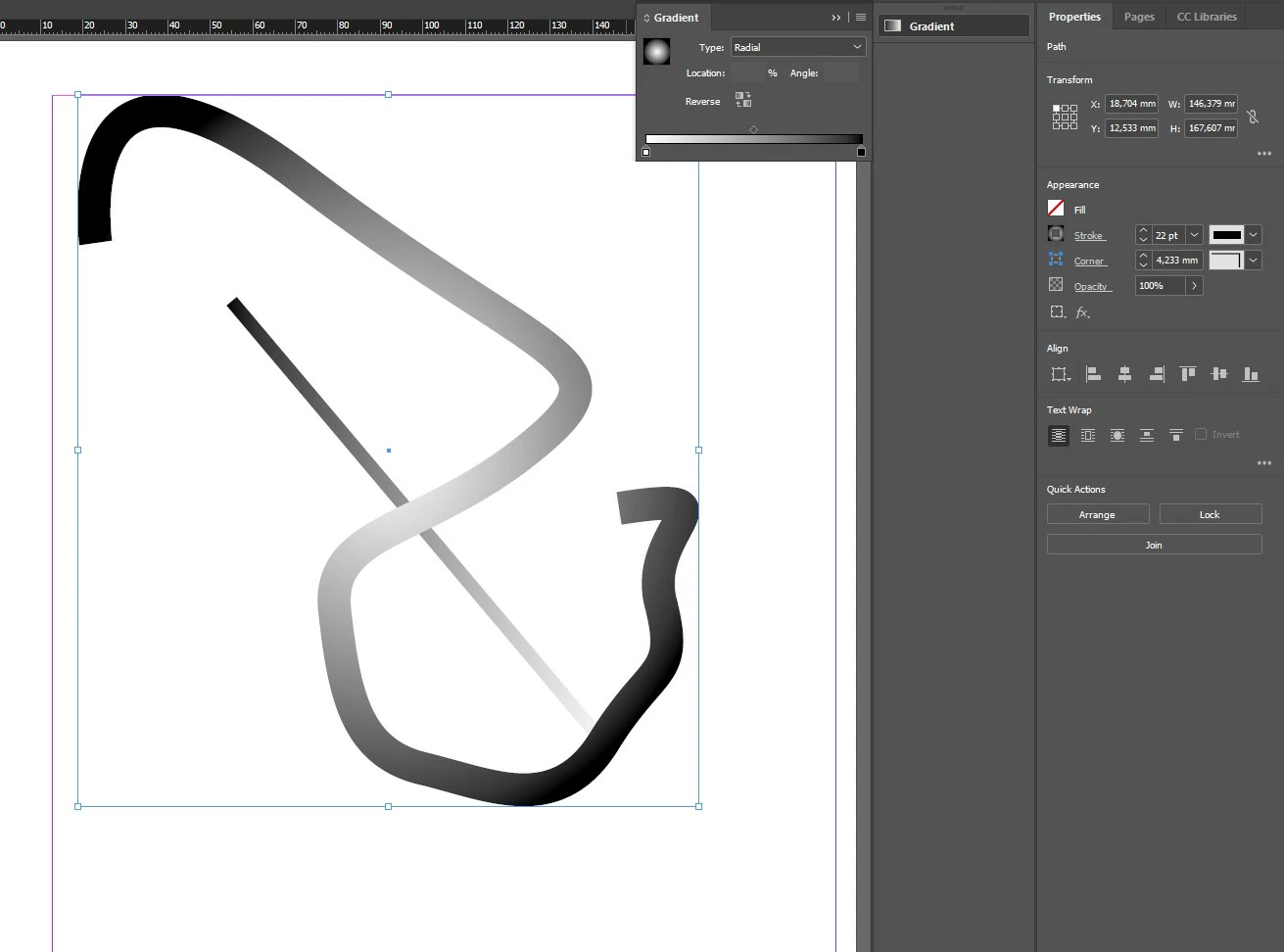
However, this is all I can see: The options to apply the gradient differently are gone. As I managed to use the option yesterday just via this very gradient panel I wonder what I might be missing.

I already reset the caches, rebuilt the caches, reinstalled Indesign to no avail.

This topic has been closed for replies.

2 replies

Barb Binder
Community Expert
Community Expert
October 8, 2023

It's an easy mistake to make. Illustrator and InDesign have a very similar interface. 


~Barb

~Barb at Rocky Mountain Training
Robert at ID-Tasker
Legend
October 8, 2023

Kind of doable - but only for straight lines - and the angle will automatically "update" when line is rotated:


And after few clicks:


Robert at ID-Tasker
Legend
October 9, 2023

Sorry, forgot to include screenshot how I've done it. 


Pretty much - like on the screenshot from Illustrator - centerpoint and then stops close to it - very close. 


Then, initially, line need to be at an angle - like 35 degree - and you need to play with an Angle in the gradient definition. Gradient will be extremely condensed if you do it on a horizontal / vertical line. 


After applying gradient to the line - you can freely rotate it.


October 8, 2023

Windows 10 64, InDesign 18.5.

(Sorry, could not find the edit post option.)

October 8, 2023

Please delete.