
Participant
April 12, 2018
Question

Missing Plug-Ins: InDesign CS4

  • April 12, 2018
  • 3 replies
  • 2593 views

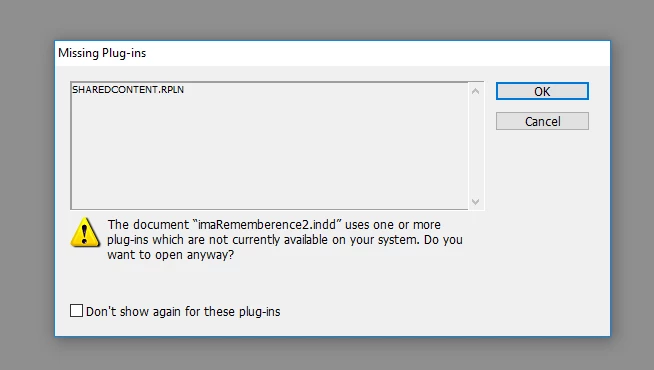
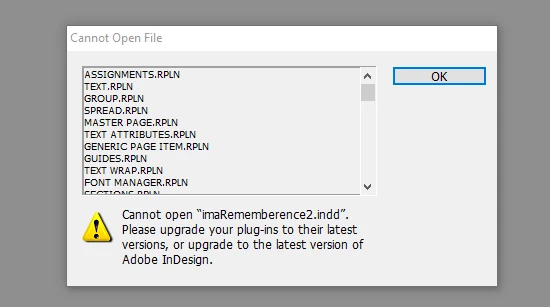
I have re-installed CS4 into my new desktop and when I try to open existing CS4 files I first get the "Missing Plug Ins" notice and then the "Cannot Open File" below and the files do not open. Newly created files open properly. Any suggestions on how to correct this?
This topic has been closed for replies.

3 replies

Participant
October 18, 2021

שלום חברים מישהו יכול לעזור בפתיחת הקובץ הזה

ואיך אולי אני יכול לפתוח אותו במקום עבודתי למרות אי תאימות גרסאות

להלן התמונה שמראה לי בעת ניסיון לפתוח את הקובץ


אני עובד עם גרסה Cs4 בביתי

ובמקום העבודה קיימת גרסת Cs4 אך חסרים לה תוספים 

BobLevine
Community Expert
Community Expert
October 18, 2021

Here you go. You have one week until this link expires.


https://1drv.ms/u/s!AgbhG1cmUkawtaxE4GfsSAJ3KNE-0Q?e=ukDBlM


Scott Falkner
Community Expert
Community Expert
April 19, 2018

What happens when you create a new file in CS4, quit, then reopen that file?

Participant
April 24, 2018

I have no problems opening newly created CS4 files only those prior to removing CS4 from my old laptop and reloading and re-registering it and onto my desktop. It seems many older files will not open however I've checked others and they do open properly.  The ones that do not open show the "Missing Plug Ins" notice and then the "Cannot Open File"  pop ups.

Scott Falkner
Community Expert
Community Expert
April 24, 2018

Would you be willing to share those files? Just post the INDD files to Dropbox/Google Drive and share a link, either here of via DM.

BobLevine
Community Expert
Community Expert
April 12, 2018

Those errors are typical of trying to open a file created in a later version of InDesign. That said, CS4 is unsupported under Windows 10.

However, if you'd like to post the file in a dropbox folder, I'll be happy to try and open it here.

Participant
April 13, 2018

No, these files are indeed CS4 files and had previously opened correctly in Windows 10. I've loaded the InDesign program I had originally purchased from Adobe onto a new desktop when the problem began.  I appreciate your willingness to attempt to open the file but it is not one, it's numerous ones now and in the future.

BobLevine
Community Expert
Community Expert
April 13, 2018

If I had a dollar for every time I heard that…but fine.