
Participant
November 5, 2018
Answered

Missing top ribbon in Indesign 6.0

  • November 5, 2018
  • 1 reply
  • 689 views

While working in Indesign 6.0, my top ribbon disappeared. In its place is this:
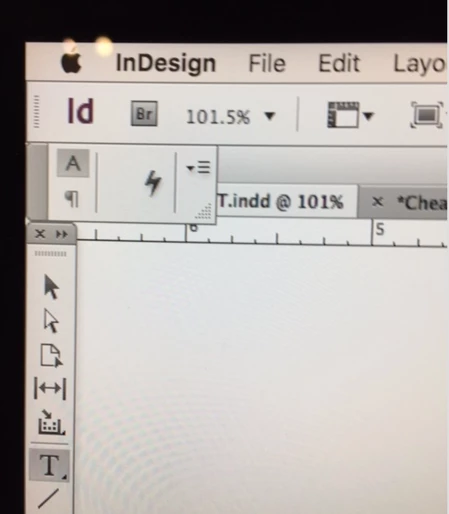
When I click on the right drop down box, this appears:
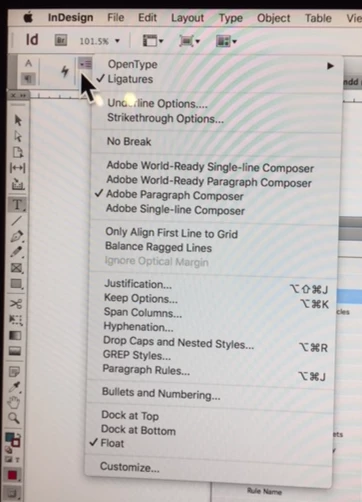
And, when I click on the *thunderbolt,* this appears: 
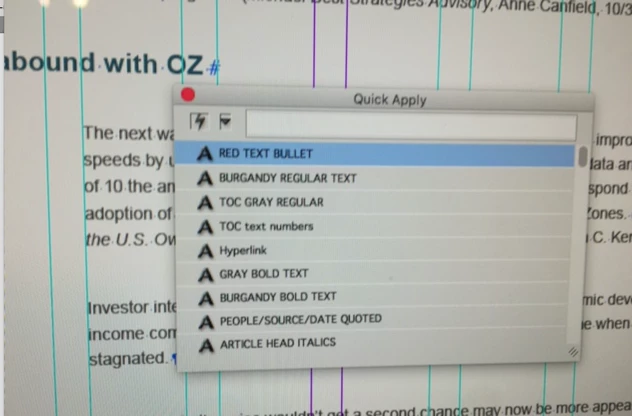
How can I close this box and return to the original default ribbon?

    This topic has been closed for replies.
    Correct answer Randy Hagan

    You've separated the Control palette from its nested slot in the application window.

    1. Put your cursor on the downward-pointing triangle at the lower-right. When you get the diagonal double-arrows, hold down the mouse button and drag to the right to expand the palette. This will let you see all the hidden elements on the palette.
    2. When you can see the entire palette, move your cursor into the dead space to the right of the character and paragraph buttons, and position the palette near the top of the empty space below the top palette. When you see a bright blue line go across the bottom of the top palette, release the mouse button and your Control palette will again be nested where it belongs.

    I know this not because I'm all that bright, but because I've screwed up this way before. This should fix your problem.

    1 reply

    Randy Hagan
    Community Expert
    Randy HaganCommunity ExpertCorrect answer
    Community Expert
    November 5, 2018

    You've separated the Control palette from its nested slot in the application window.

    1. Put your cursor on the downward-pointing triangle at the lower-right. When you get the diagonal double-arrows, hold down the mouse button and drag to the right to expand the palette. This will let you see all the hidden elements on the palette.
    2. When you can see the entire palette, move your cursor into the dead space to the right of the character and paragraph buttons, and position the palette near the top of the empty space below the top palette. When you see a bright blue line go across the bottom of the top palette, release the mouse button and your Control palette will again be nested where it belongs.

    I know this not because I'm all that bright, but because I've screwed up this way before. This should fix your problem.