Participant
January 13, 2020
Question

mockup by indesign

  • January 13, 2020
  • 5 replies
  • 1528 views

Hi,

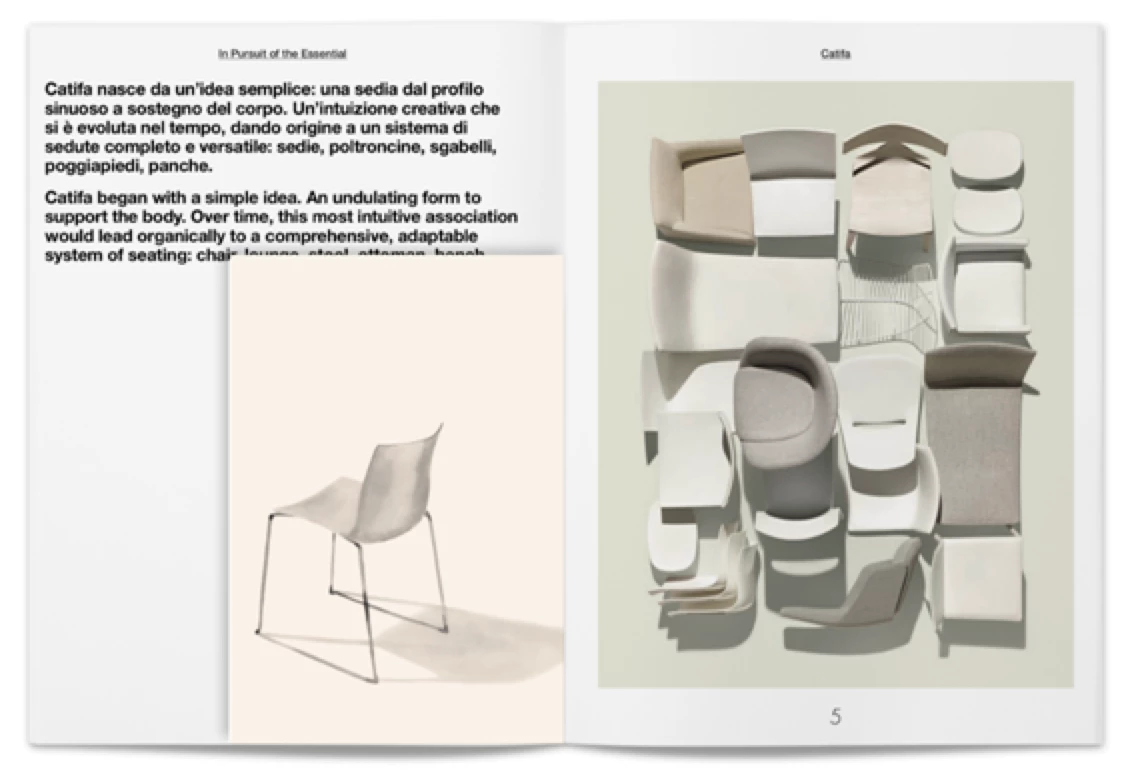
it's possible to export browsable pdf  by Indesign with mockup effect.
The layout it's create in Indesign.

See the example image in attachment.


Thanks,

Valentina
 

This topic has been closed for replies.

5 replies

Frans v.d. Geest
Community Expert
Community Expert
January 13, 2020

Flipbooks. So outdated and annoying design... It is annoying to most readers, and not considered 'modern' in any way. I would advice against it. 

vladan saveljic
Inspiring
January 13, 2020

Ah. Ok!

you should use software for example:

http://www.flipbuilder.it/

vladan saveljic
Inspiring
January 13, 2020

do you mean "flip book" (in italian "pdf sfogliabile")?

Participant
January 13, 2020

Yes! 🙂

BobLevine
Community Expert
Community Expert
January 13, 2020

And how do you want this viewed?

BobLevine
Community Expert
Community Expert
January 13, 2020

What is browsable PDF?

Geоrge
Legend
January 13, 2020

This is animal with PDF extension that can be opened in browser))) Little horse in vacuum. 


To topic-starter: All internal pdf-readers in browsers is an evil. You can't control them and you can't understand and fix all the bugs in it.

Only Acrobat Reader can be used as default PDF-reader. 

Remember, never say you can't do something in InDesign, it's always just a question of finding the right workaround to get the job done. © David Blatner
Geоrge
Legend
January 13, 2020

I don't see any problems to find&place/or doing this by your hands of this "effect" and use it as master page. 

Remember, never say you can't do something in InDesign, it's always just a question of finding the right workaround to get the job done. © David Blatner
Participant
January 13, 2020

i search an automation! 

Geоrge
Legend
January 13, 2020

Automation in what? This is simple master-page with some vector lines and drop shadow. Just do it your mockup template with this master-page and place what you need in it when you need.

Remember, never say you can't do something in InDesign, it's always just a question of finding the right workaround to get the job done. © David Blatner
