
Participating Frequently
October 3, 2022
Question

Modyfing paragraph style doesn't apply changes

  • October 3, 2022
  • 3 replies
  • 512 views

Hi!

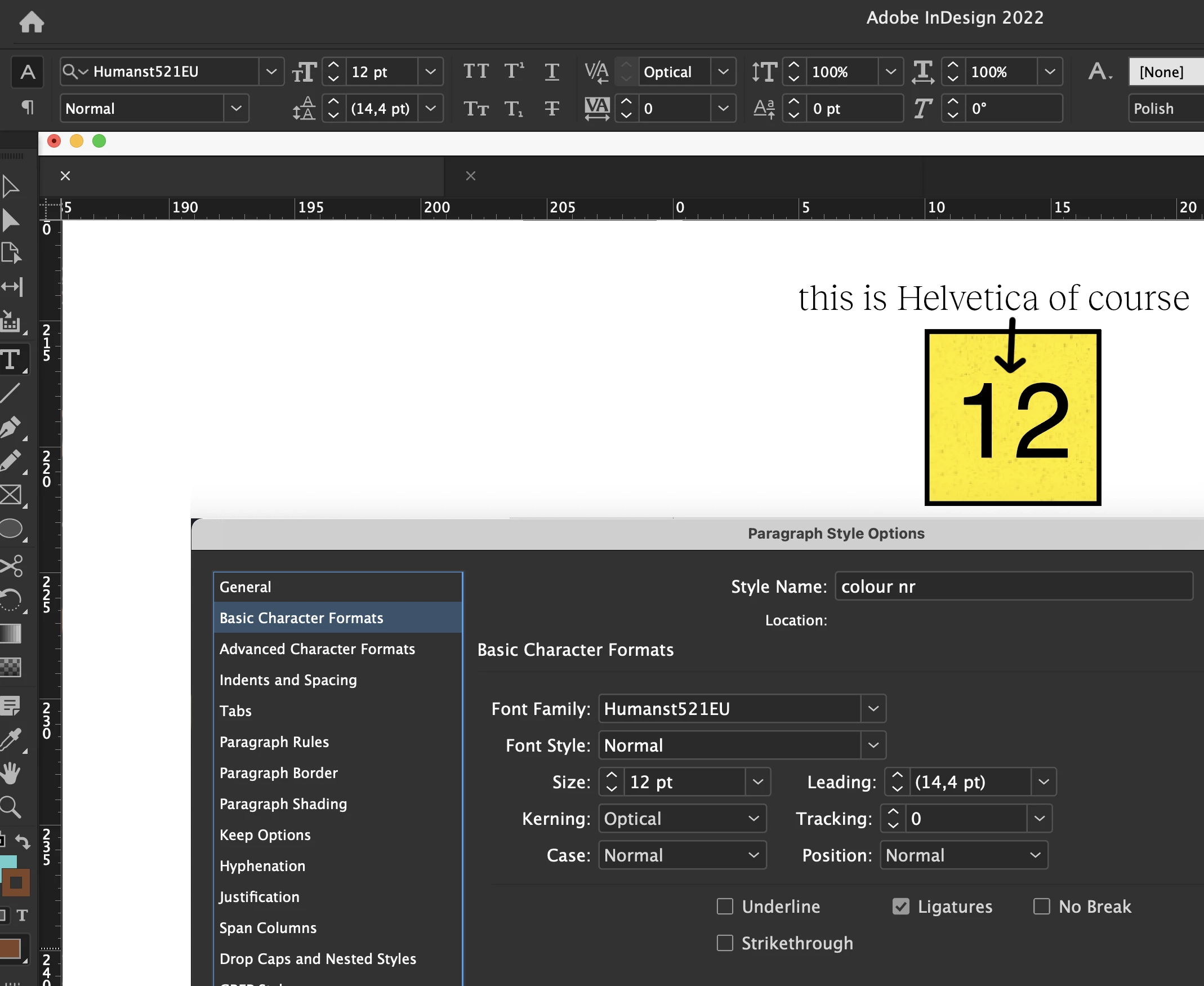
Each update is a step back, something incredible. I have been working in this program from the very beginning. This time I have a problem with Paragraph Styles. I create a text frame, set parameters, create a new Paragraph Style, apply that style to the next paragraph and it sets the default parameters. When I click to check my style settings, of course there are the parameters I have set.

So, for example: I have Humanist set and in the document it shows me Helvetica. And it is like that every time. Changing the font in a style doesn't change the font in my document at all. Any solution to the problem would be welcome. Thank you.
This topic has been closed for replies.

3 replies

jmlevy
Community Expert
Community Expert
October 3, 2022

Did you check if there is a character style applied by default?

Community Expert
October 3, 2022

Hi @jmlevy ,

I think that's already done.

Look at the screenshot the OP is showing.

We need the document to tell what's going on…


Regards,
Uwe Laubender
( Adobe Community Expert )

jmlevy
Community Expert
Community Expert
October 3, 2022

Oh yes, you are absolutely right, I did not pay attention to the screenshots.

Willi Adelberger
Community Expert
Community Expert
October 3, 2022

What type has your font?

Peter Spier
Community Expert
Community Expert
October 3, 2022

From your screen shot I cannot tell if the paragraph style you defined is actually applied to the text. Can you show us the text selected and a view of the Control Panel in Paragraph mode, please, as well as in Character mode, to be sure there is no character style applied as well.

Participating Frequently
October 3, 2022

Probably it is something with the document. When I try to do it on new everything is OK. But I need working on this one. Also, when I copy all elements into a new document problem still exist. Very strange.


Participating Frequently
October 3, 2022

You can try exporint to .idml and open that to resave as .indd.


IT WORKED!!!!

Save as IDML and then open. Everything is now as should be 🙂


THANKS!