
Known Participant
January 22, 2019
Question

Multi-layered/language InDesign to Multi-layered/language PDF

  • January 22, 2019
  • 4 replies
  • 3619 views

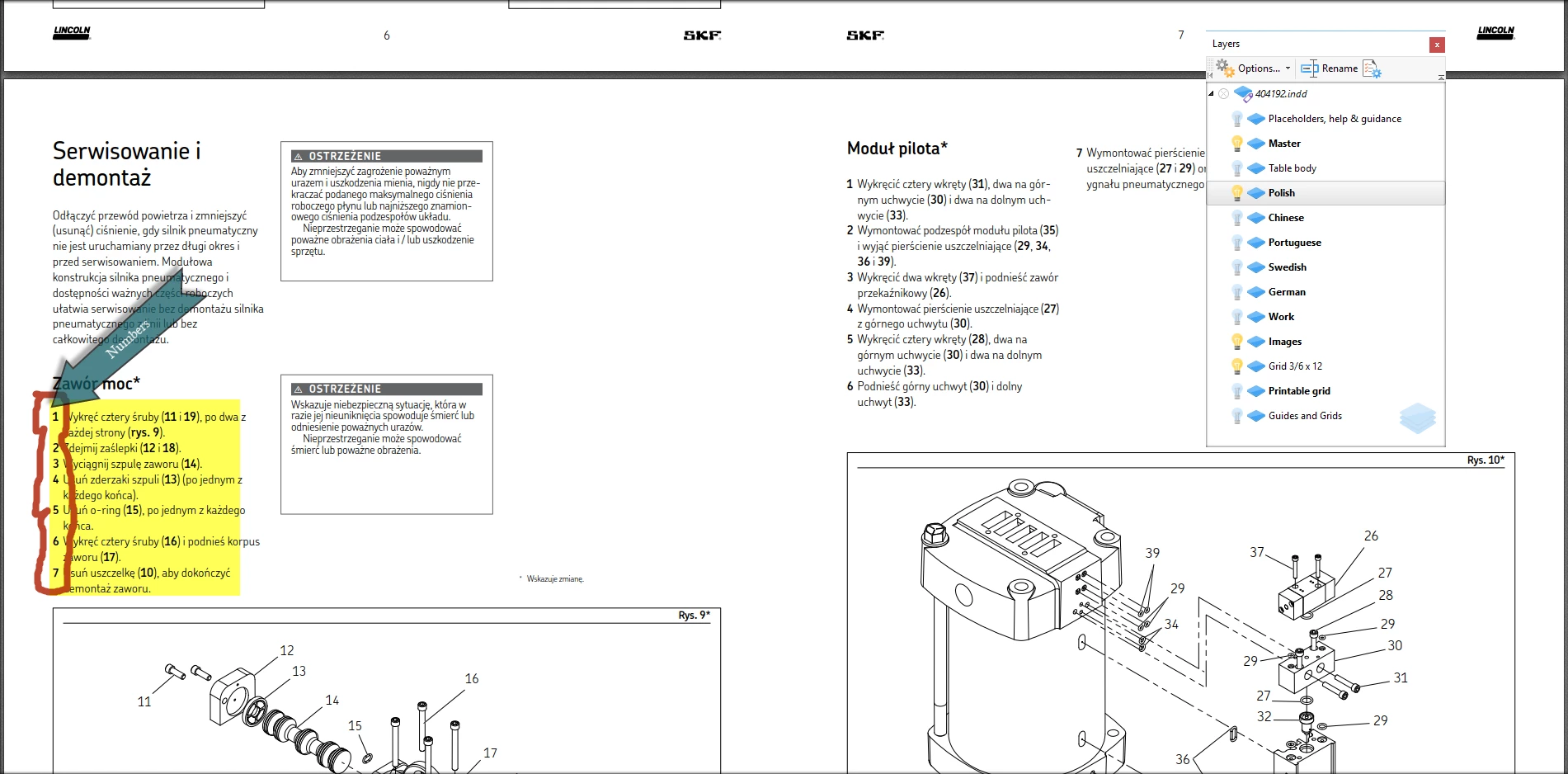
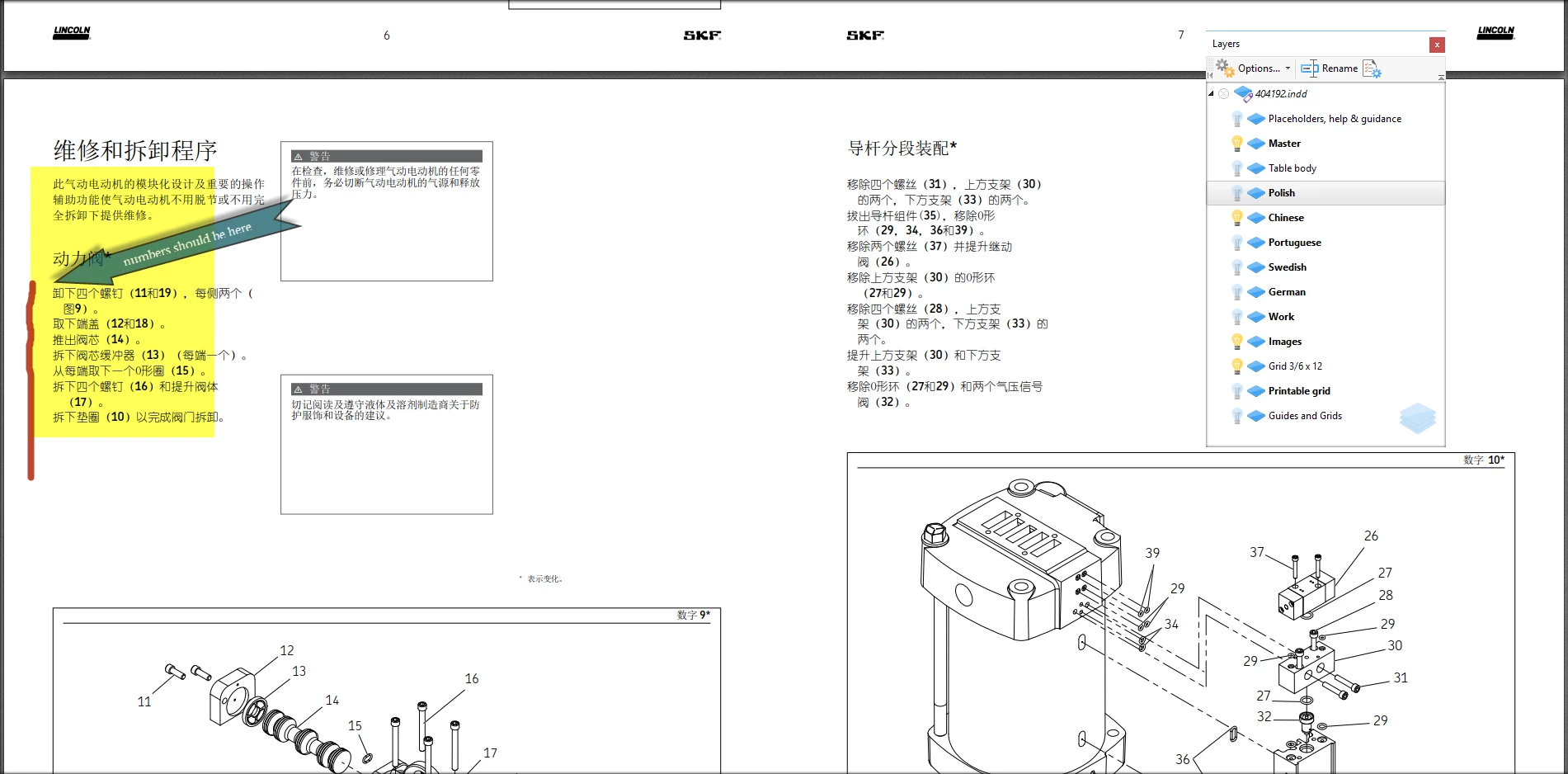
I have a multi layered object with a different language on each layer. Each manual (layer) has numbered steps that are exactly the same in each language. However, the only layer that is printing the step numbers is the top layer. I have exported to PDF each language as the top language and that layer has the step numbers, but the languages below the top layer do not have the step numbers. This glitch just started today after 7 years of using InDesign never seen something like this. I have had a colleague attempt to create the multi-layered/language pdf and they have the same issue. I have uninstalled InDesign, re-installed, and deleted preferences. Not sure where to go now.
This topic has been closed for replies.

4 replies

Community Expert
August 2, 2021

Hi Tim,

it is the first frame of a story that dictates this malign behavior.

So a workaround would be to add a small text frame at the start of the story to prevent the issue.

In your case move that small text frame to the layer that's always visible: The "Master" layer.


See also this new discussion from today:


Autonumbering turns off when hiding a layer
biozaichenko, Aug 01, 2021

https://community.adobe.com/t5/indesign/autonumbering-turns-off-when-hiding-a-layer/td-p/12222071

Regards,
Uwe Laubender

( ACP )

Known Participant
January 29, 2019

Uwe,

Just double checking on my part. The sub-layers under Chinese have the numbers as well, correct? The SKF font was created by our company and until last week we had no issues with using the font for multi-layered pdfs created from layered InDesign documents. Now, we will have to go back to the old way. Heres hoping Adobe can figure out what was changed and correct it.

Thank you again for all of your time.

Tim

Community Expert
January 29, 2019

timl99453563  wrote

…The sub-layers under Chinese have the numbers as well, correct? …

Ah! There we have the issue!
Maybe I did not understand in the first place where you are seeing the issue!

Yep. The layers like Portugese, Swedish and German miss the numbers when visibility is turned on.

Here the German layer with visibilty set to true from the same PDF document:

Regards,
Uwe

Community Expert
January 29, 2019

Next step for testing:

Export to IDML, using older versions of InDesign to see if the issue is also there.

Just tested with InDesign CS6 8.1.0 on the same machine.

Same issue found.

That's quite a bug.

Solution:
Export with all layers visible and turn off visibility of layers in the exported PDF/X-4 if necessary.

Regards,
Uwe

Known Participant
January 29, 2019

Hello Uwe,

I have completely removed the Chinese layer in hopes that that step would remedy the situation. It didn't. Realizing you do not have the SKF font, it should substitute that font correct? I did receive a response from Adobe stating to make all layers visible and then print the pdf. This does work but does not remedy the problem in my eyes since it was not necessary to do this until last week. Something changed and I am not sure what? Thanks for the input and assistance.

Tim

Community Expert
January 29, 2019

Hi Tim,

ok. I substituted every missing font, the whole range of SKF custom fonts made especially for your customer and and also the two YouYuan fonts with Adobe Source Sans and Adobe Fangsong Standard.

Exported page 7 with the Chinese layer visible.

No issues found with automatic numbering:

Still, I think the issue is the fonts you are using.

Regards,
Uwe

Community Expert
January 22, 2019

Hi Tim,

what's your exact version of InDesign? What's your operating system?

Can you show the corresponding InDesign pages with hidden characters and frame edges showing?

Also the Layers panel with the same set of layers visible like in your screenshots from Acrobat.

Are the numbers set on their own layer in InDesign?

What's the color of the step numbers?

Regards,
Uwe

Community Expert
January 22, 2019

Also check your paragraph styles for Chinese.

Could be that auto numbering is turned off there.

Regards,
Uwe