
Participating Frequently
November 19, 2018
Answered

multiple AdobeFnt20.lst files showing up on Google Drive

  • November 19, 2018
  • 4 replies
  • 9761 views

Looking for some help and Adobe's chat support hasn't really helped.

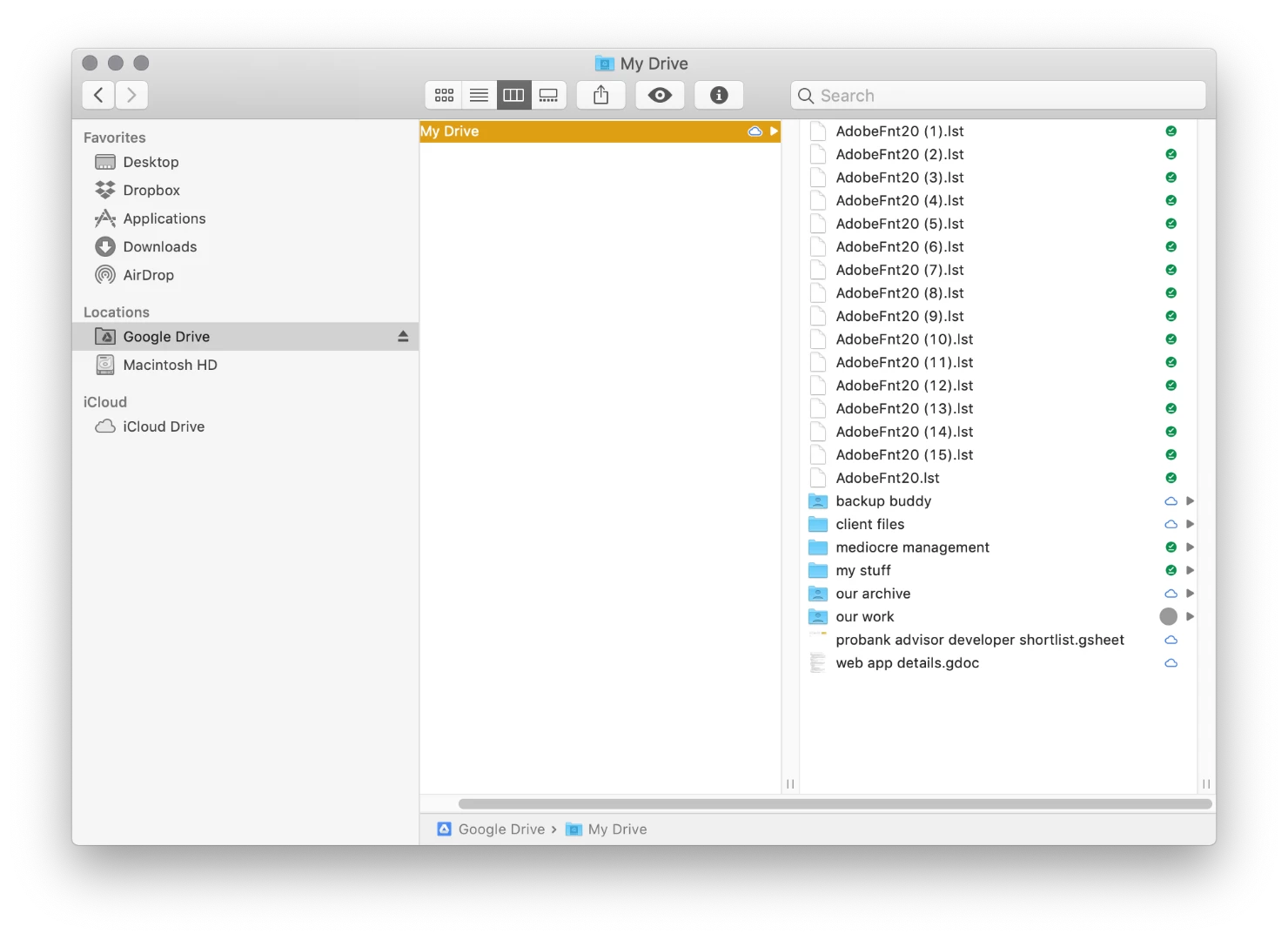
Does anyone else have issues with AdobeFnt20.lst files showing up on Google Drive? For me it’s in the root folder. Screenshot is below.

Several co-workers have the same issue, but it's in each of our root folders, so it's not like one person is putting the files in there any it's syncing with everyone else (as far as I can tell).

Deleting the file(s) doesn't help, they just show up over the next several days.

It should be noted that we have all sorts of .indd packaged files in these folders, but none of them are ever actually in this root - so I don't know what setting is making them show up.

Does anyone have any thoughts? I'm not finding anything floating around online.

Thanks!
This topic has been closed for replies.
Correct answer Colin Flashman

It looks like an issue with Google Drive itself. A thread over on the Google Drive forums has users complaining of similar issues, but with other temporary file types: Google Groups

4 replies

Participating Frequently
November 24, 2018

To reiterate: the issue isn't that I don't understand what the file is; I understand its function and that I can delete them. I want to know why it's choosing to save in a location so far away from the InDesign files - it's causing syncing issues with Google Drive. So while these replies have been marked helpful, they weren't helpful re: the question I asked.

Thanks!

Colin Flashman
Community Expert
Colin FlashmanCommunity ExpertCorrect answer
Community Expert
November 24, 2018

It looks like an issue with Google Drive itself. A thread over on the Google Drive forums has users complaining of similar issues, but with other temporary file types: Google Groups

If the answer wasn't in my post, perhaps it might be on my blog at colecandoo!
Participating Frequently
November 26, 2018

Perfect, thanks Colin. This is perfect.

Legend
November 19, 2018

Yes, Adobe never delete them. That's up to you. That's the point, it wouldn't speed up things if they were deleted on close. If you open one in a text editor you may see a list of fonts that might explain things, but probably won't.

Legend
November 19, 2018

Background: Adobe software makes Adobefnt*.lst files whenever it scans a directory of fonts. It does this to speed things up (so it can get a font list without reading every font file, every time). Especially useful for network/cloud folders. Sometimes we get multiple files, don’t know why.

Most often these lst files are in the same folder as the fonts, but maybe it can’t or won’t do that with your Google drive. You can always delete these files, there will be a small cost the next time the software runs and has to rescan the fonts.

Participating Frequently
November 19, 2018

Right on. I get the idea behind the functionality, but they aren't disappearing later even hours/days after files are closed and they're being saved in a location that's pretty far from the actual files.

Willi Adelberger
Community Expert
Community Expert
November 19, 2018

delete them.

Participating Frequently
November 19, 2018

Deleting them is a temporary solution, but like I mentioned in the message they just reappear later.