


Inspiring
June 25, 2018
Answered

Multiple Paragraph Border Overlap: How to create a multiply overlay?

  • June 25, 2018
  • 4 replies
  • 1173 views

Hi there,

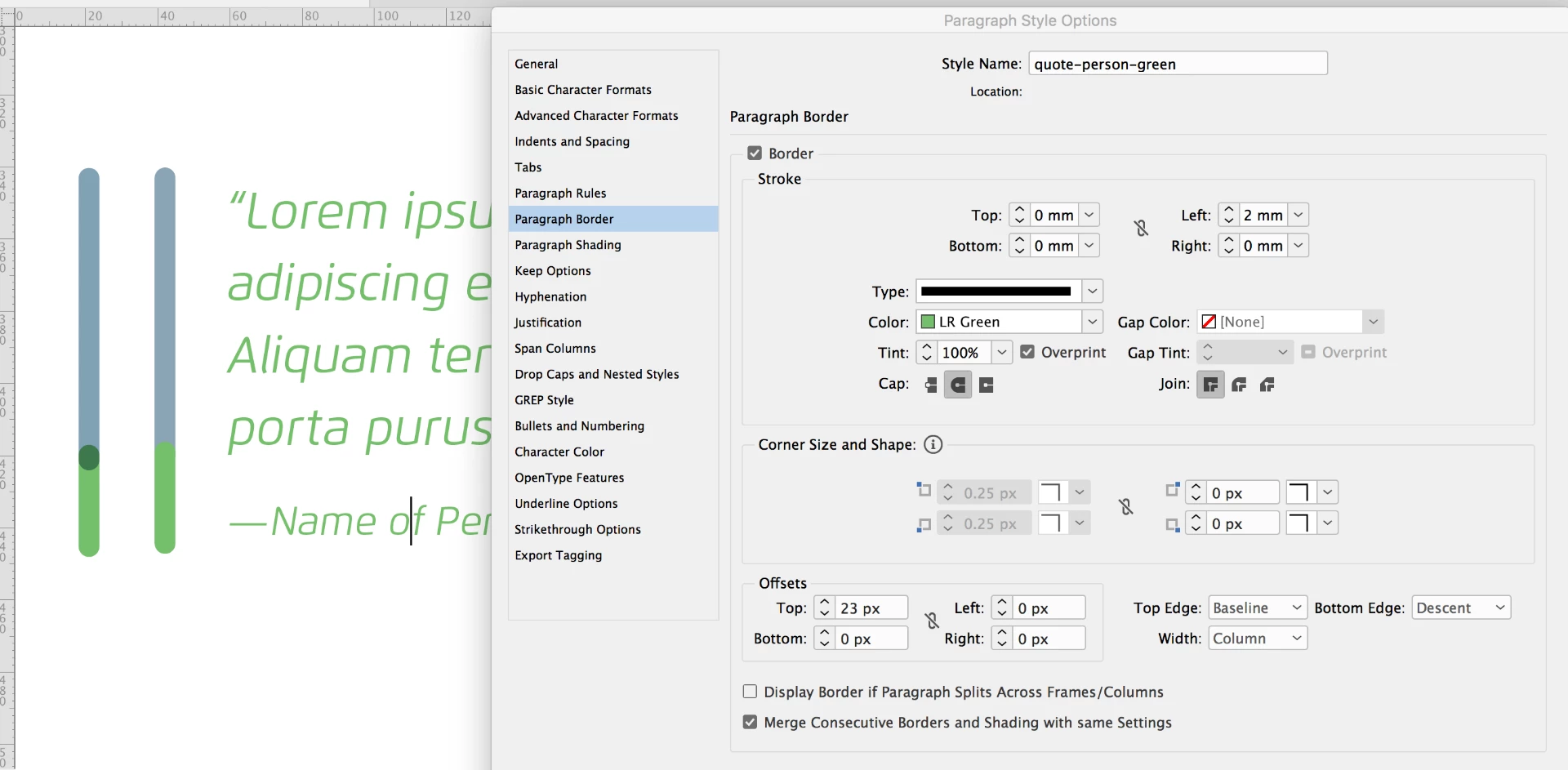
I have an ebook I'm working on that has a bunch of quotes. The brand uses a special line on the left to showcase the quotes. This line has a grey that overlaps with a green - and where it overlaps it multiplies the color. Now, instead of going in and creating each of these individually, I'm trying to do this as a paragraph style - but I cannot for the life of me figure out how to create the overlapping bit. Maybe there isn't a way to do this? Below is a screenshot.

The line to the far left is what I want the line next to the quote to look like. I have two paragraph styles that overlap, but no idea how to make that happen. I cannot select a gap color.
This topic has been closed for replies.
Correct answer queenfantabulous

Well, the way I had to do it was in 3 parts actually - the end piece covers up that second dot and just uses a space at 6pt. The dot is a color to mimic the multiply of the green/gray.

4 replies

queenfantabulousAuthorCorrect answer
Inspiring
June 25, 2018

Well, the way I had to do it was in 3 parts actually - the end piece covers up that second dot and just uses a space at 6pt. The dot is a color to mimic the multiply of the green/gray.

Inspiring
June 25, 2018

I also just tried creating a custom line... but the dot only goes to the bottom... If I could get the grey line to come in front of the green, then I could use this style there, but there is no way I can get it to be in front.

BobLevine
Community Expert
Community Expert
June 25, 2018

I doubt very much you’ll be able to accomplish in InDesign with a single stroke. You may have to create it with several elements and save it in a library or a snippet.

Inspiring
June 25, 2018

I got close with doing this - but I need to somehow remove that bottom dot - then again it might not work if there is more than one line of text there...

JonathanArias
Legend
June 25, 2018

are you doing an epub? what kind of ebook? not sure epub supports that effect.

Inspiring
June 25, 2018

Sorry - should've said it would only be exported as a PDF style ebook. Not an epub.