Known Participant
March 18, 2022
Answered

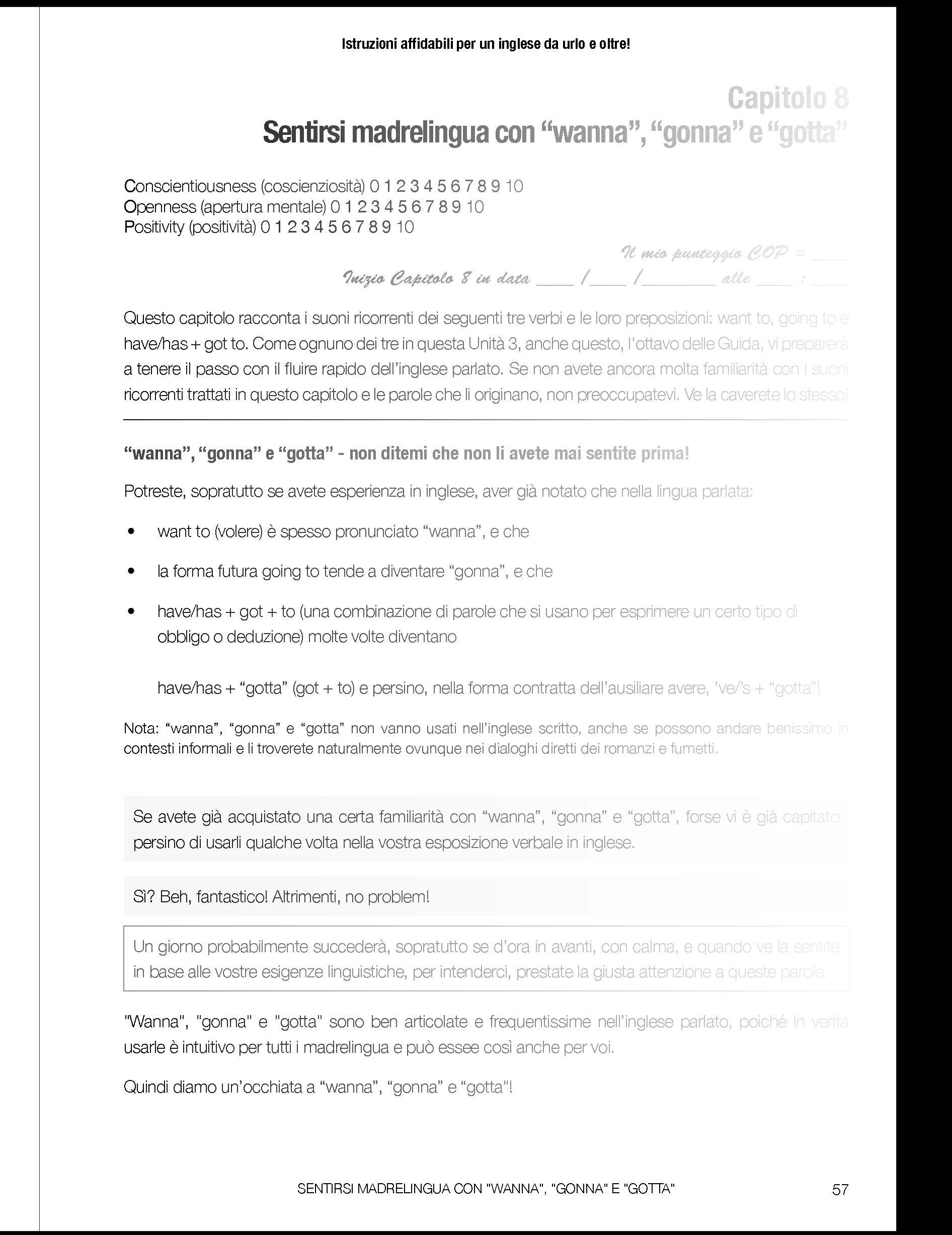
My page appears faded!

  • March 18, 2022
  • 3 replies
  • 359 views

Hello there, 

Look what has just happened. What is this strange fog business? Boo hoo!

Any suggestions regarding how to "change the weather" on my page will be much appreciated!


This topic has been closed for replies.
Correct answer jmlevy

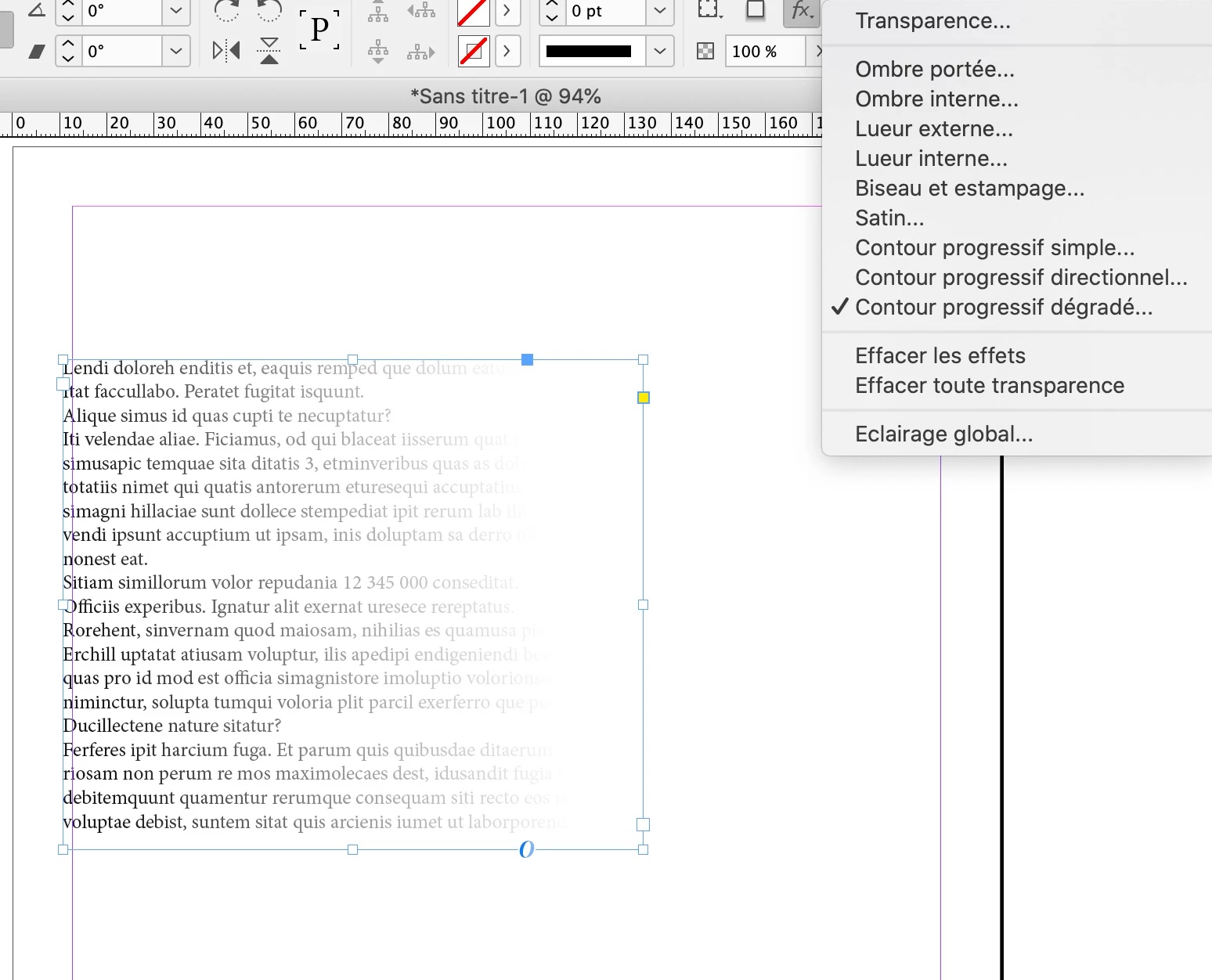
It looks that you have applied a transparency effect with the gradient feather tool. Select the frame, click on the fx icon in the control panel and check for any effects.
3 replies

jmlevy
Community Expert
jmlevyCommunity ExpertCorrect answer
Community Expert
March 19, 2022

It looks that you have applied a transparency effect with the gradient feather tool. Select the frame, click on the fx icon in the control panel and check for any effects.

Known Participant
March 20, 2022

Thank you so much because your answer has saved me time-wasting, trying to figure the matter out alone.

I am new to InDesign and just want my recently acquired, basic knowledge of it to enable me to typeset a book I've written. You've really helped because until you know, you just don't know, right? I had no idea of the existence of this interesting feature. It was on, I've turned it off.  Goodness knows how I ever turned it on to begin with!  

James Gifford—NitroPress
Legend
March 19, 2022

Does this only happen in InDesign? Only on a specific document or page?


(OS and version will help as well.)


John T Smith
Community Expert
Community Expert
March 18, 2022

When you post a question you always need to tell the program you are using
There are MANY programs in a full subscription, plus other non-subscription programs
Please post the exact name of the Adobe program you use so a Moderator may move this message to that forum

Known Participant
March 19, 2022

Ops! Sorry! You're right, of course. Using InDesign.
