
Need Assistance with Customizing Second Line Indent in InDesign Bulleted Lists
Hello InDesign Community,
I'm encountering an issue with customizing the second line indent in bulleted lists within Adobe InDesign. Specifically, I want to align the second line of text with the text rather than the bullet, but I'm facing some limitations within the software.
In the "Paragraph Style Options" panel, under the "Bullets and Numbering" tab, the "Tab Position" option is locked at 0.5 inch and greyed out for standard bullet lists. This restriction prevents me from customizing the alignment of the second line.
I've explored various avenues within the software, but it seems that InDesign's standard bullet list formatting doesn't provide a straightforward way to achieve this alignment. Manual adjustments are possible, but not ideal for large documents.
For reference, I've attached a photo of the current formatting (first photo) and a photo of what I'm trying to achieve (second photo).
I'd appreciate any insights, workarounds, or tips from the InDesign community on how to overcome this limitation and align the second line of text with the text instead of the bullet within bulleted lists.
Thank you for your help and expertise!
Best regards,
Mia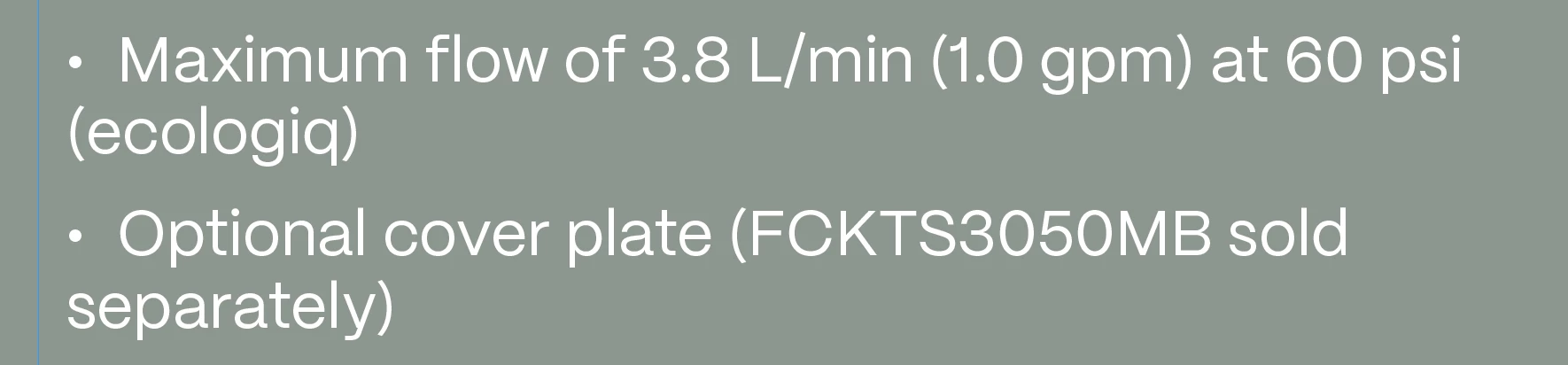

 AdChoices