
Participant
November 29, 2018
Answered

Need help getting rid of horizontal lines in indesign

  • November 29, 2018
  • 2 replies
  • 9981 views

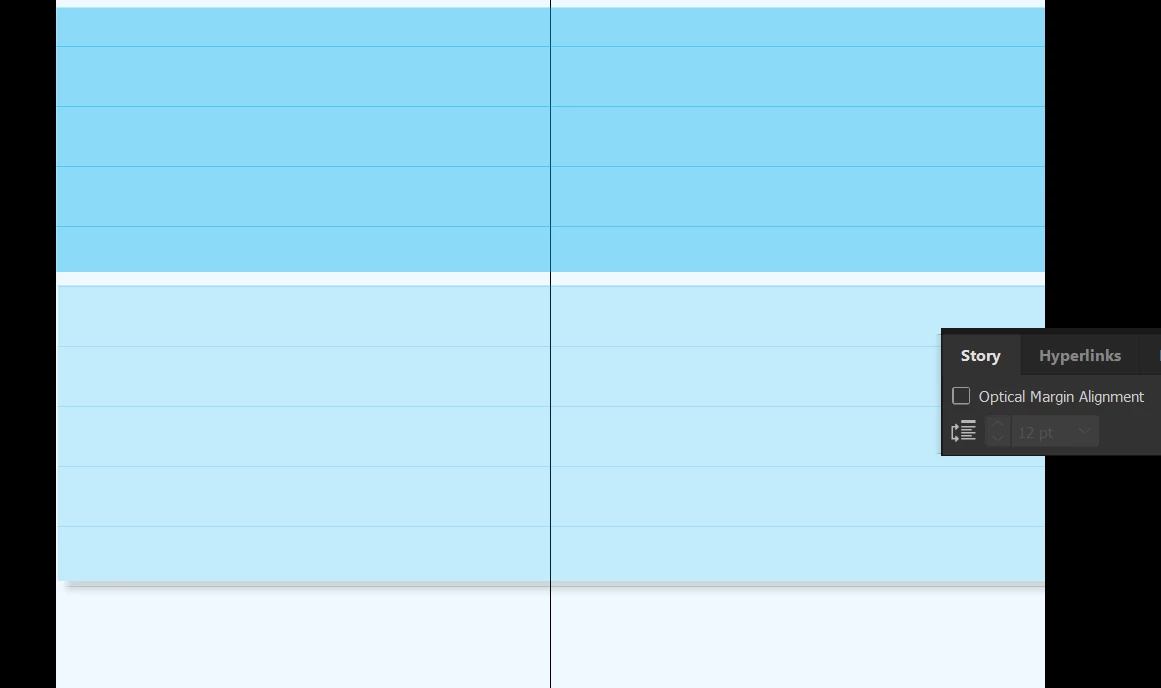
I am currently making a typography speciman book in Indesign. I am trying to create blue rectangles on which I place my text, however not matter what I do, there are always these stubborn horizontal lines that show up in preview, even when I press Shift-W (I am working in Windows). How do I get rid of these?????
    This topic has been closed for replies.
    Correct answer Ian Blogs

    Go to view>grids and Guides>hide guides

    2 replies

    Jongware
    Community Expert
    Community Expert
    November 29, 2018

    Do they also appear in a PDF when you export this? If not, they are just part of the interface.

    Ian BlogsCorrect answer
    Inspiring
    November 29, 2018

    Go to view>grids and Guides>hide guides

    Inspiring
    November 29, 2018

    Also check View>Grids and Guides for "Hide Baseline Grid"

    winterm
    Legend
    November 29, 2018

    OP says: lines […] show up in preview, even when I press Shift-W

    No grids or guides are visible in Presentation mode.

    I wonder, how these rectangles are created, exactly? As the first shot, what happens if you change their fill / outline color?

    FWIW: it is possible to see guides in a Preview/Bleed/Slug Screen modes, if those guides are selected before switching from Normal mode. Never in Presentation mode, though.