

Need help troubleshooting script to apply cell styles to tables
I have a document where certain tables need to have certain cell styles applied according to the values contained within each cell. Here's an example of the final output:
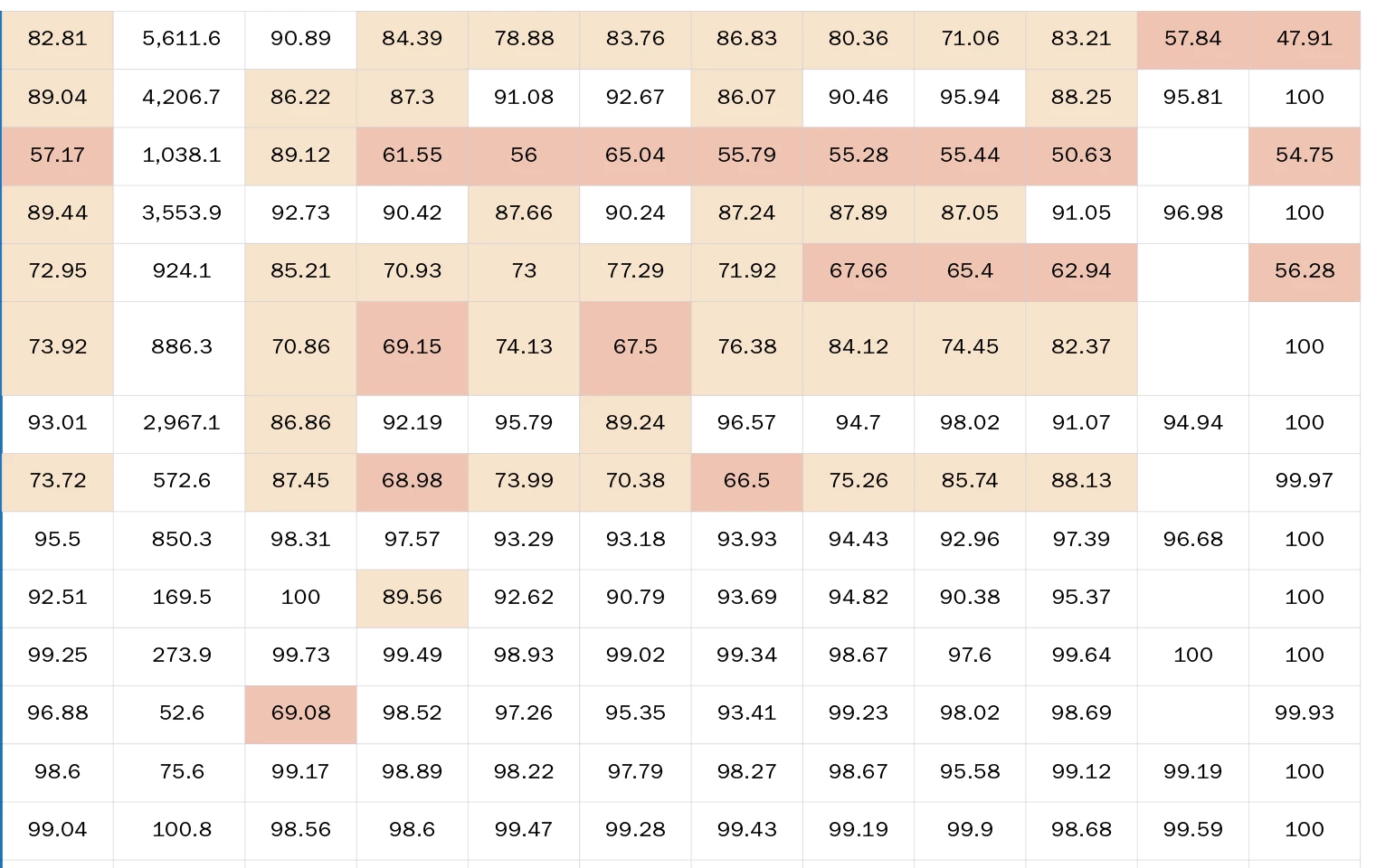
(Effectively, all numbers from 00.00-69.99 will have one style, and numbers from 70.00-89.99 will have another style. I'm selecting for the former with the GREP ^[2-6]\d+(\.\d+)? and the latter with ^[7-8]\d+(\.?\d+)?)
My current approach is using Grep styles within the paragraph style for the cells to color code the values themselves, making it easier for me to spot and change them individually. This is still a pretty tedious approach, though, especially since there are several pages of tables where I'd need to do this.
This seemed like the kind of thing that could be automated via scripting, so I did some digging and I found a script for a similar solution here: How to apply a table cell style based on grep search?, which I modified to suit a grep-based search approach rather than a text-based one. My modified code is below:
var myDoc = app.activeDocument
app.findGrepPreferences = app.changeGrepPreferences = null
app.findGrepPreferences.findWhat = "^[2-6]\d+(\.\d+)?"
var myFound = myDoc.findGrep()
for(i=0; i<myFound.length; i++)
{
if(myFound.parent.constructor.name == "Cell")
{
myFound.parent.appliedCellStyle = "Heatmap Poor"
var overrides = myFound.clearOverrides() //this is the new line added in this content
}
}
The problem? Running the script doesn't give me any errors, but it also doesn't do anything. And I don't know JS well enough to really troubleshoot why that's the case. Also, I'm not sure how to make it find the two separate conditions that must be searched for within the same script.
I figured more experienced eyes than mine could point out what I'm doing wrong. I appreciate your help!
 AdChoices