BlueShot
Participant
January 29, 2024
Answered

Need Help with Business Card

  • January 29, 2024
  • 2 replies
  • 265 views

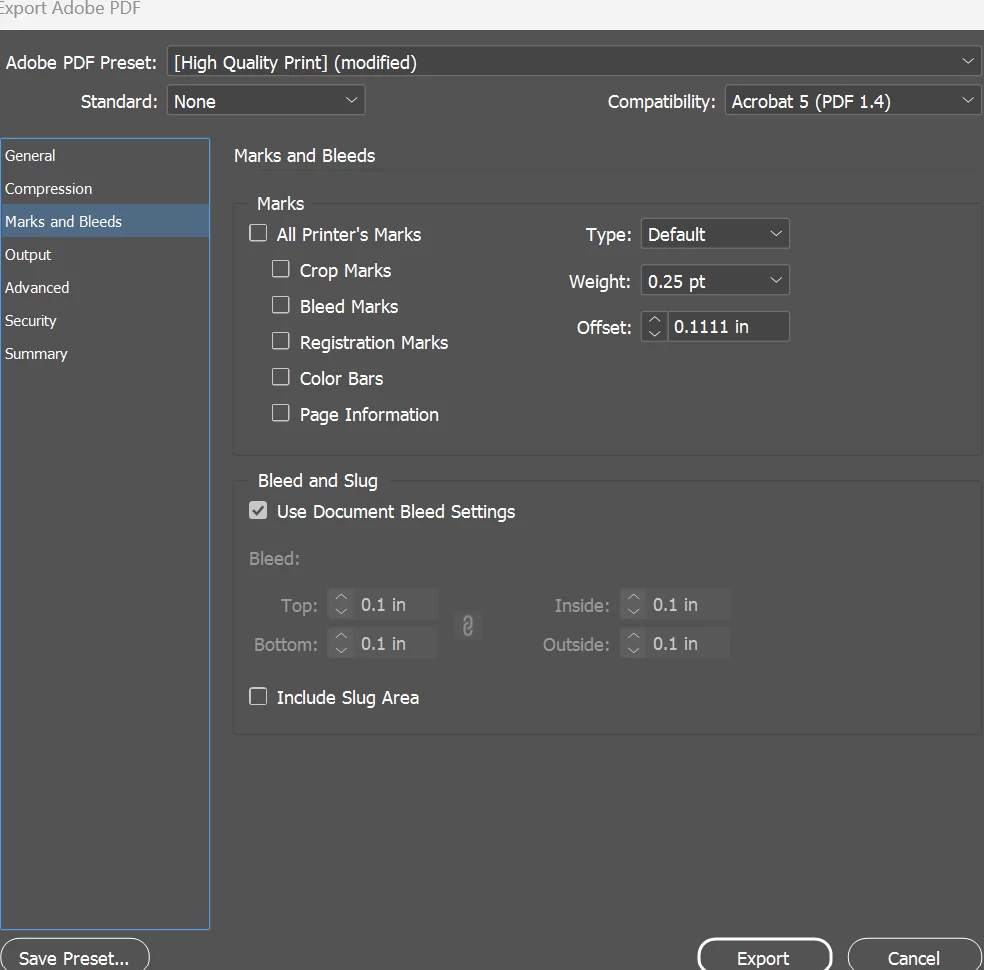
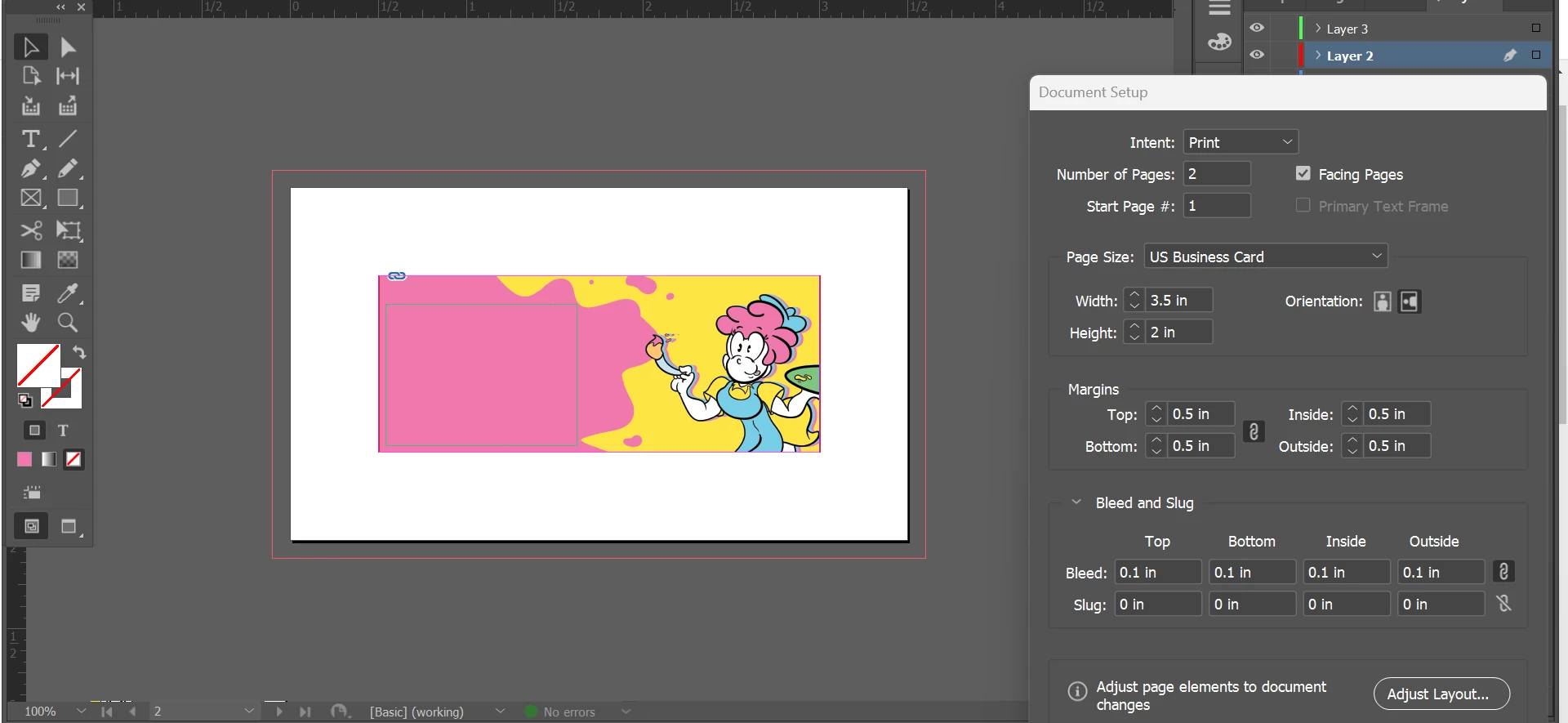
I used the business card preset from Indesign. I have the design done but whenever I try to export it to a PDF it includes the white border around the card.


How do I get rid of this?


I've included relevant screenshots.


Thank you.


This topic has been closed for replies.
Correct answer rob day

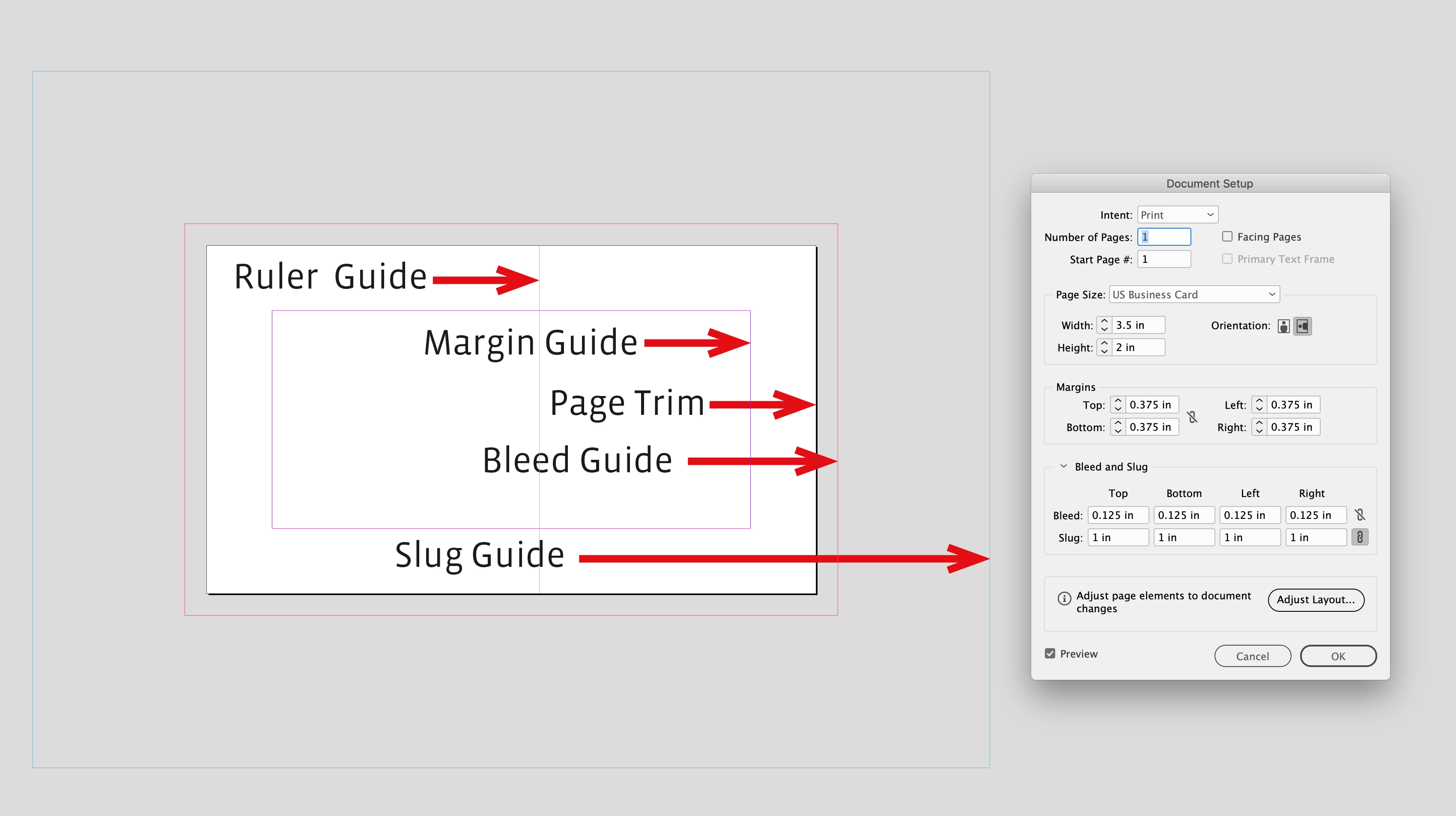
Hi @BlueShot , Here’s a diagram of InDesign’s page guides—the Page Trim (Page Size) are the output dimensions


2 replies

rob day
Community Expert
rob dayCommunity ExpertCorrect answer
Community Expert
January 29, 2024

Hi @BlueShot , Here’s a diagram of InDesign’s page guides—the Page Trim (Page Size) are the output dimensions


James Gifford—NitroPress
Legend
January 29, 2024

The white area is the full area of the business card (3.5 x2 inches). The area in the center, with the magenta border, is an arbitrary text area, not any kind of printing or layout limit.


It's also much too small. Document margins for text are typically about this for full pages, but as little as 1/8 inch on a business card. It's more or less the closest any text element should get to an edge where it might be trimmed off.


This is very basic stuff... there are some good tutorials here and around the web on the basics of InDesign layout etc. You might profit from a few minutes spent with them. InDesign isn't too hard to use (for basic work) but the first few steps of the learning curve are pretty steep.  🙂