Exit
  • Global community
    • Language:
      • Deutsch
      • English
      • Español
      • Français
      • Português
  • 日本語コミュニティ
  • 한국 커뮤니티
0

Need to center text and right justify tab

Explorer ,
Oct 21, 2021 Oct 21, 2021

Hello,

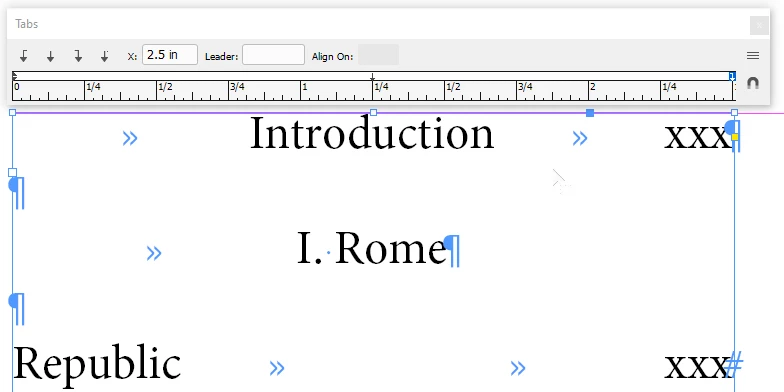
I am making a table of contents. For most entries I need to only left justify the entry and right justify the page number. In this example "Republic" is just fine. However, the chapter heading must be centered while the page number is right justify. As you can see in "1. Rome" I need to do that, but whatever I try the chapter goes to the left. The only workaround I see was applied in the "Introduction." Here I dres a guide prior to adding a page number so I knew where the centered text began. After using the right justify tab and pushing the chapter title to the left I indented it. I'd rather not do that for 20 more chapters.


Thanks,

TomScreen Shot 2021-10-21 at 12.07.32 PM.png
TOPICS
How to
654
Translate
Report
Community guidelines
Be kind and respectful, give credit to the original source of content, and search for duplicates before posting. Learn more
community guidelines

correct answers 1 Correct answer

Community Expert , Oct 21, 2021 Oct 21, 2021

The things I can't see in here are:


  1. Where the cursor is at in your document, and ...
  2. Whether all the lines have the same tabs and Left/First line margins, though I suspect they don't.


The easiest way to fix this would be to set all the lines for your ToC to align with the left margin of the line "Republic" and use a center-align (or left-align, depending on your preference) tab to center text in lines in your ToC like "Introduction" And "I. Rome"


In the example below, I reset your type a

...
Translate
Community Expert ,
Oct 21, 2021 Oct 21, 2021

The things I can't see in here are:


  1. Where the cursor is at in your document, and ...
  2. Whether all the lines have the same tabs and Left/First line margins, though I suspect they don't.


The easiest way to fix this would be to set all the lines for your ToC to align with the left margin of the line "Republic" and use a center-align (or left-align, depending on your preference) tab to center text in lines in your ToC like "Introduction" And "I. Rome"


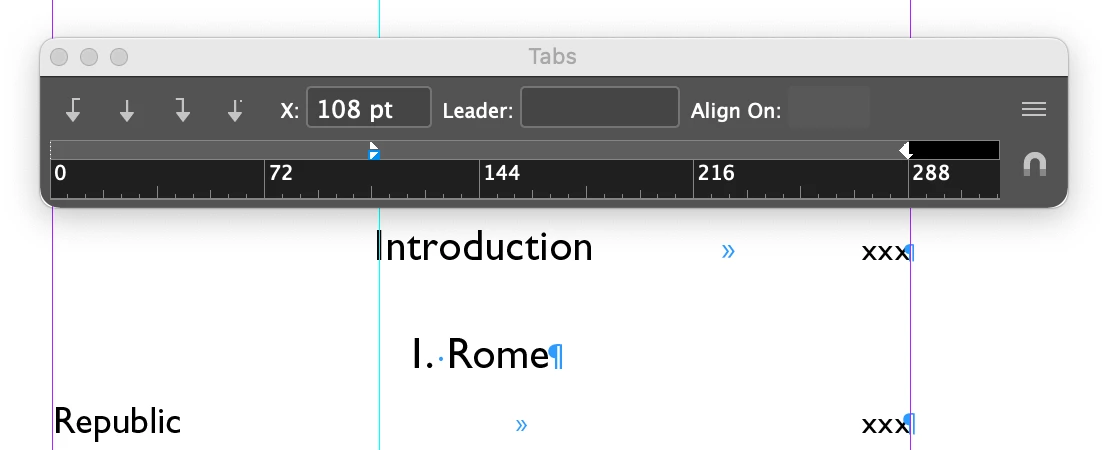
In the example below, I reset your type and set a 2½" column. I highlighted all the type so alignment would be consistent across the text thread. There's a right-align tab at the 2½" right side margin, and a center-align tab at 1¼".


1b.jpg


For every line I start centered, I hit one tab before the text and it'll align in the center of the text frame perfectly. For every line I want to start from the left I hit two tabs between the text and the page number.


It works like clockwork.


Hope this helps you,


Randy

Translate
Report
Community guidelines
Be kind and respectful, give credit to the original source of content, and search for duplicates before posting. Learn more
community guidelines
Explorer ,
Oct 21, 2021 Oct 21, 2021

Thanks Randy!

Translate
Report
Community guidelines
Be kind and respectful, give credit to the original source of content, and search for duplicates before posting. Learn more
community guidelines
Community Expert ,
Oct 21, 2021 Oct 21, 2021
LATEST

My pleasure. Glad to lend a hand.


Any time you have issues in the future, don't hesitate to come back here and sound the alarm. There are lots of sharp folks around here happy to lend a hand.


Randy

Translate
Report
Community guidelines
Be kind and respectful, give credit to the original source of content, and search for duplicates before posting. Learn more
community guidelines