
Participant
May 20, 2019
Answered

Need to impose a PDF booklet from Indesign

  • May 20, 2019
  • 4 replies
  • 1754 views

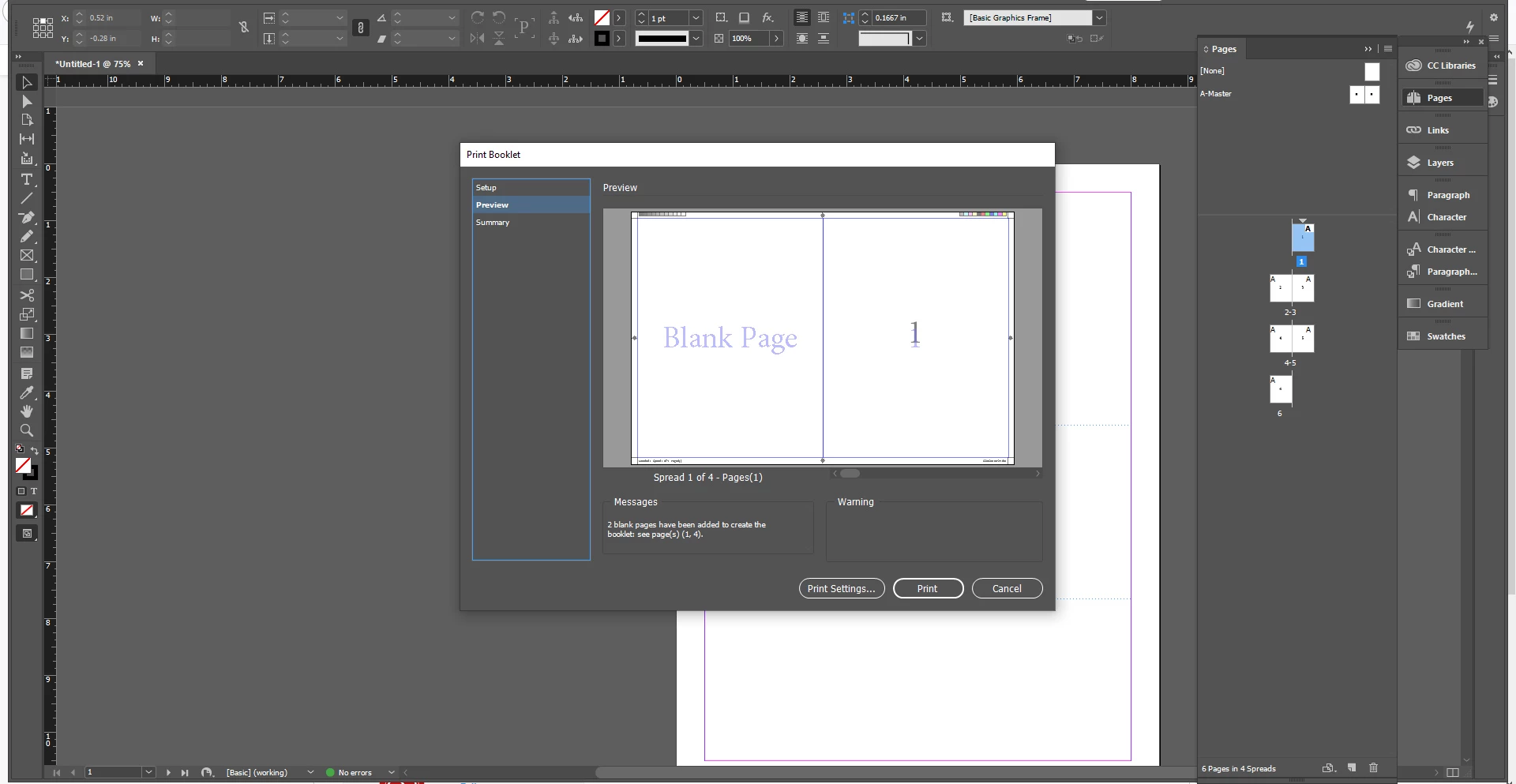
Hello, I need to impose a booklet layout from my reader spread created in Adobe Indesign. I am using the current cloud version of Indesign on Windows 10. I have tried the print booklet feature and it does not work. When I run a preview, the program inserts a blank page to the left of page 1 and also inserts and extra blank page after page 2. I have also tried in Adobe Acrobat with the same result. Every help article and video I've seen so far is not helping. The result I need to achieve is to print the front and back cover next to each other and other (letter size) pages in the right order on tabloid size paper which will be folded and saddle stitched.
This topic has been closed for replies.
Correct answer BobLevine

As already pointed out, you only have 6 pages. You need to work in multiples of 4.

4 replies

Participant
May 20, 2019

Hi Bob, I've seen you post that same reply to the other questions. As I said in my post, it still does the same thing. Maybe you can help me figure out a way to make this work.

BobLevine
Community Expert
BobLevineCommunity ExpertCorrect answer
Community Expert
May 20, 2019

As already pointed out, you only have 6 pages. You need to work in multiples of 4.

Abambo
Community Expert
Community Expert
May 20, 2019

Then I would imagine the driver in that printer may well be capable of imposing the document properly.


Our printer (driver) has problems when designing with bleed. Without bleed it is easiest to output single pages (but a multiple of 4... ) and use the printer features...

ABAMBO | Hard- and Software Engineer | Photographer
BobLevine
Community Expert
Community Expert
May 20, 2019

Export a proper PDF and then use the booklet feature in Acrobat to print it.

Abambo
Community Expert
Community Expert
May 20, 2019

You need a multiple of 4 pages to create a booklet. You have only 6 pages so the program inserts 2 blank pages to get the job done.

ABAMBO | Hard- and Software Engineer | Photographer
kglad
Community Expert
Community Expert
May 20, 2019