
Participating Frequently
May 31, 2025
Answered

Non fiction book formatting

  • May 31, 2025
  • 3 replies
  • 683 views

Hi. I have just completed a book of around 330 pages. I purchased subscription of Indesign and copied word document into Indesign. Things seems ok till now but now the biggest issue i sto have a nice format. I need suggestions for a non fiction book. Its a business book. What shoudl be the best font for the body text ? headlines ? sub headings etc ? Is Aerial a suitable font ? Shoudl I have the same font for all with different sizes ? 
 

Correct answer Barb Binder

Hi @kumar_n:


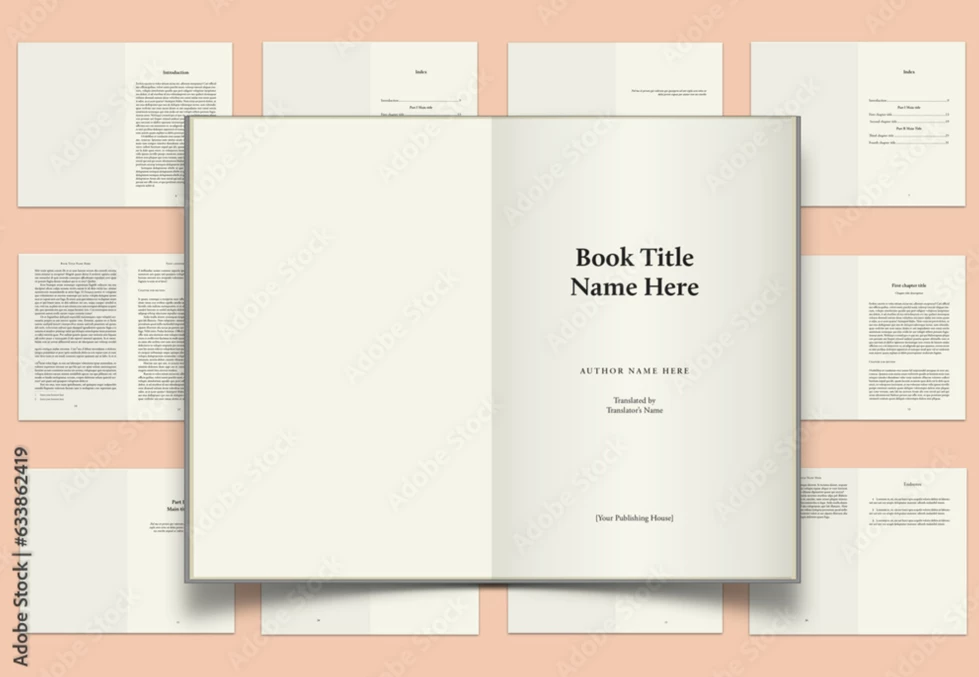
Here's one more idea to add to the mix: Adobe has a number of templates available for download at stock.adobe.com. Here is an example of a classic book template which may not be what your want, but there are lots of others.


— https://stock.adobe.com/Search?ff_4815162342=true&k=books&locale=en_US&x-product=IDSN%2F20.3.1&x-product-location=CCXStart-fnft%2Fundefined&x-radarSession=undefined&x-appSession=0366F51D-986D-4FAC-A944-E092F00C3F51&ute=true&filters%5Bcontent_type%3Atemplate%5D=1&filters%5Btemplate_type_id%5D%5B%5D=3&filters%5Btemplate_category_id%5D%5B%5D=3&as_channel=adobe_apps&as_source=app&as_campclass=brand&as_campaign=&expires_in=86399996&asset_id=633862419


Templates are great because they save you the time of setting up a document and making all the decisions. However, they're not intuitive to a new user. So if you are brand-new to InDesign, you're still going to have a learning curve getting up and running on them.


One more thing: however you approach this job, be sure to define primary frames on the parent pages so that you can modify the layout down the road, if necessary.


~Barb

3 replies

Barb Binder
Community Expert
Barb BinderCommunity ExpertCorrect answer
Community Expert
May 31, 2025

Hi @kumar_n:


Here's one more idea to add to the mix: Adobe has a number of templates available for download at stock.adobe.com. Here is an example of a classic book template which may not be what your want, but there are lots of others.


— https://stock.adobe.com/Search?ff_4815162342=true&k=books&locale=en_US&x-product=IDSN%2F20.3.1&x-product-location=CCXStart-fnft%2Fundefined&x-radarSession=undefined&x-appSession=0366F51D-986D-4FAC-A944-E092F00C3F51&ute=true&filters%5Bcontent_type%3Atemplate%5D=1&filters%5Btemplate_type_id%5D%5B%5D=3&filters%5Btemplate_category_id%5D%5B%5D=3&as_channel=adobe_apps&as_source=app&as_campclass=brand&as_campaign=&expires_in=86399996&asset_id=633862419


Templates are great because they save you the time of setting up a document and making all the decisions. However, they're not intuitive to a new user. So if you are brand-new to InDesign, you're still going to have a learning curve getting up and running on them.


One more thing: however you approach this job, be sure to define primary frames on the parent pages so that you can modify the layout down the road, if necessary.


~Barb

~Barb at Rocky Mountain Training
kumar_nAuthor
Participating Frequently
June 1, 2025

Thanks. I was actually looking for a suitable template :). 


"One more thing: however you approach this job, be sure to define primary frames on the parent pages so that you can modify the layout down the road, if necessary."


Excellent advice. Thanks.

Mike Witherell
Community Expert
Community Expert
May 31, 2025

There are a lot of great books that illustrate font pairings for graphic design publishing.

There are a lot of classic reads about Typography, too.

And maybe you have a book that is similar to what you want to produce? You could imitate its layout and typeface choices.

Mike Witherell
Dave Creamer of IDEAS
Community Expert
Community Expert
May 31, 2025


And maybe you have a book that is similar to what you want to produce? You could imitate its layout and typeface choices.


By @Mike Witherell

What a great idea! I wish I said that. 😄

David Creamer: Community Expert (ACI and ACE 1995-2023)
Dave Creamer of IDEAS
Community Expert
Community Expert
May 31, 2025

Design is subjective, but there are some ideas...

Is the book being printed or distributed electronically to be read onscreen? If the former, it's not uncommon to have a serif font for the body text and a sans-serif font for the headings. If the latter, it's better to use sans-serif for everything as it reads better onscreen. If both, I would use a sans-serif.


I would avoid Arial (Aerial?) as it is too common. Also, If you use only one font, consider one with a lot of weights, including condensed and expanded. 


I would keep anything related to the body copy all the same size. Sometimes I will make table body copy smaller but it depends on the regular text size. You can adjust the size of the heading levels, however, if your headings are numbered, it's not always necessary. 


Again, this is all subjective and there are plenty of books on book design. Also look at the design of books you admire (to emulate, not copy). Check out the library for some design books. Also, do some "googling"--there are lots of helpful websites out there.


If you are unfamiliar with some basic typographic terms, such as leading, kerning, tracking, etc. here is a short PDF that discusses them:

https://www.ideastraining.com/PDFs/TypographyBasics.pdf


Finally, you may what to hire a designer experienced in business-related books/manuals AND an InDesign expert to look at your InDesign template for production efficiency. 


David Creamer: Community Expert (ACI and ACE 1995-2023)
kumar_nAuthor
Participating Frequently
May 31, 2025

Thanks for your time and writing such a detailed message. The design is for both ( electronic as well as for print ). I need a simple design like mostly in self help books. Your inputs are appreciated and will also check the linked pdf. 


Thanks Again.

Dave Creamer of IDEAS
Community Expert
Community Expert
June 1, 2025

"Also look at the design of books you admire (to emulate, not copy)."

David Creamer: Community Expert (ACI and ACE 1995-2023)