
North American Prepress setting
- August 4, 2020
- 2 replies
- 5541 views
My question is about colour profiles in InDesign.
I will be sending off a manuscript created in InDesign to an offset printing company in the next few weeks. I was told by the company that it may be best to use North American Prepress colour settings in my document. So, I have done some research, and have now changed the Color Settings within Adobe Bridge to North American Prepress 2 which seems to have a RGB profile of Adobe RGB (1998) and a CMYK profile of U.S. Web Coated (SWOP) v2. Before, the RGB profile seems to have been sRGB IEC61966-2.1 and the CMYK profile was apparently Coated FOGRA39 (ISO 12647-2:2004).
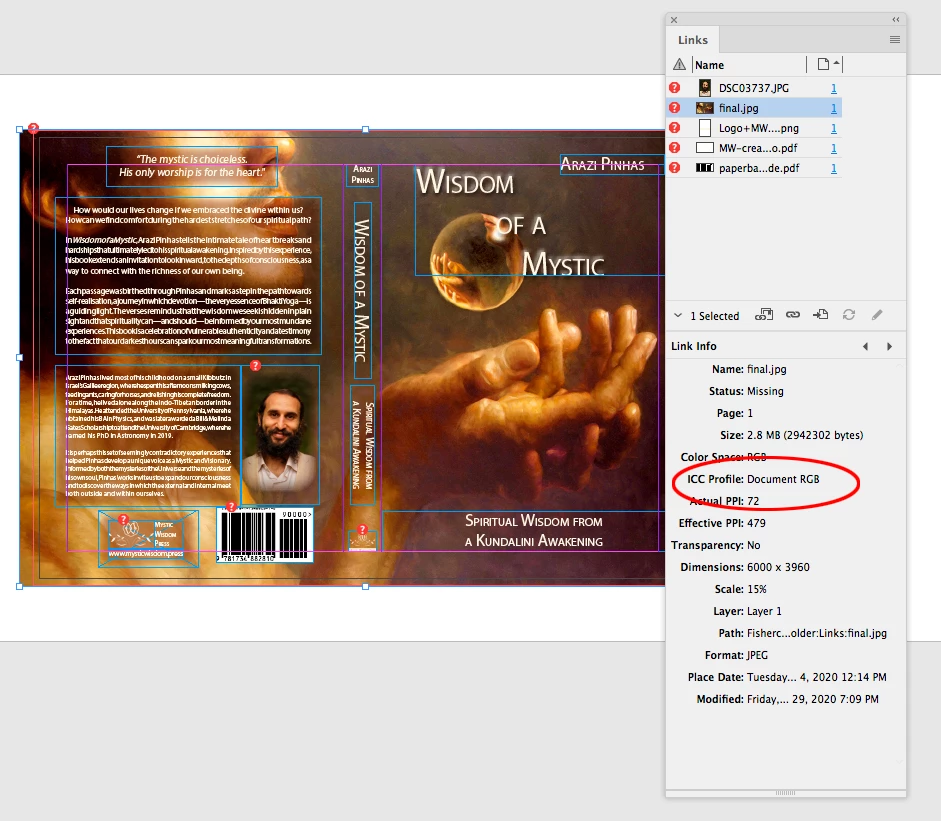
Once I made the North American Prepress 2 modification in Adobe Bridge, my InDesign file looked significantly different than before (see screenshot called “after-change.png”). The file has a saturated orange/red colour compared to before. Nevertheless, when I actually export the file to a PDF, this saturated orange/red colour is no longer there and the file seems to return to the way I wanted it to look (see “exported-pdf.pdf”). Why am I seeing these differences if the working InDesign file as well as the exported PDF are in Adobe RGB (1998)?
Why does the version in InDesign look so different from the exported PDF? I would appreciate any simple guidance with respect to all of this.
 AdChoices