
Known Participant
January 31, 2017
Question

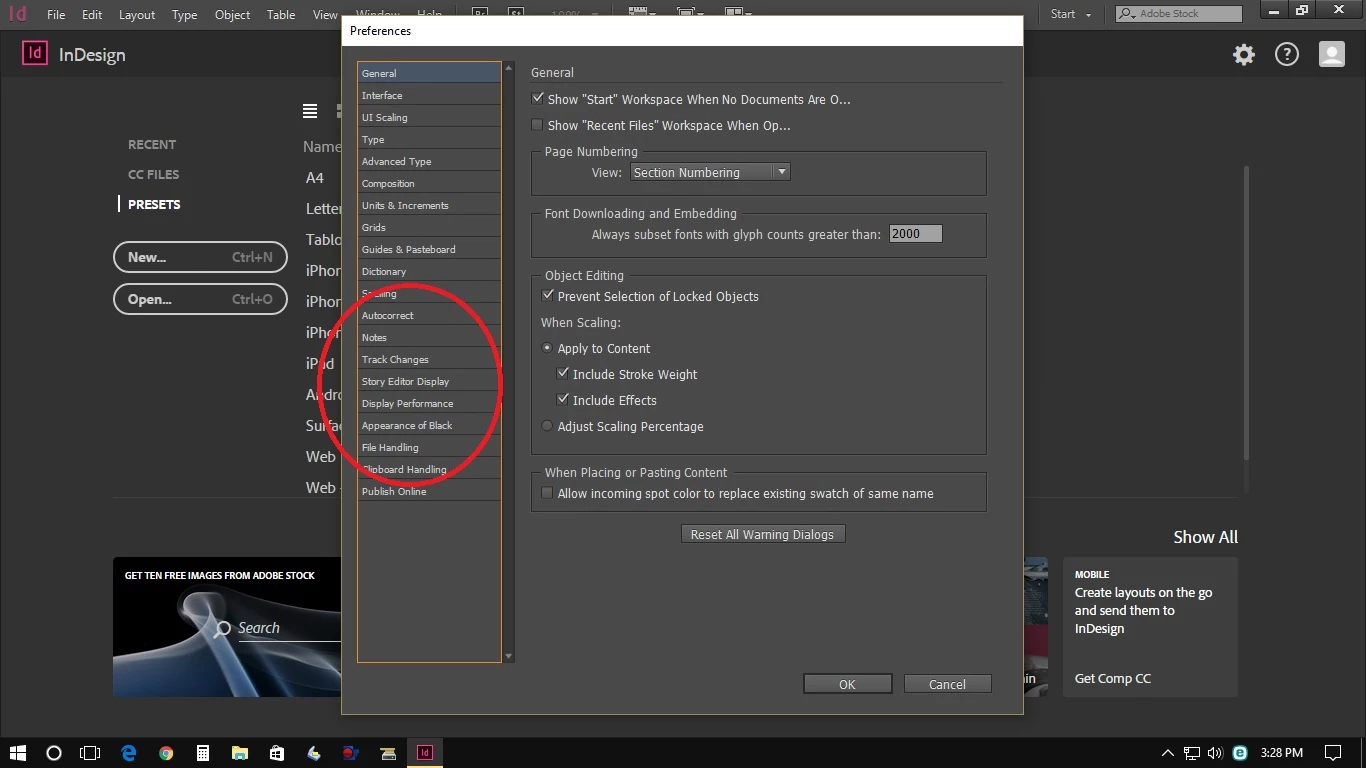
Nothing Menu of GPU in InDesign CC 2017 Prefference Menu

  • January 31, 2017
  • 2 replies
  • 984 views

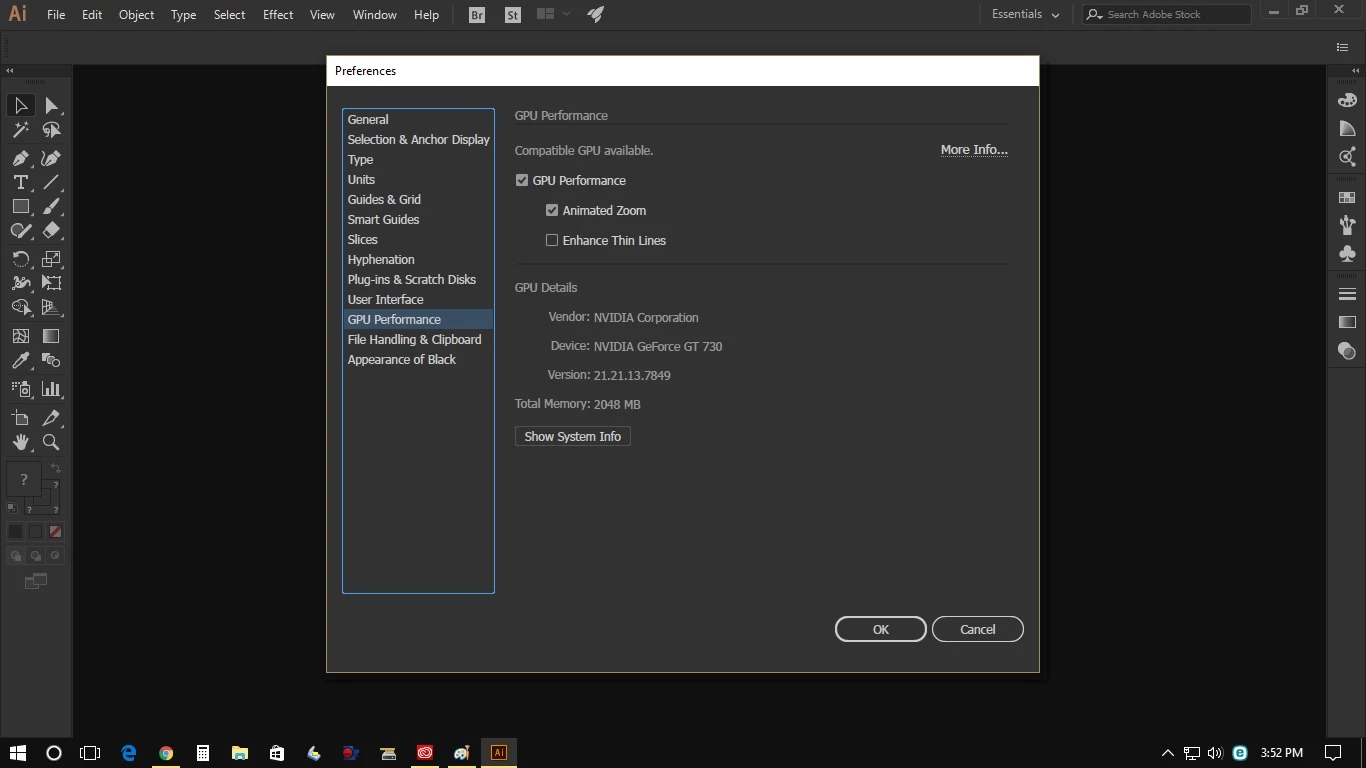
Please help Is it rather stranger that I didn't seen GPU Menu in Preference Menu of Adobe InDesign CC 2017 (ver 2017.0), so I cannot activated the GPU Performance, with the Adobe Illustrator nothing issue, for detail please see the screen shot I have attached as follows:
Awaiting a solution

Best regards,

Handjojo

    This topic has been closed for replies.

    2 replies

    cinziamarotta
    Participating Frequently
    January 31, 2017

    If your computer has the graphic card requirement, try to uninstall InDesign and reinstall it.

    Known Participant
    February 1, 2017

    Hello,

    Thanks for your advice, however why with my Adobe Illustrator CC 2017 the GPU Performance can be activated as per my screen shot.

    Looking forward to receive the further advise.

    B/regards,

    SanyamTalwar
    Participating Frequently
    January 31, 2017

    Hi,

    Please verify the graphic card requirement for InDesign from mentioned link https://support.apple.com/en-us/HT202823

    https://helpx.adobe.com/indesign/using/gpu_performance.html

    Regards

    Sanyam Talwar

    Steve Werner
    Community Expert
    Community Expert
    January 31, 2017

    Also note that you must have a Mac Retina display to be able to use the GPU features.