stewart tower
Known Participant
September 22, 2021
Answered

Numbered bullet bug?

  • September 22, 2021
  • 4 replies
  • 1234 views

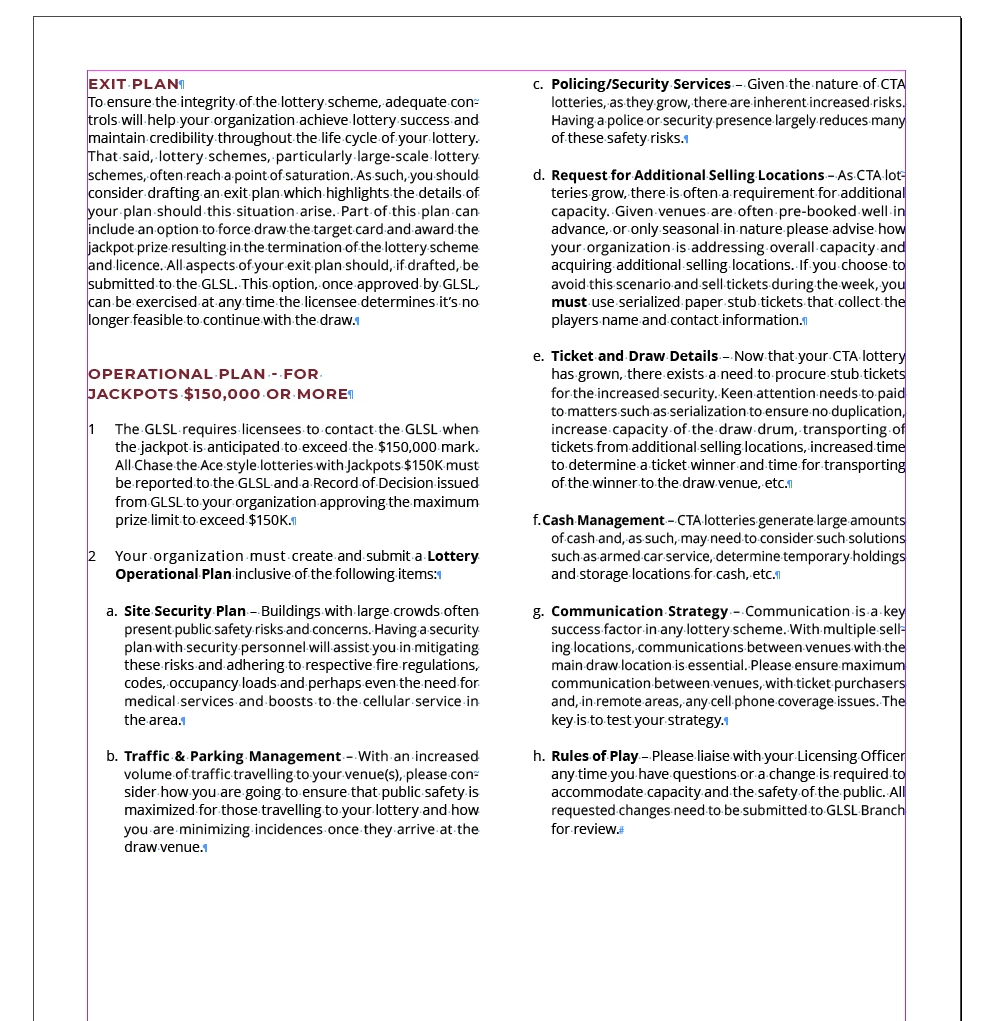
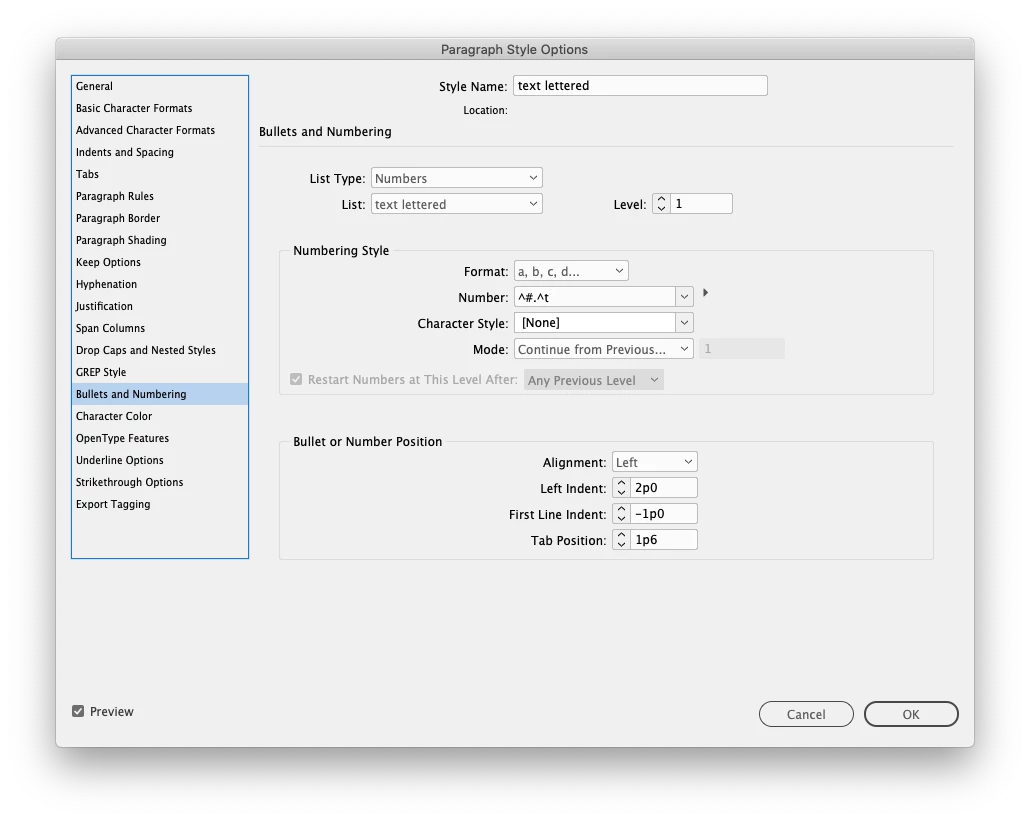
I have several documents using a paragraph style with lettered bullets. Any bullet starting with "f" does not indent properly. Is this a bug? Every letter works fines except for "f". First time I've seen it.

This topic has been closed for replies.
Correct answer Brad @ Roaring Mouse

Yes, delete the tabs like you have done, but then REDEFINE the paragraph style accordingly.

Or, simply EDIT the paragraph style, and delete the errant tab inside there.

The 1p6 was probably an automatic tab or one carried over from a parent Style.

4 replies

Community Expert
September 22, 2021

"I put screen shots in the post. I can see them here."

Yes, you did. I can see them as well.

But to detect what's going on we need an InDesign document to play with.


Alright, I took the time to do a small sample document with InDesign CC 2018 that I have just open.

And yes. I can confirm a bug. But not with letter f, but with i and j.


From my German InDesign CC 2018 on Windows 10:


Regards,
Uwe Laubender

( ACP )

stewart tower
Known Participant
September 22, 2021

Sorry; I misunderstood. I'm with a provincial government which limits what I can share. I could still make a fake document with Placed text if you wish.

stewart tower
Known Participant
September 22, 2021

To add to that, our IT gods also took away our FTP service. Best I can offer is to email a sample ID document if you'll give me an email address.


Brad @ Roaring Mouse
Community Expert
Community Expert
September 22, 2021

You have a tab set at 1p6.... since the "f" is narrower, the indent is popping to that tab position. Remove the tab position.. you don't need it.

stewart tower
Known Participant
September 22, 2021

You're right; I did have a tab in the text. I cleared all tabs in that paragraph but the paragraph style keeps defaulting to 1p6. It's still acting weird. If I place my cursor in that paragraph, bring up the Tabs pallet and then 'clear all tabs', I get a style override for that paragraph. It seems like InDesign wants to have a 1p6 tab regardless.

Brad @ Roaring Mouse
Community Expert
Brad @ Roaring MouseCommunity ExpertCorrect answer
Community Expert
September 22, 2021

Yes, delete the tabs like you have done, but then REDEFINE the paragraph style accordingly.

Or, simply EDIT the paragraph style, and delete the errant tab inside there.

The 1p6 was probably an automatic tab or one carried over from a parent Style.

Jeff Witchel, ACI
Community Expert
Community Expert
September 22, 2021

Does this happen with just this one typeface?

stewart tower
Known Participant
September 22, 2021

It does change with different fonts. I tried a few but the f is still misbehaving. One font (Tekton) had the problem with every letter.

Community Expert
September 22, 2021

"Every letter works fines except for "f"."

Wow! That's an odd bug.


Stewart,

could you share a sample InDesign document where you see this? Just one page with one text frame.

Put it on Dropbox or a similar service and post the download link.


Thanks,
Uwe Laubender

( ACP )

stewart tower
Known Participant
September 22, 2021

I put screen shots in the post. I can see them here.