saxtonstudio
Inspiring
August 5, 2022
Answered

Numbered Lists

  • August 5, 2022
  • 2 replies
  • 662 views

Just read a long thread about this in the community here and still don't get it.


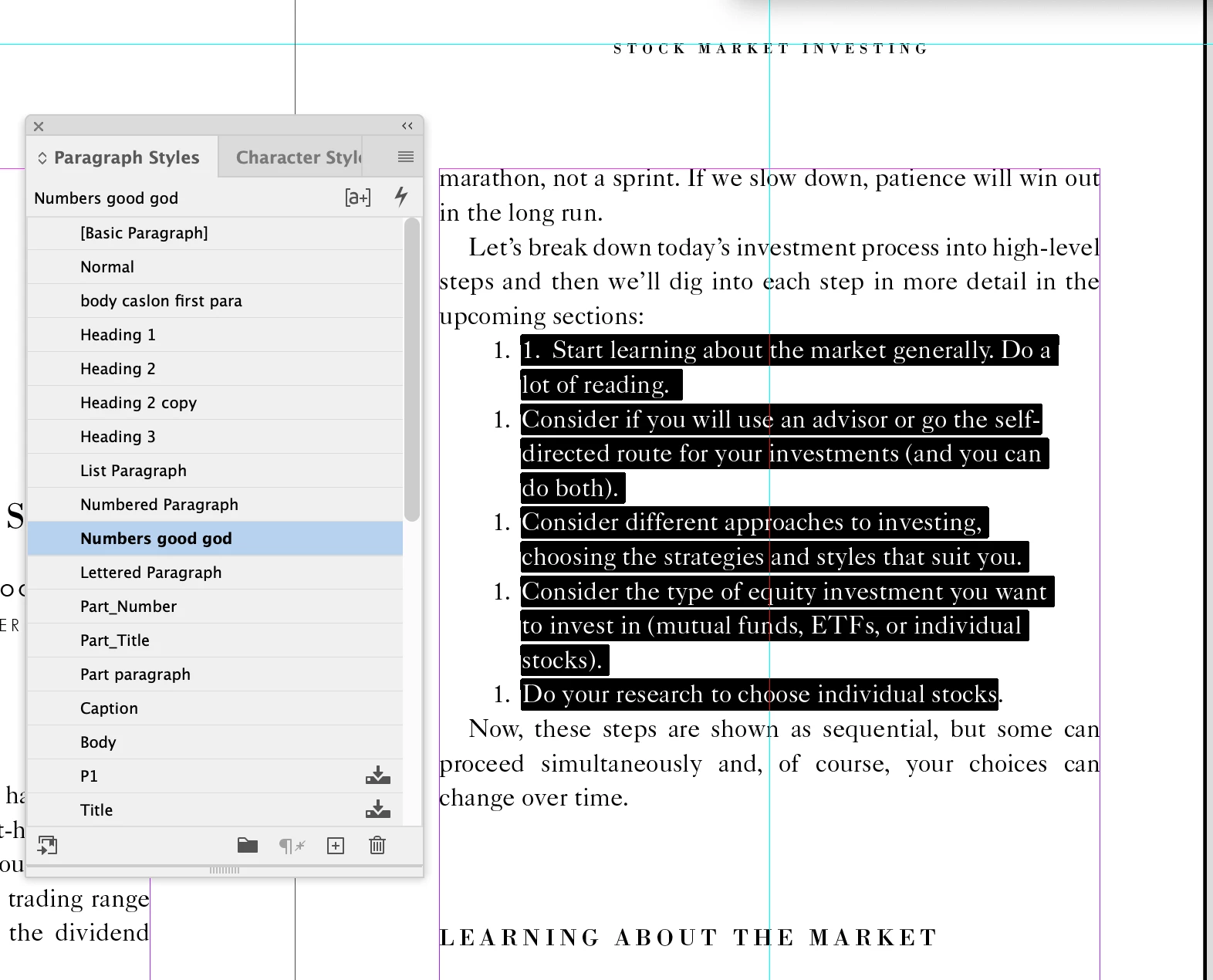
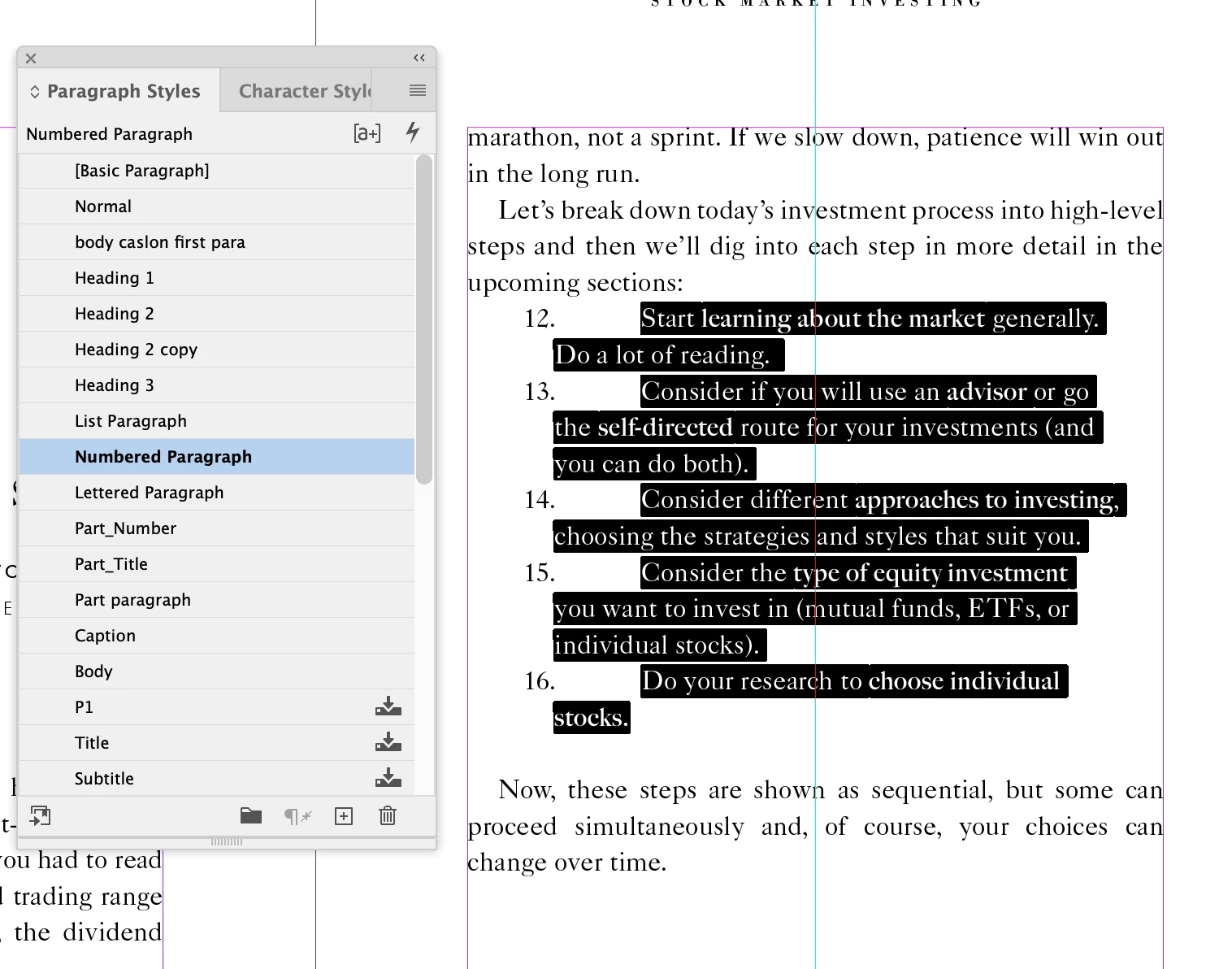
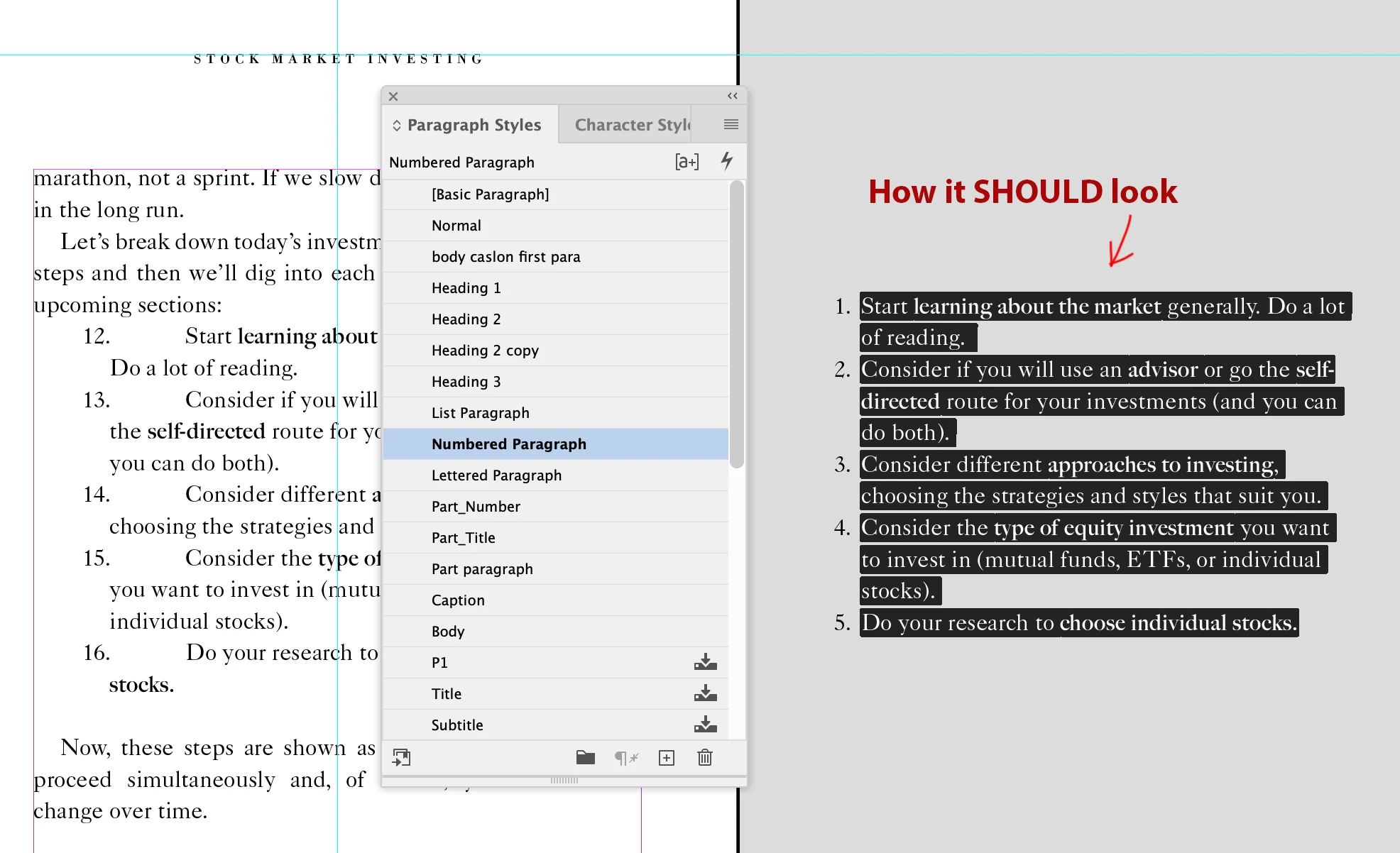
The problem: A new numbered list anywhere in the document continues the numbers in sequence, instead of starting with a fresh number 1. The solution seemed to be to create a second paragraph style for numbered lists, one with "continue from previous" and the other with "start at _". checked... but the "start at _" makes all the numbers say 1. I want any numbered list to start at 1, and end with say 5.
This topic has been closed for replies.
Correct answer Barb Binder

Two options—use one style that increments all the lists, and manually restart each one at the top (by assigning a style or with a right click) or use a paragraph that always appears in btween the separate lists to restart them. Both options detailed here:

https://www.rockymountaintraining.com/adobe-indesign-restart-numbered-lists-automatically/


~Barb

2 replies

Barb Binder
Community Expert
Barb BinderCommunity ExpertCorrect answer
Community Expert
August 5, 2022

Two options—use one style that increments all the lists, and manually restart each one at the top (by assigning a style or with a right click) or use a paragraph that always appears in btween the separate lists to restart them. Both options detailed here:

https://www.rockymountaintraining.com/adobe-indesign-restart-numbered-lists-automatically/


~Barb

~Barb at Rocky Mountain Training
saxtonstudio
Inspiring
August 5, 2022

Can't say I know how it worked, but it did. Thank you, Barb!

Willi Adelberger
Community Expert
Community Expert
August 5, 2022

I create 2 paragraph styles:

A numbered style which increase from previous.

A numbered style, based on the other but starts with one, next style the other one.

saxtonstudio
Inspiring
August 5, 2022

Thanks. I did create 2 paragraph styles, but the results weren't right. Can you sreenshot the second step (next style...?) – maybe that's what I'm missing?