
leighn90042636
Participant
October 20, 2020
Answered

Numbering and section options grayed out in InDesign

  • October 20, 2020
  • 1 reply
  • 9742 views

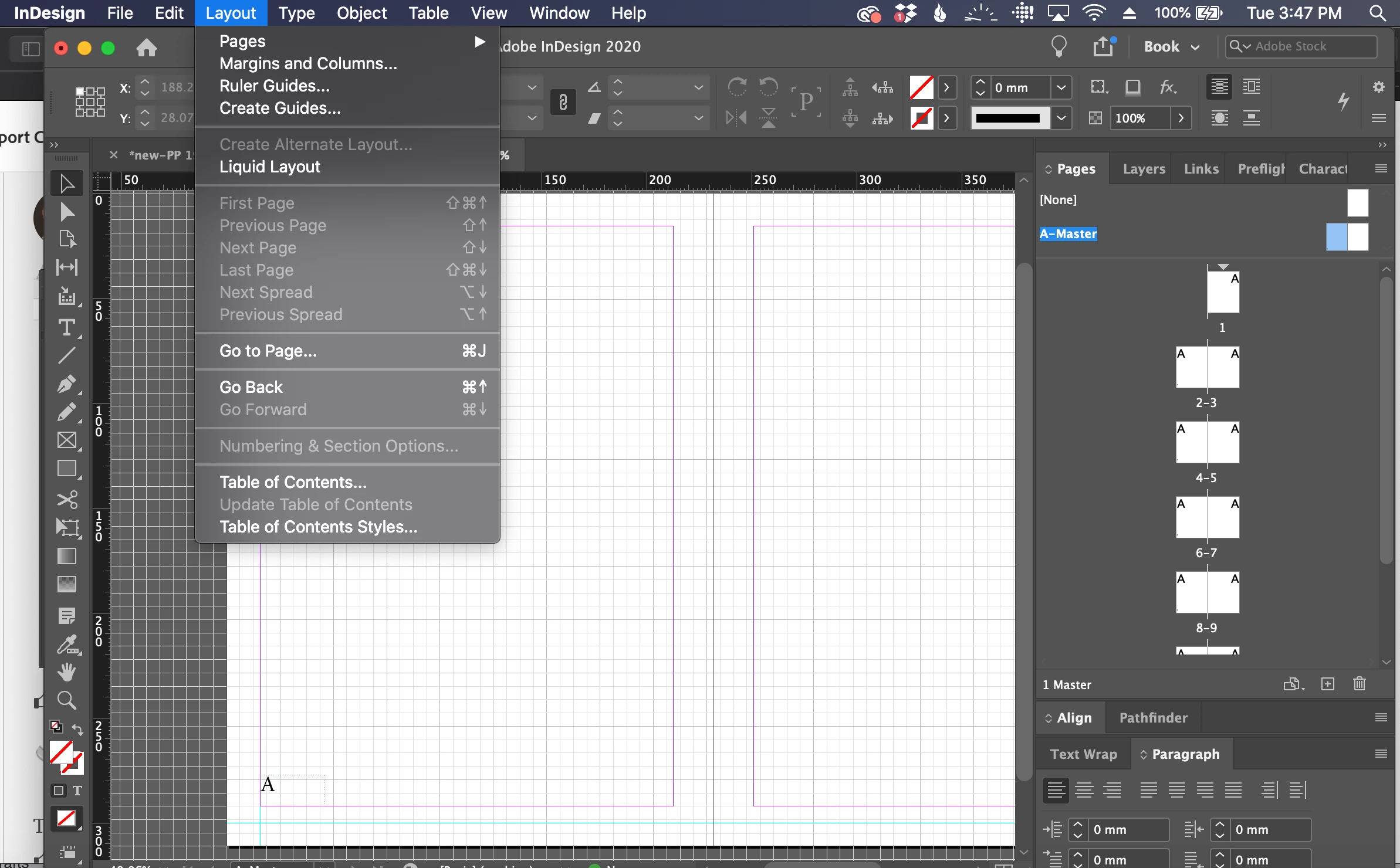
I would like to add roman numerals instead of arabic page numbers to my document, but the "Numbering and Section options" is grayed out. I'm running InDesign 15.1.2 on a Mac laptop. It doesn't seem to matter whether I have a text box with nothing in it, or if I have already chosen [Insert special characters < Markers < Current page number] (as the screen shot shows below). Please help! Thank you!
Correct answer Dave Creamer of IDEAS

You are on a master page. Go to your document in the Pages panel and right-click where you want the numbering to start or change.

1 reply

Dave Creamer of IDEAS
Community Expert
Dave Creamer of IDEASCommunity ExpertCorrect answer
Community Expert
October 21, 2020

You are on a master page. Go to your document in the Pages panel and right-click where you want the numbering to start or change.

David Creamer: Community Expert (ACI and ACE 1995-2023)
leighn90042636
Participant
October 21, 2020

Thank you! I was hoping it was something simple -- for the life of me, I just couldn't figure out how to do it.