thinh_pham
Participant
March 18, 2018
Answered

Old style number for Baskerville in InDesign

  • March 18, 2018
  • 3 replies
  • 4827 views

Hi all,

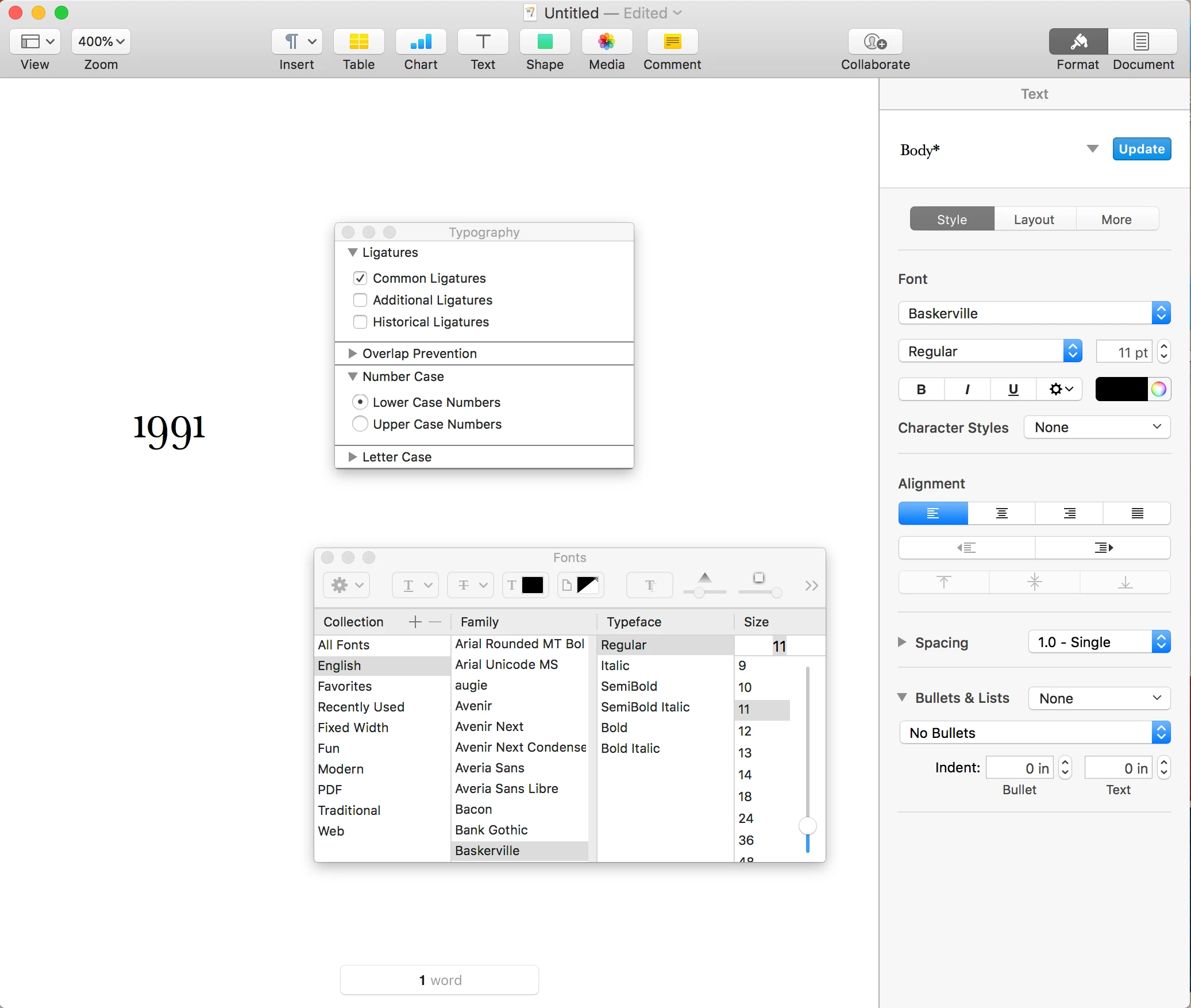
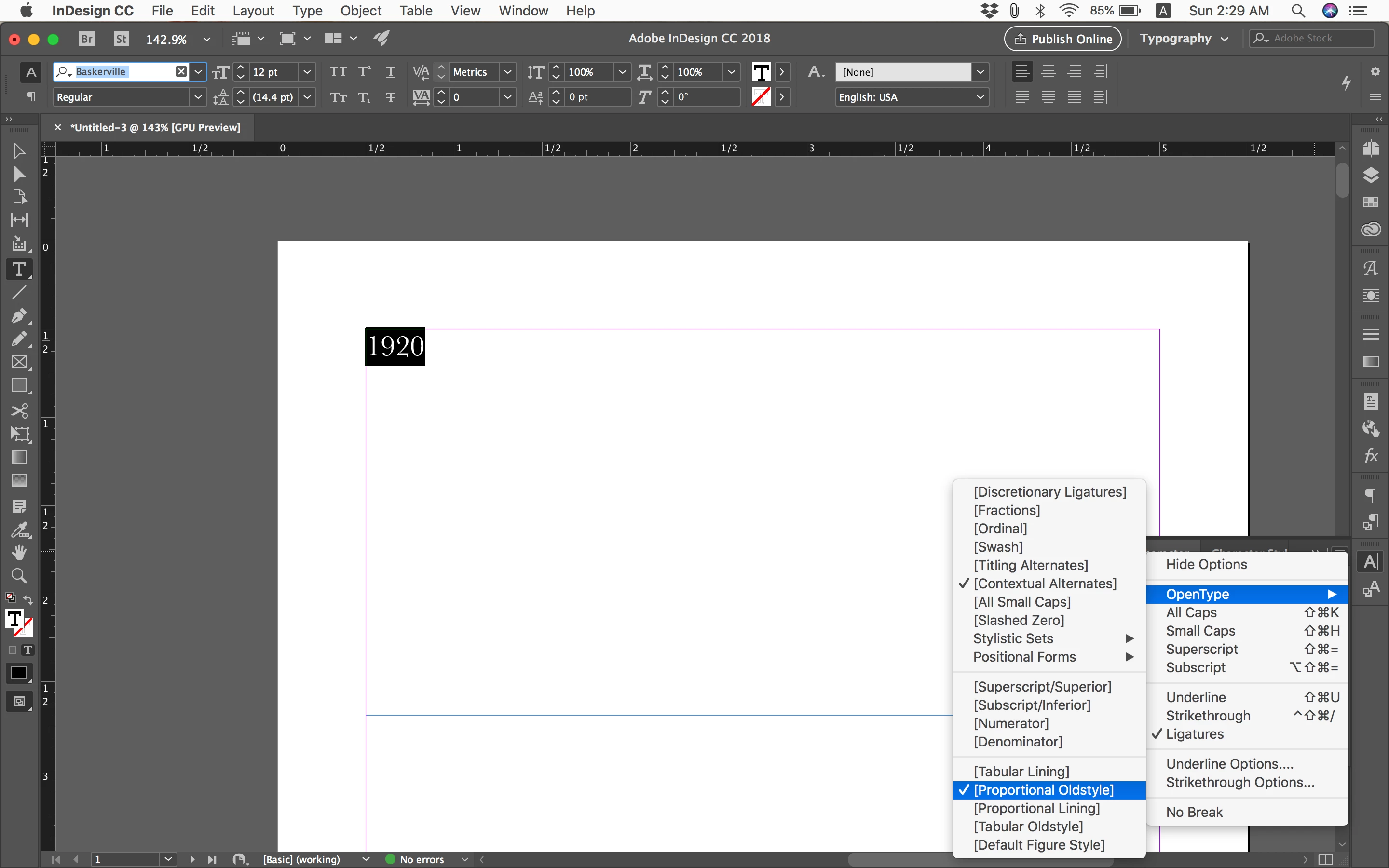
I am able to set oldstyle number for Baskerville font in word processing applications (like Apple Pages) by using the macOS system font panel. However in InDesign I don't have access to that and the Character panel doesn't allow me to do so. How can I use oldstyle number in InDesign?

Thanks.

This topic has been closed for replies.
Correct answer rob day

See if this works:

--changes Baskerville true type numbers to OSF

tell application "Adobe InDesign CC 2018"

    activate

    set myFont to item 1 of (every font whose name is "Baskerville    Regular")


    my TextSearch(24, 1700, myFont)

    my TextSearch(25, 1701, myFont)

    my TextSearch(26, 1702, myFont)

    my TextSearch(27, 1703, myFont)

    my TextSearch(28, 1704, myFont)

    my TextSearch(29, 1705, myFont)

    my TextSearch(30, 1706, myFont)

    my TextSearch(31, 1707, myFont)

    my TextSearch(32, 1708, myFont)

    my TextSearch(33, 1709, myFont)

end tell

on TextSearch(f, c, myFont)

    tell application "Adobe InDesign CC 2018"

        set find glyph preferences to nothing

        set change glyph preferences to nothing

        set applied font of find glyph preferences to myFont

        set glyph ID of find glyph preferences to f

        set applied font of change glyph preferences to myFont

        set glyph ID of change glyph preferences to c

        tell active document

            change glyph

        end tell

    end tell

end TextSearch

3 replies

rob day
Community Expert
Community Expert
March 18, 2018

Glyph F&C is scriptable. If you have a lot of numbers I have an AppleScript that I can post, which will change lining to OSF.

thinh_pham
Participant
March 18, 2018

It would be nice if you can share the script. Thank you.

rob day
Community Expert
rob dayCommunity ExpertCorrect answer
Community Expert
March 18, 2018

See if this works:

--changes Baskerville true type numbers to OSF

tell application "Adobe InDesign CC 2018"

    activate

    set myFont to item 1 of (every font whose name is "Baskerville    Regular")


    my TextSearch(24, 1700, myFont)

    my TextSearch(25, 1701, myFont)

    my TextSearch(26, 1702, myFont)

    my TextSearch(27, 1703, myFont)

    my TextSearch(28, 1704, myFont)

    my TextSearch(29, 1705, myFont)

    my TextSearch(30, 1706, myFont)

    my TextSearch(31, 1707, myFont)

    my TextSearch(32, 1708, myFont)

    my TextSearch(33, 1709, myFont)

end tell

on TextSearch(f, c, myFont)

    tell application "Adobe InDesign CC 2018"

        set find glyph preferences to nothing

        set change glyph preferences to nothing

        set applied font of find glyph preferences to myFont

        set glyph ID of find glyph preferences to f

        set applied font of change glyph preferences to myFont

        set glyph ID of change glyph preferences to c

        tell active document

            change glyph

        end tell

    end tell

end TextSearch

rob day
Community Expert
Community Expert
March 18, 2018

Is your version of Baskerville an OTF font?

The version of Baskerville that gets installed with OSX is a TrueType font so you can't use the OpenType menu to get at old style figures. You can access the figures from the Glyph panel—scroll down:

Participating Frequently
March 18, 2018

Hi,

unfortunately not all open type fonts do have the open type options, you would need. The following have:

  • Minion Pro Regular
  • Myriad Pro Regular, Bold, Italic, and Bold Italic
  • Letter Gothic Regular, Slanted, Bold, and Bold Slanted

If you choose one of these fonts, you have a choice of different old style numbers.

there is an article about this subject in https://indesignsecrets.com/adobe-drops-fonts-leaves-users-stranded.php