
Participating Frequently
January 28, 2020
Answered

On screen Keyboard (virtual keyboard) leaves black screen on Windows 10

  • January 28, 2020
  • 1 reply
  • 4339 views

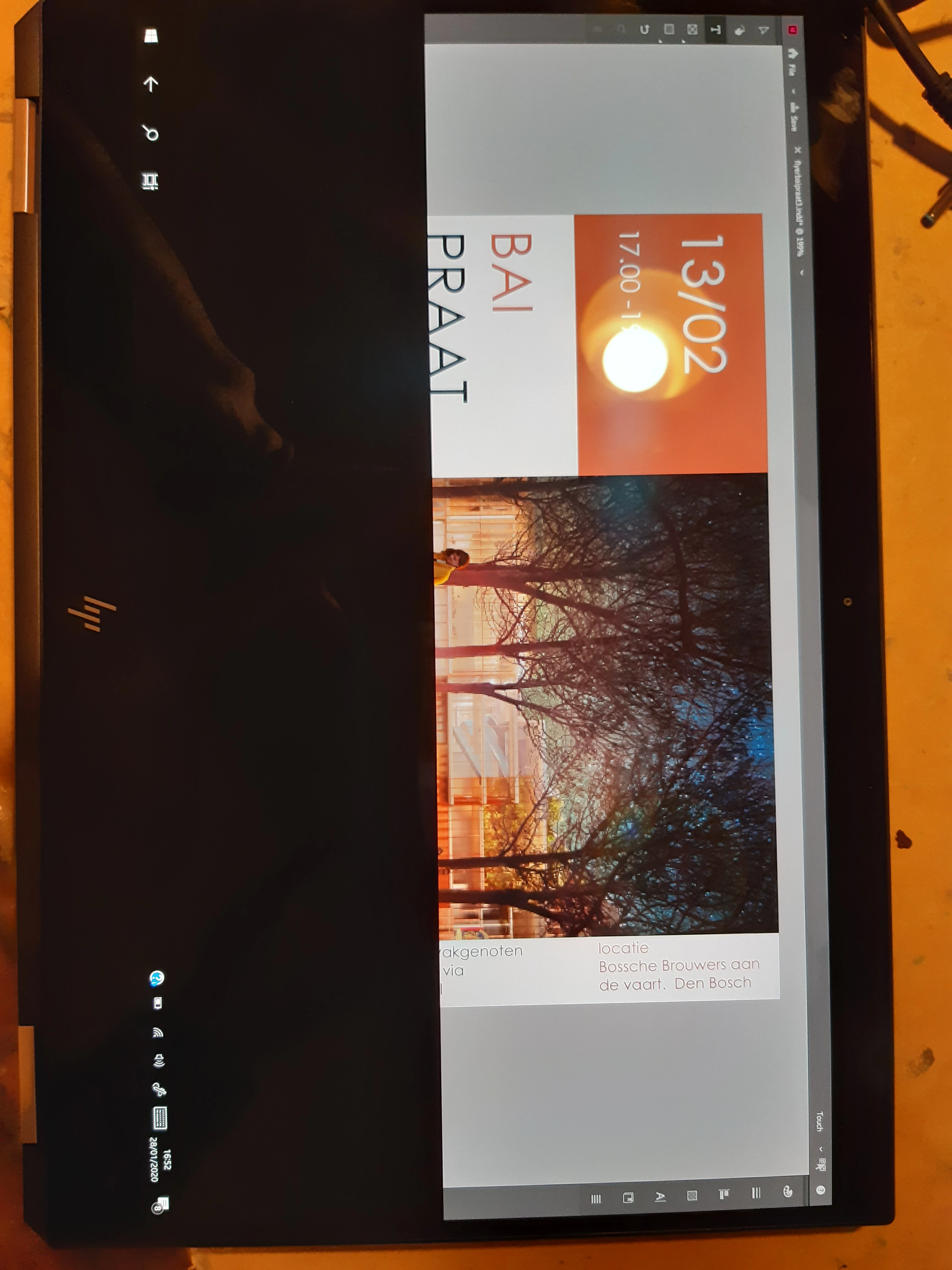
This is the case in all Adobe apps I run:


(HP Spectre laptop, windows 10)


When working in tablet mode, after I use the virtual (screen) keyboard, the screen remains blak where the keyboard was. I can only fix this when in flip into laptop mode.

I hope there is a fix for this!
 

{Renamed by MOD}


This topic has been closed for replies.
Correct answer BobLevine

Thanks for checking!

It is good to know that it's not a typical behaviour here on my computer, but apperently some kind of a software issue. But now that leaves a big questionmark how to address this issue to Adobe, in order that they can make a fix in an update (if possible).


https://indesign.uservoice.com/

Post a link and I'll vote for it but we cannot eliminate a Windows glitch, either.

1 reply

Ashutosh_Mishra
Inspiring
January 28, 2020

Hi there,


Thanks for reaching out. Would you mind sharing the exact version of Windows 10 (Setting > System > About) and InDesign please.
I'd also recommend updating your windows 10 and Graphics Card driver to the latest version.

Let us know how it goes.


Regards,

Ashutosh

Participating Frequently
January 28, 2020

It is windows 10 home, version 1903

Windows en Graphic card driver are up to date (I had the support guy from HP look at the problem to, but that didn't solve it) 


BobLevine
Community Expert
Community Expert
February 3, 2020

Good idea, but it isn't a typical Indesign problem. Other Adobe Apps have this same problem (at least illustartor does). You know if there is also a 'Adobe general bug forum'? 


None I know of and to be honest, I never use that feature anyway.

While I love the tablet mode, I rarely use the on screen keyboard.