

One document freezing
I am working on one document that gave me problems with freezing when I tried to add some text. I tried exporting to an .idml file and then saving as an .indd file but it still started freezing again. This had been created in a previous version, I don't know which. The problem started with 18.4, as I remember, and I am now on 18.5.
I edit this file on both my desktop workstation (a high-end gaming computer I use as a workstation) and also on my laptop which is where I started having the problem again, it's a Lenovo X1 carbon 11th generation with the following specs:
13th Gen Intel(R) Core(TM) i7-1365U 1.80 GHz
32.0 GB (31.7 GB usable)
Windows 11 Pro 22H2
2 TB SSD drive
My PC workstation has even better specs.
I thought this might have something to do with this file having both Master and Parent Pages (had problems during the change Master > Parent). So, I created a brand-new file, created new Parent Pages with settings that matched what I wanted, then carefully pasted text and graphics into the new file. It worked fine for a while, got everything put back in, did some editing, and then started locking up on me when I tried to add text. The screen would still be showing where I was in the file, but on that screen I couldn't see a mouse cursor, and the only way to close InDesign was with Task Manager or a reboot.
The text I was adding would have pushed the end of the article into overflow, but then adding a couple of pages (automatic text reflow is off) and threading them didn't help much: I was able to add five more words before it locked up.
Here is a screenshot of what I see when InDesign locks up:
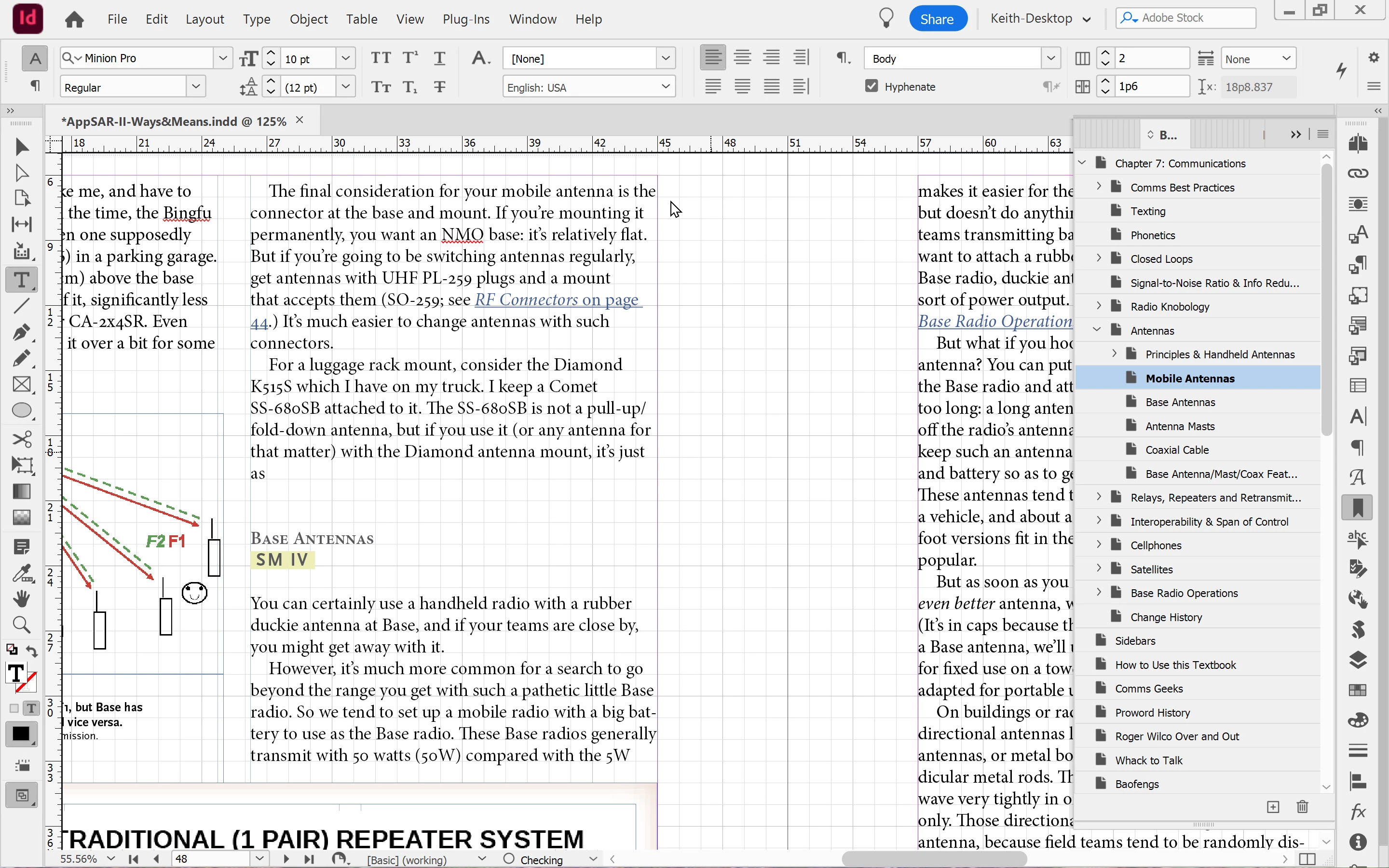
Note the "O Checking" at the bottom. I did try turning off automatic Preflight but it still locked up after typing a few letters.
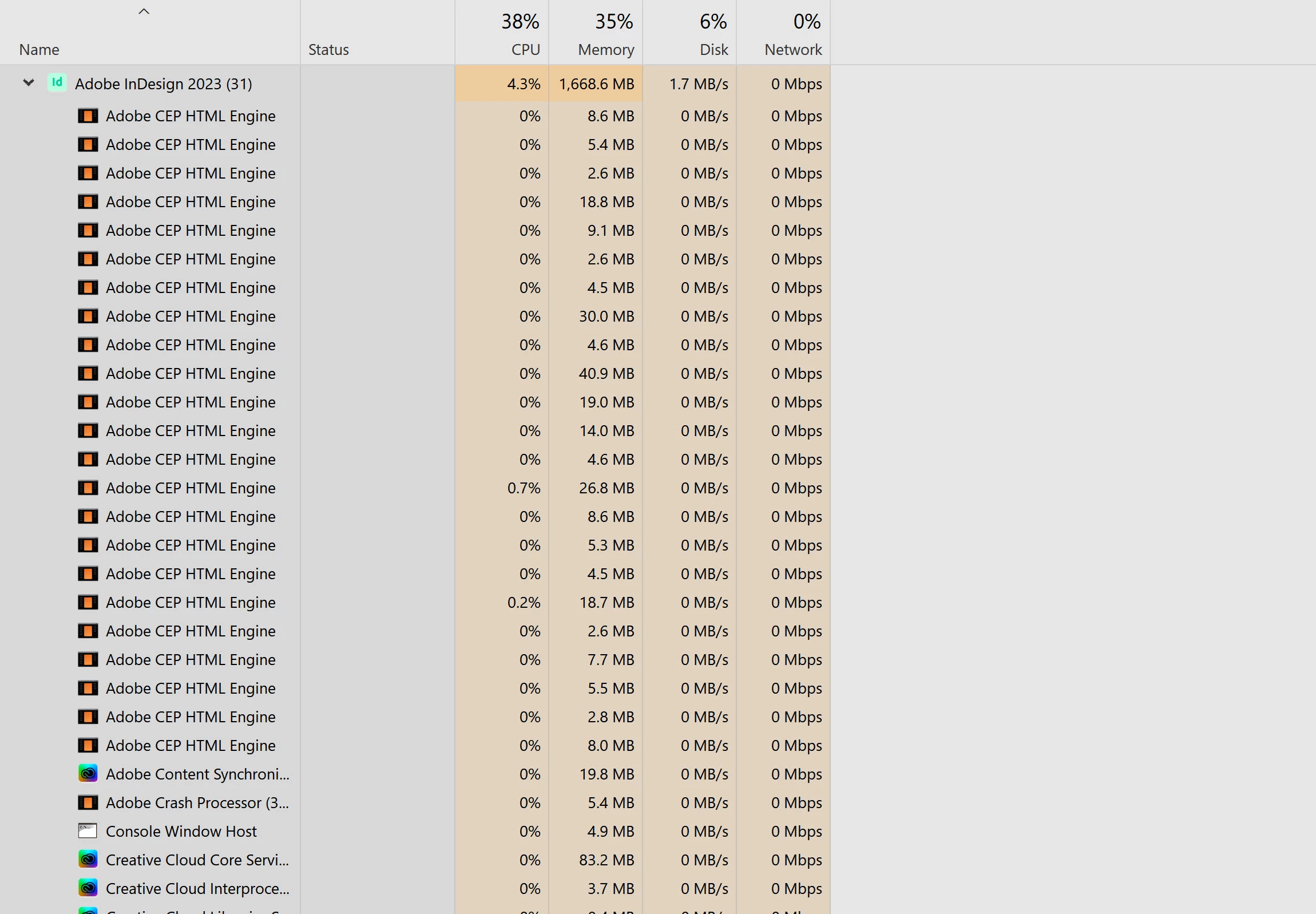
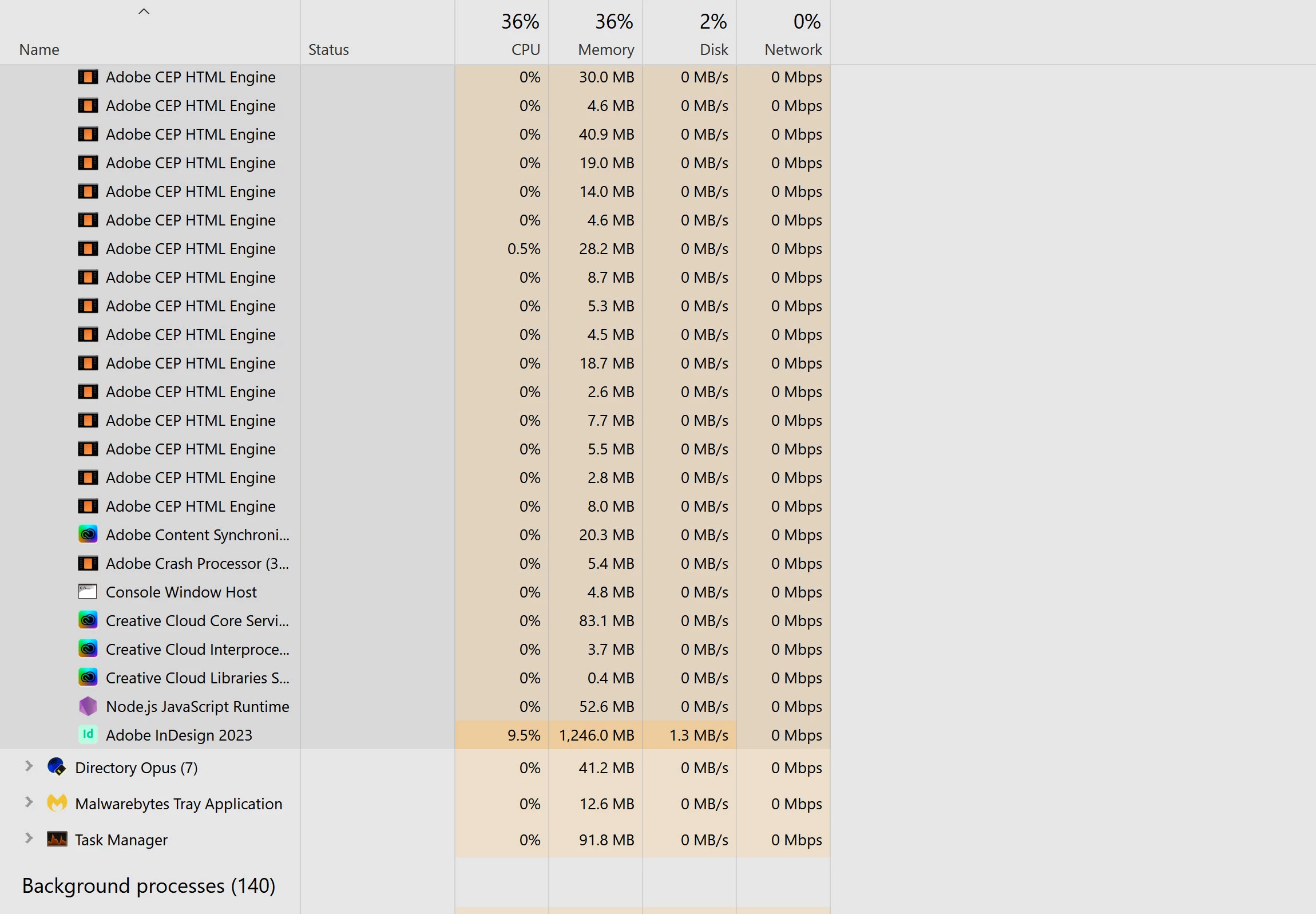
Here is the relevant part of what I saw in Task Manager (two screenshots to capture a long list of InDesign processes):
I worried that these lockups were causing hard disk errors. However, checking the disk drive for errors showed no evidence of errors. In case anyone wants to know the procedure:
- Start > type “cmd” then right-click and open file location, then use right mouse button to drag to desktop and from popup menu select “copy here.” This puts a command prompt icon on your desktop, which is handy if you want to run chkdsk in a situation like this.
- Right-click that icon and select "Run as Administrator" and then cleck "Yes" on the popup confirm that you want to run it as adminstrator.
- Into the DOS prompt (command prompt) type: CHKDSK C: /F /R (not case sensitive) and press Enter
- You will probably see a message asking if you want to schedule this for the next reboot; the answer is yes; if so, reboot your computer.
- After your computer, to see if there were any errors, you will need to follow a complex procedure:
press Win + R ype in eventvwr.msc and press Enter; in the resulting program
On the left, click the + icon to expand Windows Logs
click on Application which will show Application Events in top center window
[right window, near top] click Filter Current Log
Within the Filter Current Log window, navigate to the Event sources drop-down menu [slightly above center]
check the checkboxes for only Chkdsk and Wininit then click the drop-down menu's down-arrow to close it
Click OK to finish filtering for these two sources.
In theApplication window [top center]: double-click "Information"
- You should see a report like the following, look for the information in bold
Checking file system on C:
The type of the file system is NTFS.
Volume label is Windows.
A disk check has been scheduled.
Windows will now check the disk.
Stage 1: Examining basic file system structure ...
629504 file records processed.
File verification completed.
Phase duration (File record verification): 5.04 seconds.
14999 large file records processed.
Phase duration (Orphan file record recovery): 9.67 milliseconds.
0 bad file records processed.
Phase duration (Bad file record checking): 4.32 milliseconds.
Stage 2: Examining file name linkage ...
2230 reparse records processed.
840406 index entries processed.
Index verification completed.
Phase duration (Index verification): 10.46 seconds.
0 unindexed files scanned.
Phase duration (Orphan reconnection): 956.12 milliseconds.
0 unindexed files recovered to lost and found.
Phase duration (Orphan recovery to lost and found): 47.88 milliseconds.
2230 reparse records processed.
Phase duration (Reparse point and Object ID verification): 15.87 milliseconds.
Stage 3: Examining security descriptors ...
Cleaning up 13 unused index entries from index $SII of file 0x9.
Cleaning up 13 unused index entries from index $SDH of file 0x9.
Cleaning up 13 unused security descriptors.
Security descriptor verification completed.
Phase duration (Security descriptor verification): 31.03 milliseconds.
105452 data files processed.
Phase duration (Data attribute verification): 4.56 milliseconds.
CHKDSK is verifying Usn Journal...
38954256 USN bytes processed.
Usn Journal verification completed.
Phase duration (USN journal verification): 78.59 milliseconds.
Stage 4: Looking for bad clusters in user file data ...
629488 files processed.
File data verification completed.
Phase duration (User file recovery): 8.75 minutes.
Stage 5: Looking for bad, free clusters ...
412738966 free clusters processed.
Free space verification is complete.
Phase duration (Free space recovery): 4.23 minutes.
Windows has scanned the file system and found no problems.
No further action is required.
1998066687 KB total disk space.
346037100 KB in 472183 files.
274148 KB in 105453 indexes.
0 KB in bad sectors.
799575 KB in use by the system.
65536 KB occupied by the log file.
1650955864 KB available on disk.
4096 bytes in each allocation unit.
499516671 total allocation units on disk.
412738966 allocation units available on disk.
Total duration: 13.26 minutes (795675 ms).
Internal Info:
00 9b 09 00 63 ce 08 00 14 1e 0f 00 00 00 00 00 ....c...........
17 01 00 00 9f 07 00 00 00 00 00 00 00 00 00 00 ................
In my case, I rebooted twice after an InDesign lockup and there were no hard disk errors. Very reassuring.
However, I still can't keep working on this file.
Any help appreciated.


 AdChoices