Exit
  • Global community
    • Language:
      • Deutsch
      • English
      • Español
      • Français
      • Português
  • 日本語コミュニティ
  • 한국 커뮤니티
0

opentype alternate glyph popup, turn off or increase delay

Contributor ,
Apr 18, 2024 Apr 18, 2024

Is there a way to turn this feature off or fix it so there's a delay like it use to?


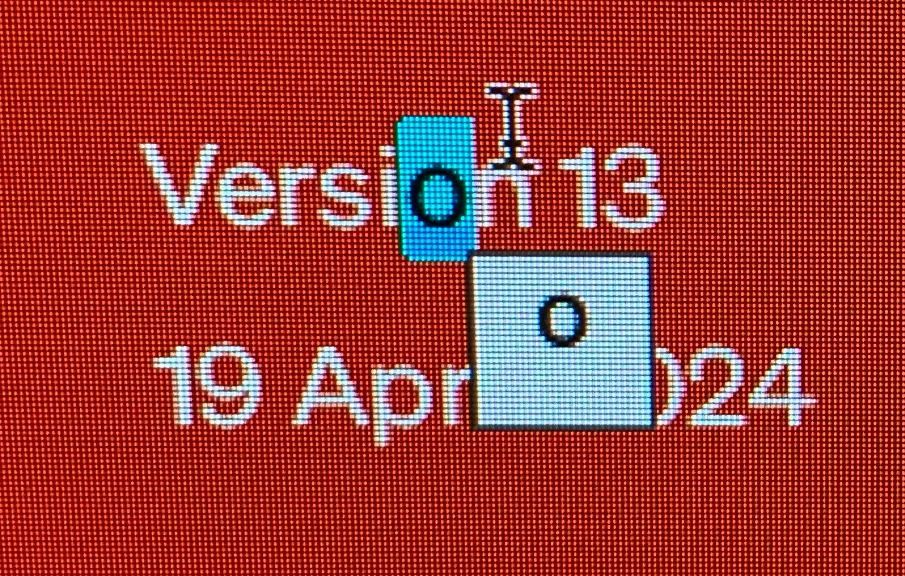
When i select a single character, the opentype alternates window pops up straight away, and then i have to press the esc key before i can type the replacement. 


I think there use to be a delay or the O icon pops up that we have to actually click on. Either way, it didn't create this hinderance when edit text.


was this an accidemtal bug? or a 'feature'? and is there a way to turn it off?
Screenshot 2024-04-19 at 10.12.03 AM.jpg

TOPICS
Type
641
Translate
Report
Community guidelines
Be kind and respectful, give credit to the original source of content, and search for duplicates before posting. Learn more
community guidelines

correct answers 1 Correct answer

Community Expert , Apr 18, 2024 Apr 18, 2024

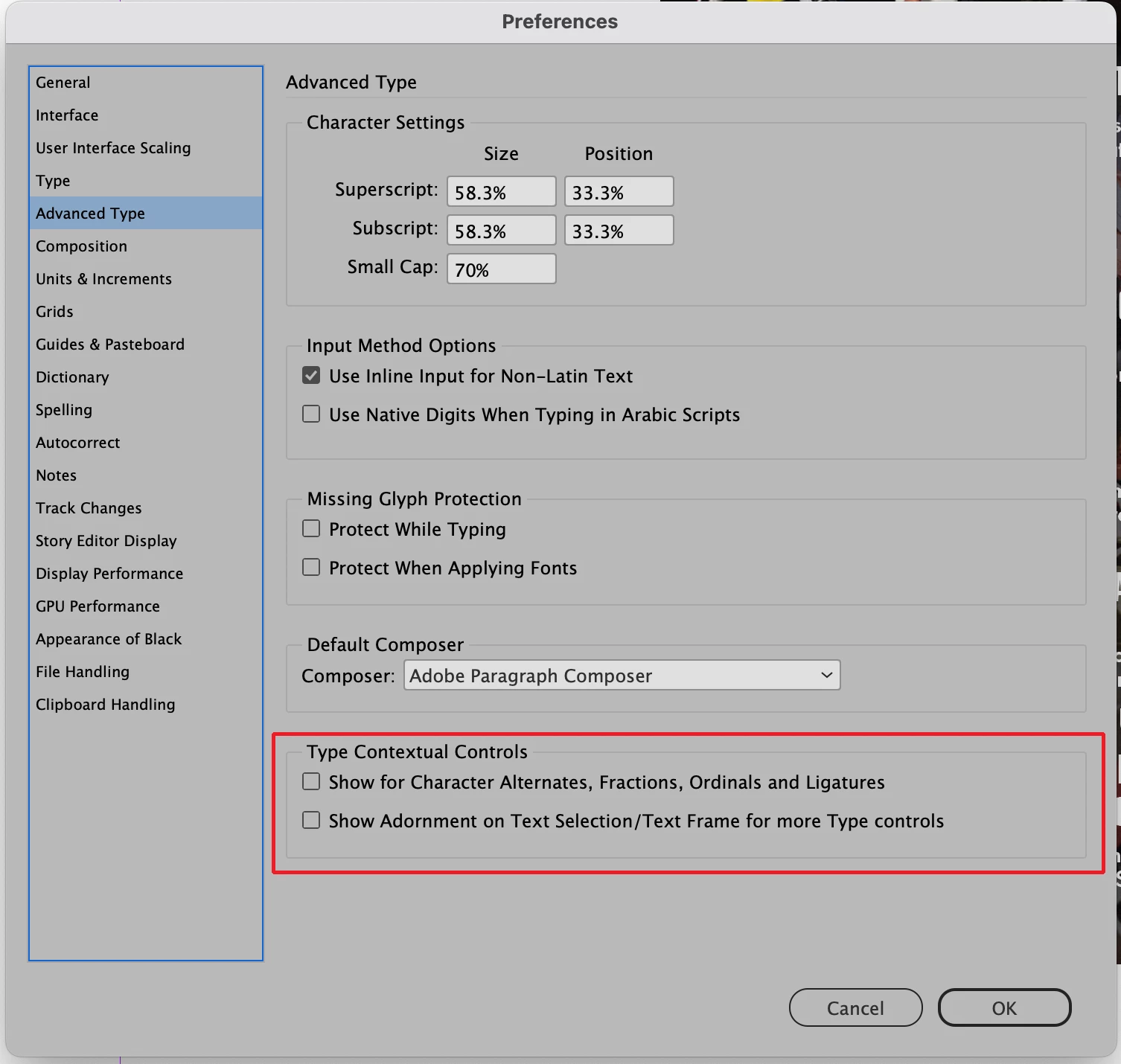
Make sure that Type Contextual Controls is unchecked in the Advanced Type section of your InDesign preferences.

Screenshot 2024-04-18 at 8.39.43 PM.png

Translate
Community Expert ,
Apr 18, 2024 Apr 18, 2024

Make sure that Type Contextual Controls is unchecked in the Advanced Type section of your InDesign preferences.

Screenshot 2024-04-18 at 8.39.43 PM.png

Translate
Report
Community guidelines
Be kind and respectful, give credit to the original source of content, and search for duplicates before posting. Learn more
community guidelines
Contributor ,
Apr 18, 2024 Apr 18, 2024

amaze thanks!


Translate
Report
Community guidelines
Be kind and respectful, give credit to the original source of content, and search for duplicates before posting. Learn more
community guidelines
New Here ,
Dec 13, 2024 Dec 13, 2024
LATEST

Finally turned off.  What a royal pain this feature is. 


Please do not turn it on in future updates as default.

Translate
Report
Community guidelines
Be kind and respectful, give credit to the original source of content, and search for duplicates before posting. Learn more
community guidelines