

Copy link to clipboard
Copied
Hello one and all.
I would like to use the caption from metadata feature in indesign to a better extent than what is default currently. Among the many choices, there is none listed for time. My goal is to use the static metadata caption as a date and timestamp for a particular image. Is this a feature available I have yet to update to, or is there an easy script I need to run to obtain this option? My IT dept. doesn't allow for massive changes in default configuration of products, so any advice is welcome.
Thanking you in advance.
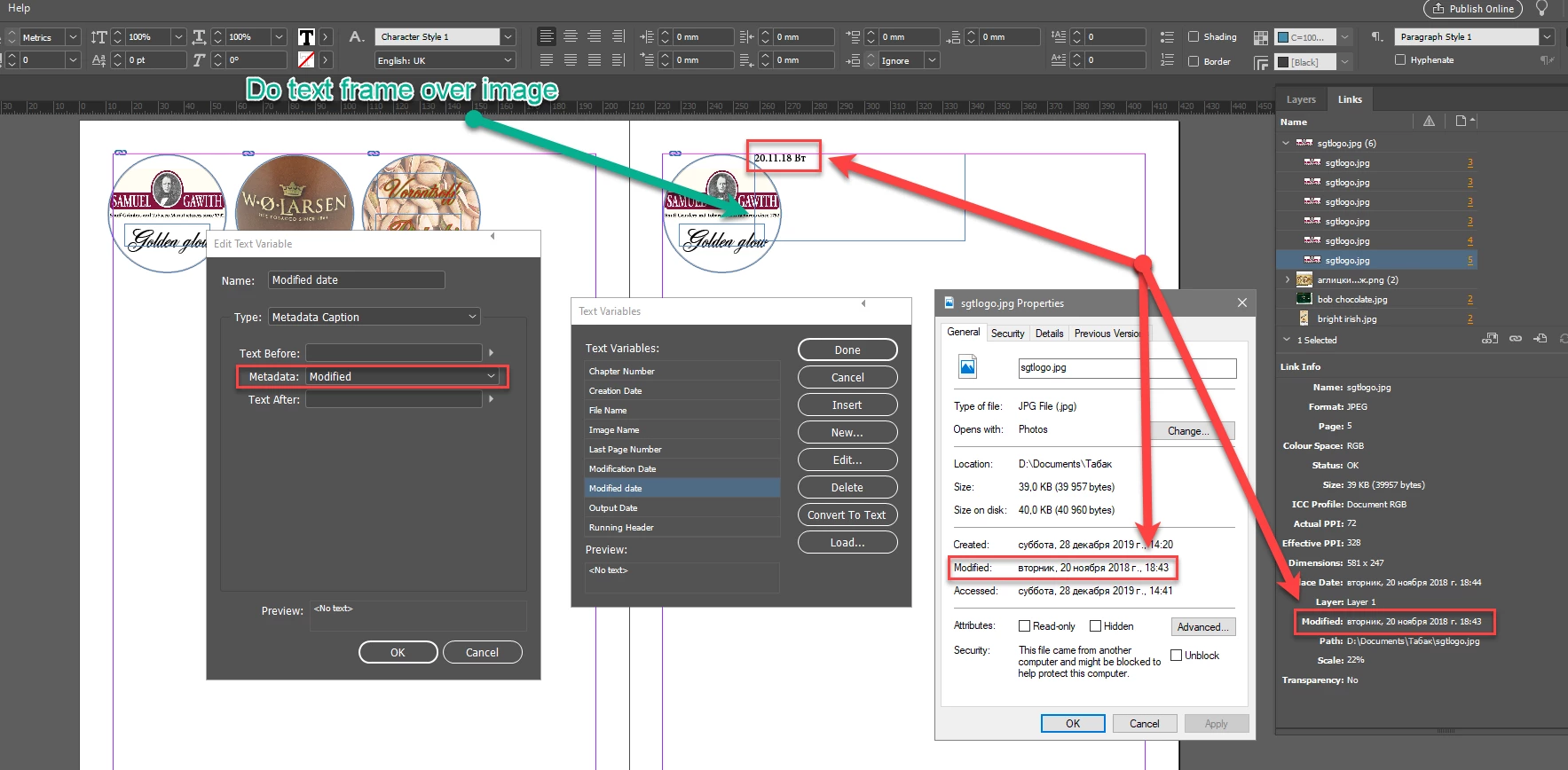
I think you're just not extend your text frame over the image.
It looks normal on my side (ID 2020):
Copy link to clipboard
Copied
I believe that InDesign captions require the use of XMP metadata. You can read about it here:
https://en.wikipedia.org/wiki/Extensible_Metadata_Platform
Are you able to get your IT department to create custom XMP for your project?
Copy link to clipboard
Copied
Thank you Steve. The answer to custom XMP isn't an option, but this opens up another question, of a sorts: the metadata I am hoping to capture in the creation date from Photoshop. The data I am looking for are from screenshots to track the project of a particular project. The exact data I need to capture is listed Creation Date and Modification Date in Photoshop, and yes, it is XMP data (I never noticied the logo in the left-hand corner prior). However, when I attempt to dram that data into InDesign, the naming conventions are not exact (which I know isn't always an issue), but the result is nonetheless the same: I get the date just fine, but not the time. I am enclosing images if that helps matters any.
It also just might be that this functionality does not yet exist as a caption option in InDesign at this time. Again, thanks. XMP Data In Photoshop
Metadata Caption in InDesign
Copy link to clipboard
Copied
>> static metadata caption as a date
Copy link to clipboard
Copied
Hello George. Yes, I am able to obtain that data, but for some reason, the time associated with the data isn't porting over, and it isn't an option in InDesign for some reason. I did reply to Steve in this thread with screenshots to hopefully illustrate my challenge, and thank you for responding.
Copy link to clipboard
Copied
XMP metadata is used the most in Adobe Bridge, and it may be that you could get in touch with an expert in that forum. Worth a try:
https://community.adobe.com/t5/bridge/bd-p/bridge?page=1&sort=relevance&filter=all
Copy link to clipboard
Copied
I think you're just not extend your text frame over the image.
It looks normal on my side (ID 2020):
Copy link to clipboard
Copied
Thank you George! I was using Captions, when I should have been using Variables.
Get ready! An upgraded Adobe Community experience is coming in January.
Learn more