Exit
  • Global community
    • Language:
      • Deutsch
      • English
      • Español
      • Français
      • Português
  • 日本語コミュニティ
  • 한국 커뮤니티
0

Output preview showing 1 color black as 4 color

Community Beginner ,
May 13, 2022 May 13, 2022

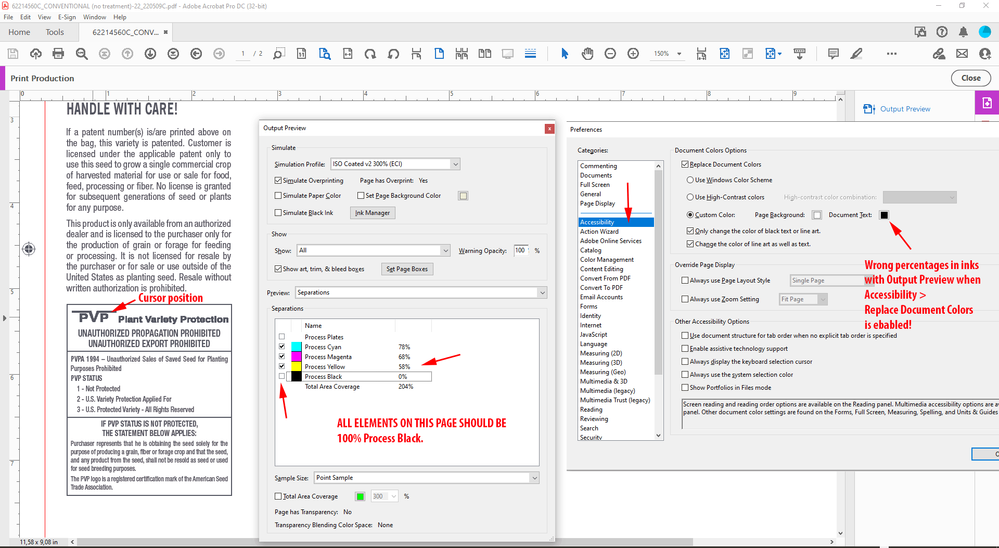
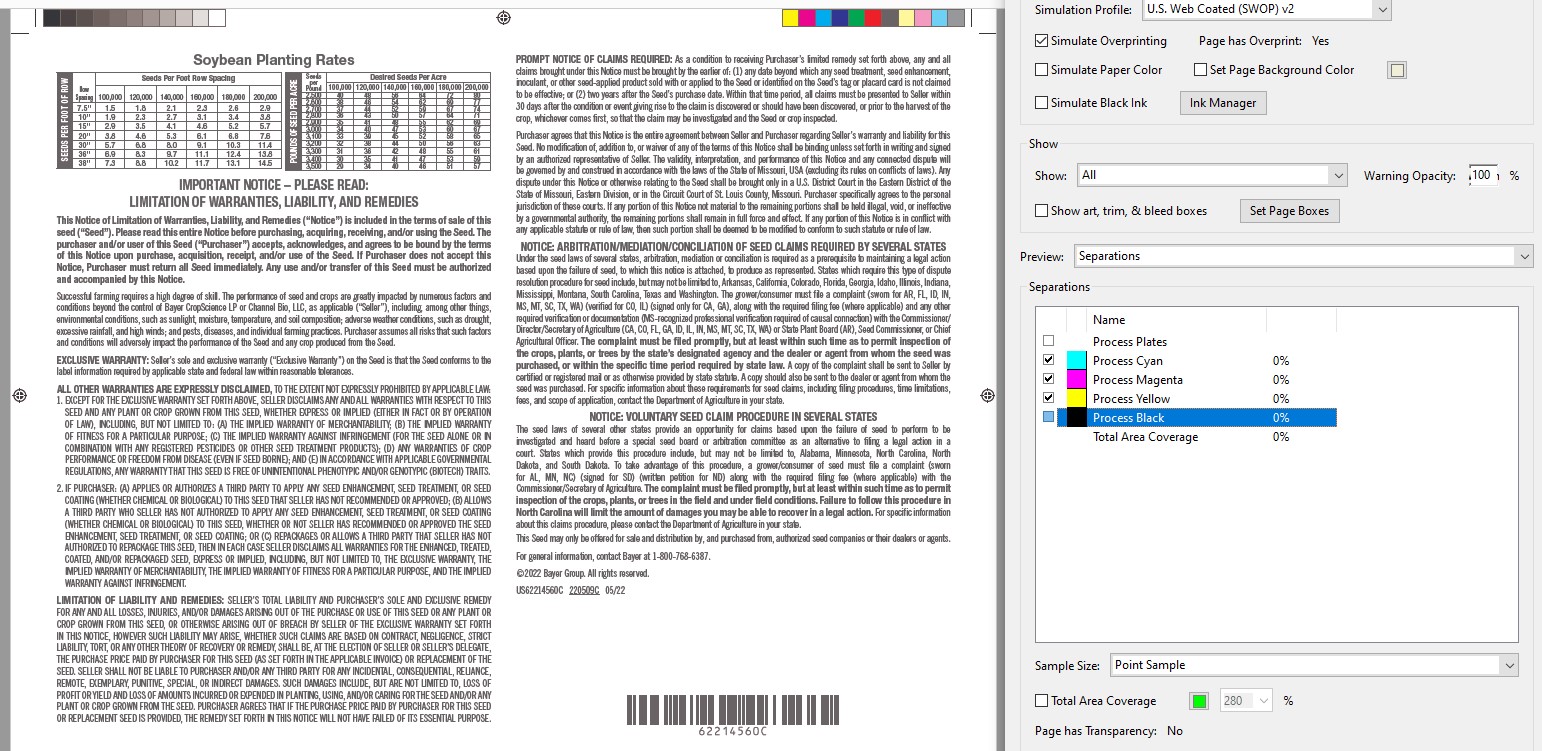
I have a file using 1 color black text, but Acrobat output preview is displaying as 4 color.  Wasn't doing this yesterday.  Same files appear correct on my coworker's computers. Double checked old PDFs I KNOW are correct, and it still displays as 4 color.  I've uninstalled, restarted, reinstalled.  Trashed profiles.  Nothing is fixing it. So what happened? Did I goof up a setting? Is Acrobat DC just trash?  I've wasted far to much time troubleshooting this issue already. I need some help. Thanks.


TOPICS
Bug , Performance , Print
4.3K
Translate
Report
Community guidelines
Be kind and respectful, give credit to the original source of content, and search for duplicates before posting. Learn more
community guidelines

correct answers 1 Correct answer

Community Expert , May 26, 2022 May 26, 2022

Hi Luke,

just looked into the Object Inspector when Accessibility > Replace Document Colors is turned on.

Then the Object Inspector will show the color values of all the Black Ink objects of the OPs PDF as DeviceRGB:


Accessibility-in-Acrobat-Pro-ENABLED-ObjectInspectorTellsDeviceRGB.png


Regards,
Uwe Laubender
( Adobe Community Professional )



Translate
Community Expert ,
May 25, 2022 May 25, 2022

Very good point, Luke!

Turned on Accessibility > Replace Document Colors

and indeed my Output Preview is showing this:


PossibleIssue-Accessibility-in-Acrobat-Pro-ENABLED.png


Thanks,
Uwe Laubender
( Adobe Community Professional )

Translate
Report
Community guidelines
Be kind and respectful, give credit to the original source of content, and search for duplicates before posting. Learn more
community guidelines
Community Expert ,
May 26, 2022 May 26, 2022

Hi Luke,

just looked into the Object Inspector when Accessibility > Replace Document Colors is turned on.

Then the Object Inspector will show the color values of all the Black Ink objects of the OPs PDF as DeviceRGB:


Accessibility-in-Acrobat-Pro-ENABLED-ObjectInspectorTellsDeviceRGB.png


Regards,
Uwe Laubender
( Adobe Community Professional )


Translate
Report
Community guidelines
Be kind and respectful, give credit to the original source of content, and search for duplicates before posting. Learn more
community guidelines
New Here ,
Feb 19, 2024 Feb 19, 2024

Oh no, it happened with my Acrobat too! This is horrible 😞
AND I dont have Replace Document Colors turned on!

Translate
Report
Community guidelines
Be kind and respectful, give credit to the original source of content, and search for duplicates before posting. Learn more
community guidelines
Community Expert ,
Feb 19, 2024 Feb 19, 2024
LATEST

AND I dont have Replace Document Colors turned on!


Hi @AnkePiknerKraft , What preset are using for the Export? Try one of the PDF/X presets and check the values in AcrobatPro‘s Output Preview.

Translate
Report
Community guidelines
Be kind and respectful, give credit to the original source of content, and search for duplicates before posting. Learn more
community guidelines