stuartm1980
Participating Frequently
February 19, 2023
Answered

Overprint black text turning to knockout during PDF conversion

  • February 19, 2023
  • 2 replies
  • 5462 views

Hello… I have an InDesign problem, which Adobe Help hasn't been able to resolve. I'm on a Macbook using InDesign 2021.


I'm trying to export a document to a print-ready PDF. The document is set up using the FOGRA39 colour profile I'm outputting to, and Appearance of Black in preferences is set to overprint at 100%. However, whenever I output a PDF, any black text on a solid colour becomes knocked-out, which will look awful and be a nightmare for print registration.


I've checked the ink values in the document vs the PDF and it's definitely happening during the PDF conversion. Eg. the colour value of black text on a magenta block in InDesign will be M 100 K100, but on the PDF the same text in M 00 K100.


Help!

This topic has been closed for replies.
Correct answer rob day

Thanks for taking a look. My understanding was that the 'simulate overprinting' setting was the correct way to view these files, but my printer is insisting otherwise. Here's their message about it:


"I wanted to do was put into writing exactly what we are seeing from our side. The latest artwork that we are working with, has overprint on it. I’ve attached a few screenshots for you to show this, the White Overprint – No Black screenshot, is what happens when we knock the black out on the artwork we have, leaving the white print left. Sadly, no matter what we do, this is what we are left with when we try and send your artwork through for a proof, and we cannot remove this overprint. The Removed Overprint – No Black screenshot shows what happens when we toggle the option to remove the overprint, this is for show only. This is how we need the artwork to look when it is sent through to us, for reference, what you can see in this screenshot is a toggle only, and it is not a removal, as we do not have the function to remove this completely from your artwork. The final screenshot First File – Overprint Options Shown, is a full screenshot of this main page that has caused an issue, and in the box on the left, is say Overprint: Yes."


So is the problem with the printers and the PDFs are fine?


Hi @stuartm1980, I’m also not seeing any overprint problems with either your InDesign Sample exported to PDF/X-1a or the PDF/X-4 sample. Rather than using the Simulate Overprinting checkbox you can use Preview>Object Inspector to check the actual overprint property of the texts when you click on them:
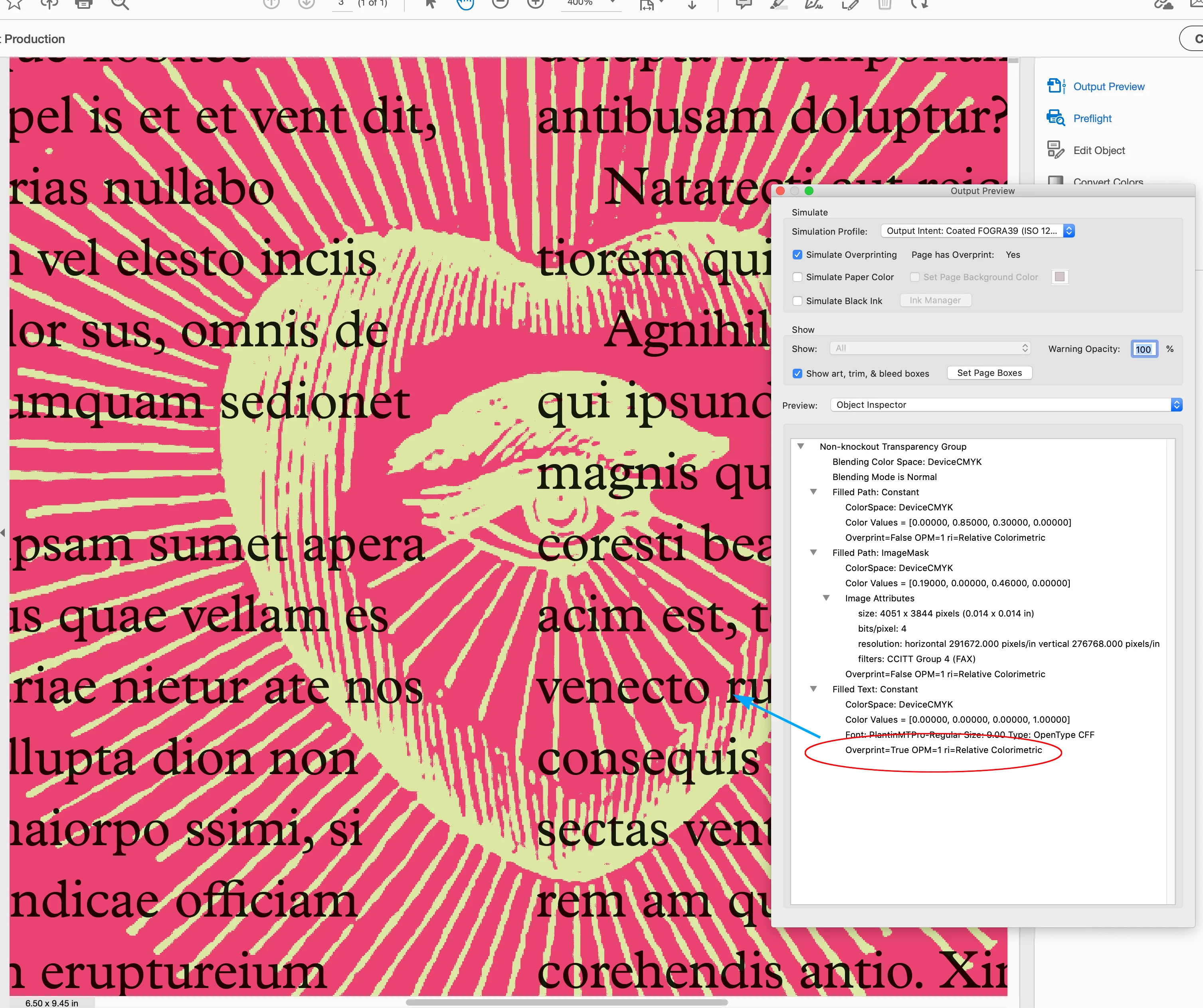


Your ID sample exported to PDF/X-1a:
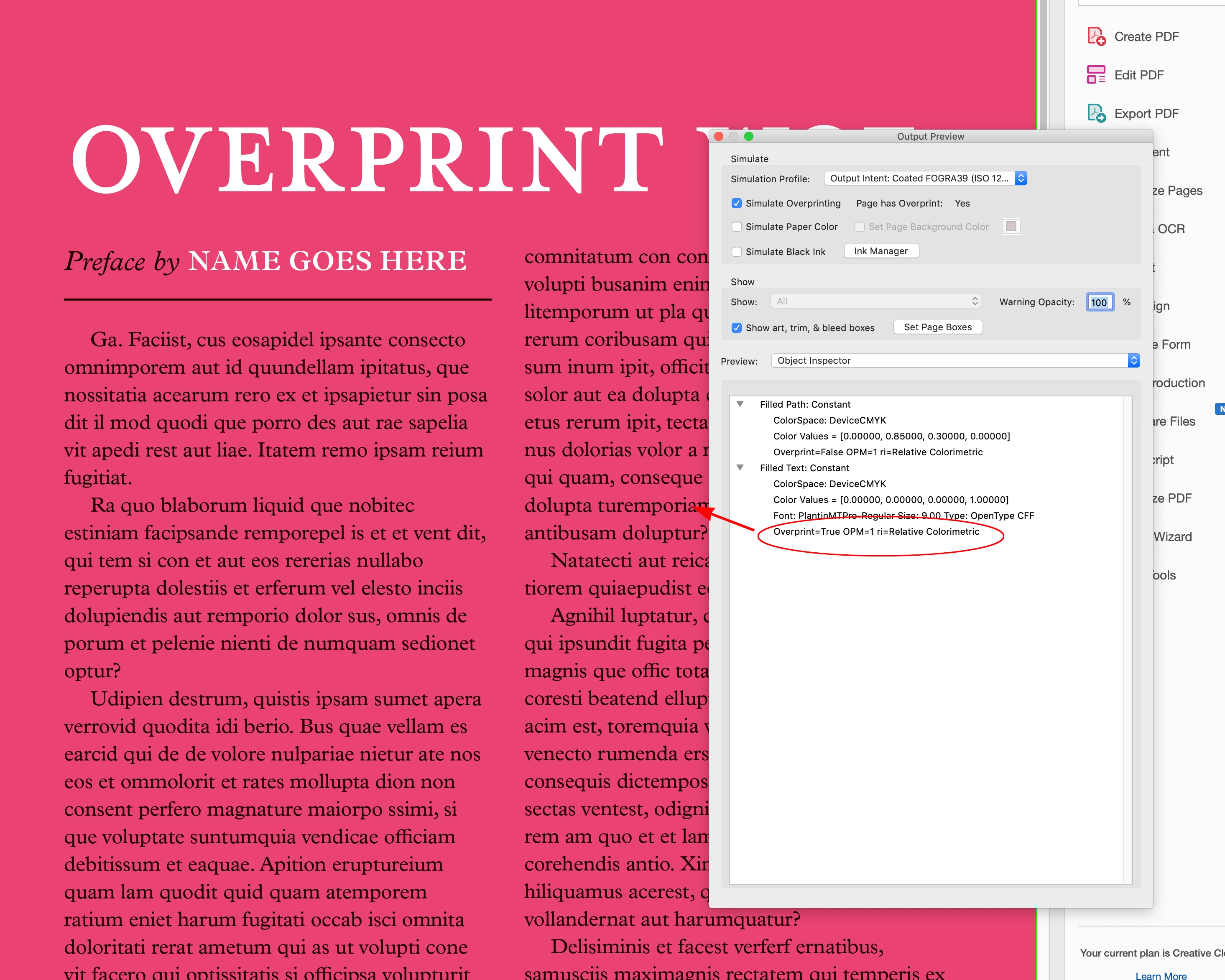


Also, it sounds like there is a communication problem—it seems like for some reason the printer wants to remove the overprint, which is clearly set in your PDF.


...when we try and send your artwork through for a proof, and we cannot remove this overprint....


2 replies

Community Expert
February 19, 2023

If you created your own black swatch delete it and replace it with indesigns default black swatch.

Or change the Window>Output>Attributes and set the fill colour to Overprint.


stuartm1980
Participating Frequently
February 19, 2023

It's not either of those things. It's the default solid black and overprint is selected. Hmmmmmmm...

Community Expert
February 19, 2023

I can't upload the supplied PDFs for confidentiality reasons, but here's that example page with a couple of images placed. I've left the text running over them so you can set how the overprint is behaving…


Not seeing any issue here at all

You can go to the settings and view overprint fills

Anything that is overprint will show with the selected colour


BobLevine
Community Expert
Community Expert
February 19, 2023

Are you using the default [Black] swatch? How are you exporting to PDF? If you choose PDF/X-4 does it work okay?

stuartm1980
Participating Frequently
February 19, 2023

I've been using PDF/1-a, as that was requested by the printer, but having just tried outputting in X-4, that fixes it. I'll see if they'll accept PDFs in this format.

Thank you! Do you know what causes the problem in 1a?

BobLevine
Community Expert
Community Expert
February 19, 2023

It's archaic; a more than two-decade-old standard.

I haven't used it in so long, I help with it.