
Participant
July 13, 2022
Answered

Packaging: Footer in PDF when I package an InDesign file

  • July 13, 2022
  • 3 replies
  • 446 views

I've recently noticed that when I package my InDesign file, I get an automatic footer in the PDF. I don't want this! I've tried to figure out how to prevent it but I'm getting nowhere. Please help?


This topic has been closed for replies.
Correct answer Bill Silbert

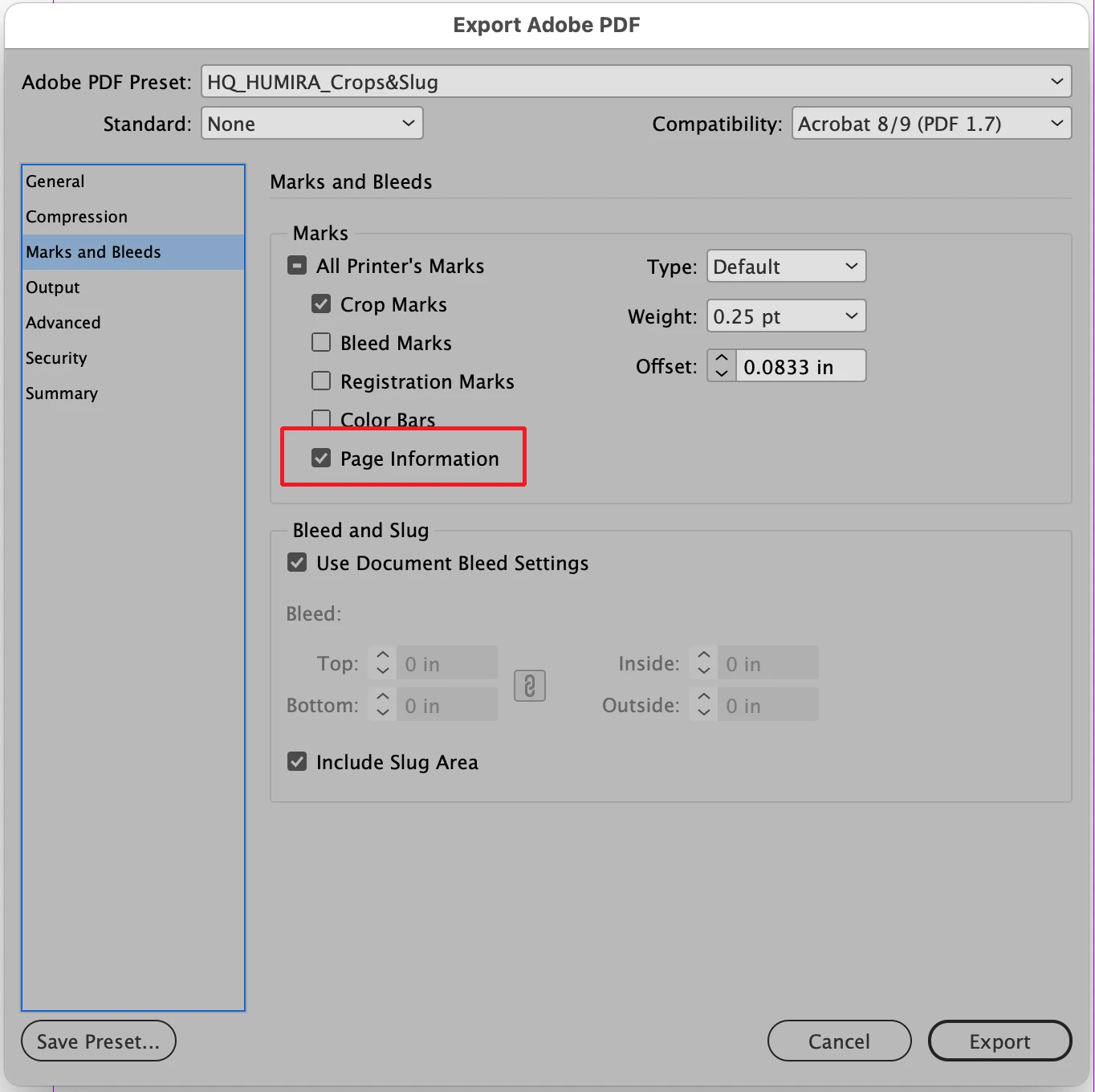
Does the footer you're referring to contain the title and date of the document that you're outputting? If that is the case then it sounds like you have "Page Information" checked in the Export Adobe PDf dialog window. Uncheck it to get rid of it.

3 replies

Bill Silbert
Community Expert
Bill SilbertCommunity ExpertCorrect answer
Community Expert
July 13, 2022

Does the footer you're referring to contain the title and date of the document that you're outputting? If that is the case then it sounds like you have "Page Information" checked in the Export Adobe PDf dialog window. Uncheck it to get rid of it.

Bill Silbert
Community Expert
Community Expert
July 13, 2022

Your second post popped up right when I posted mine. What you show is exactly what my first post was referring to.

Participant
July 14, 2022

What happens on a PC if instead of going to File>Adobe PDF Presets>Define you just choose a preset from the list of existing presets and then click "Save" in the Export window which follows. Do you then get the dialog window that I showed in my first post? If not then what happens if you use File>Export and choose Adobe PDF (Print) in the Export dialog that comes up next (and click on "Save" there)? Do you then get the window that I showed originally?


Aha!! The dialog window didn't look exactly like yours, but close enough! See screenshot: 

See where I highlighted yellow? I unchecked that box, then packaged the file and there's no footer!


Thank you thank you thank you! 🙂


Participant
July 13, 2022

Thanks for your quick reply. Here's a screenshot of the bottom third of a page...see the footers on the lower left and right of the document where I highlighted in yellow. They're not there in the InDesign file, and they just appeared on the PDF file.


BobLevine
Community Expert
Community Expert
July 13, 2022

You're going to have to show us what you're talking about.