
Inspiring
February 23, 2025
Answered

Page appears blank

  • February 23, 2025
  • 3 replies
  • 878 views

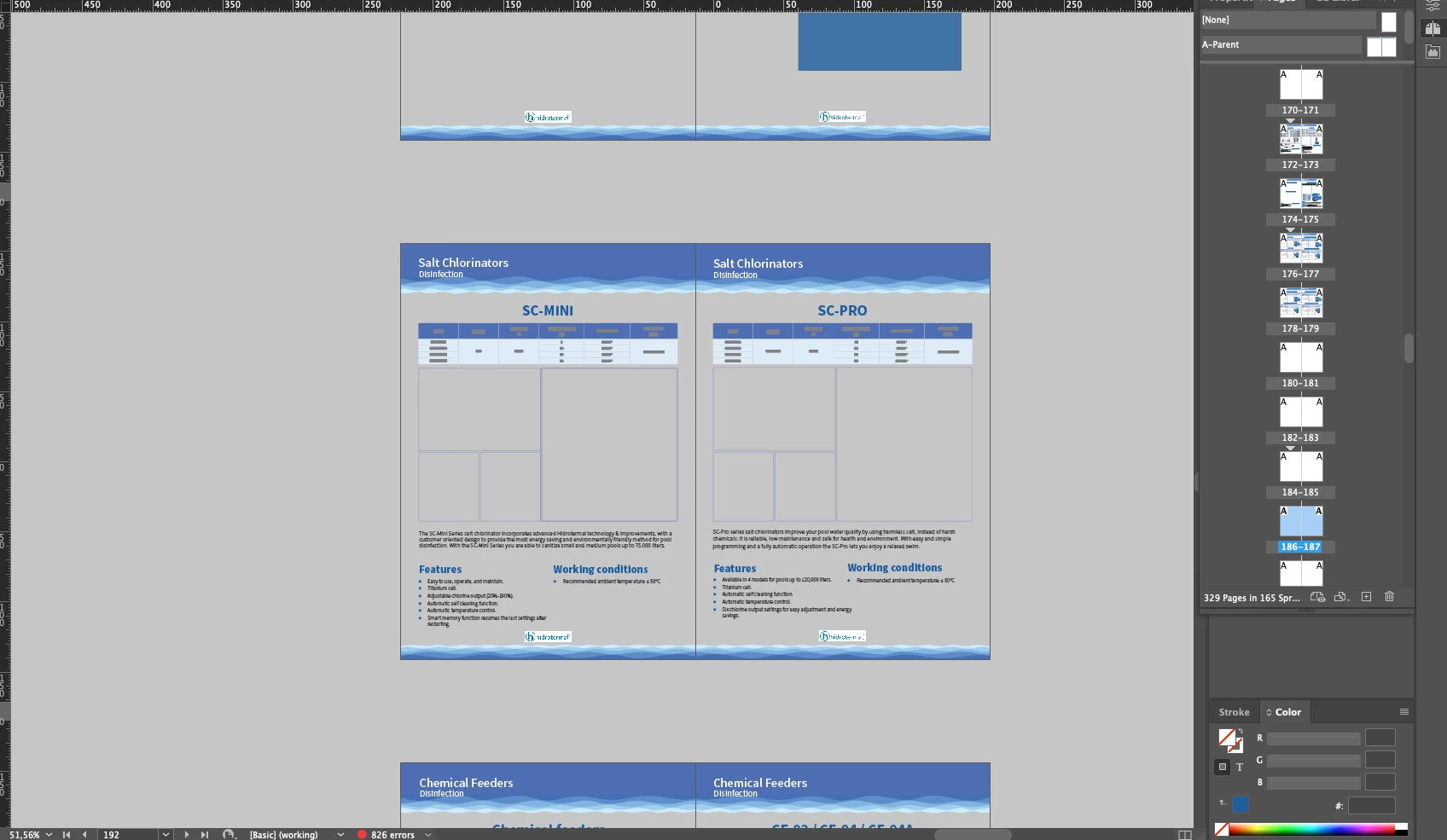
So.. 300 page project starts giving this error in some pages, tables still visible but no page, no photos. they are still there but I cant visualize them, when I export it just doesnt let me. I need urgent help, pls someone help me 😕😕


Correct answer Alexey2869135459nb

@Barb Binder : so in order to generate new backups, I need to "save as", and name it with todays date for example correct?, and edit that new file, which then when saving I should "save as" another file with a different date. 

Thank you for your time and help

Alexey

3 replies

Robert at ID-Tasker
Legend
February 24, 2025

@Alexey2869135459nb


It's also worth to mention, that doind Save As is a kind of "basic housekeeping" - it strips all the Undo History - that accumulated from the last Save As - but is no longer accessible afer you close your file - but is still part of the file - and reorders file a bit. 


Then there is IDMLing - that strips everything to the "bare metal" - but rather should be used only in an emergency situations - when your file starts to show signs of corruption. 


Community Expert
February 24, 2025

What do you mean it doesn't let you? Do you get an error? 


If a document is not behaving well then try 
File>Export 
Choose IDML
Open the IDML in InDesign
Save the file as a new InDesign file with a new name
See if the issue persists.

Inspiring
February 23, 2025

This is how I the pages are visible on the side bar


Barb Binder
Community Expert
Community Expert
February 23, 2025

Alexy: pages 278-290 look completely blank. Can you undo? Revert to an earlier version?


If not, these are the recommended steps to follow in the case of file corruption: https://helpx.adobe.com/indesign/kb/troubleshoot-file-issues.html


This is not a good time for this reminder, but it's really important – we need to back up our content daily and frequently multiple times daily. Incremental backups are really important because any file can become corrupt at any time. Saving to a cloud server like dropbox does this for you, so you can always get back to earlier versions.


~Barb

~Barb at Rocky Mountain Training
Robert at ID-Tasker
Legend
February 24, 2025

@Barb Binder


Just to clarify - InDesign do not produce "incremental" files - so "incremental backup" isn't possible.