XXIV.Journey
Participant
February 22, 2019
Question

Page Content Disappeared - No Idea How.

  • February 22, 2019
  • 5 replies
  • 592 views

Hi Guys,

Super frustrated. Been browsing the web and can't find any answers.

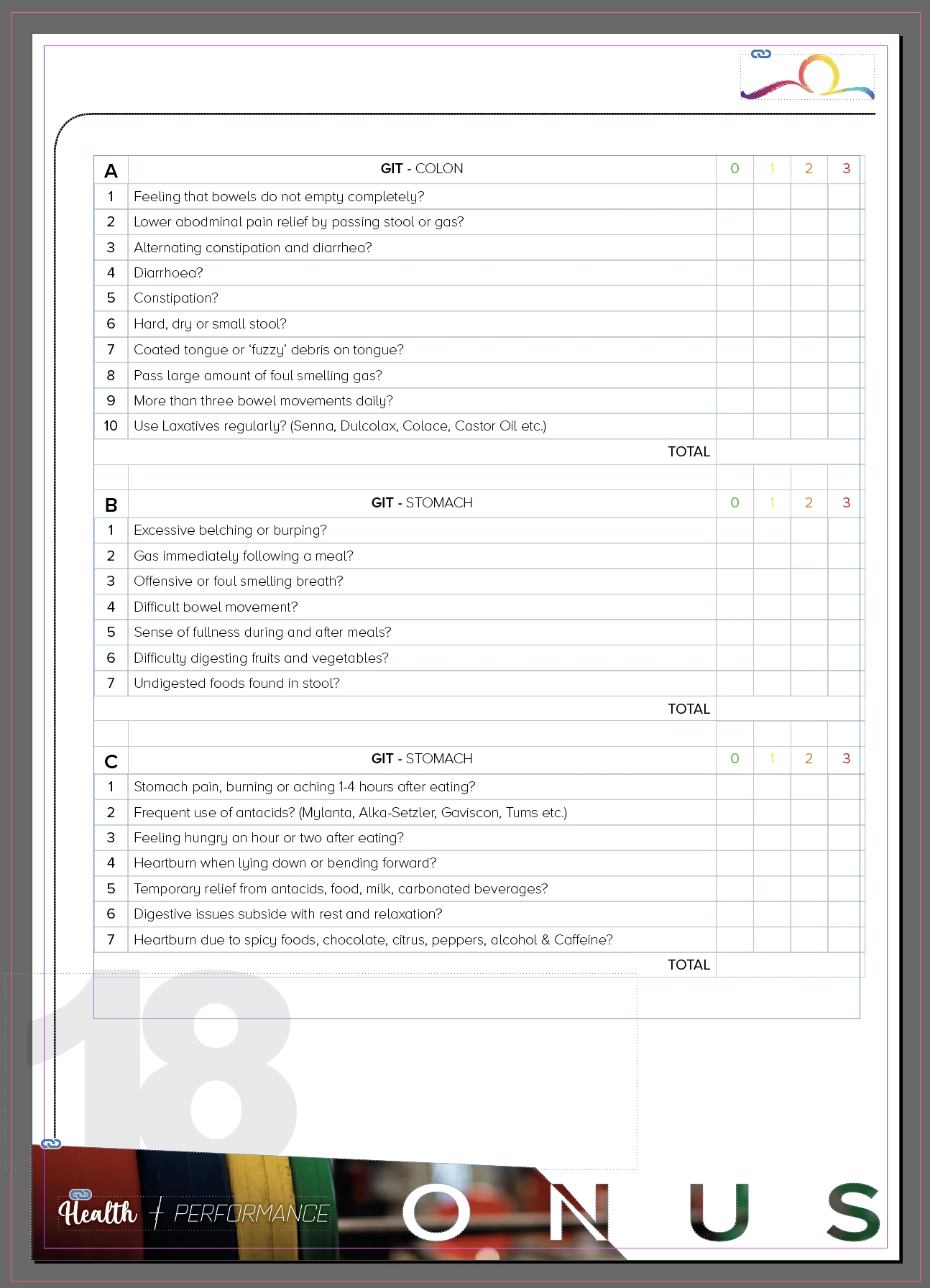
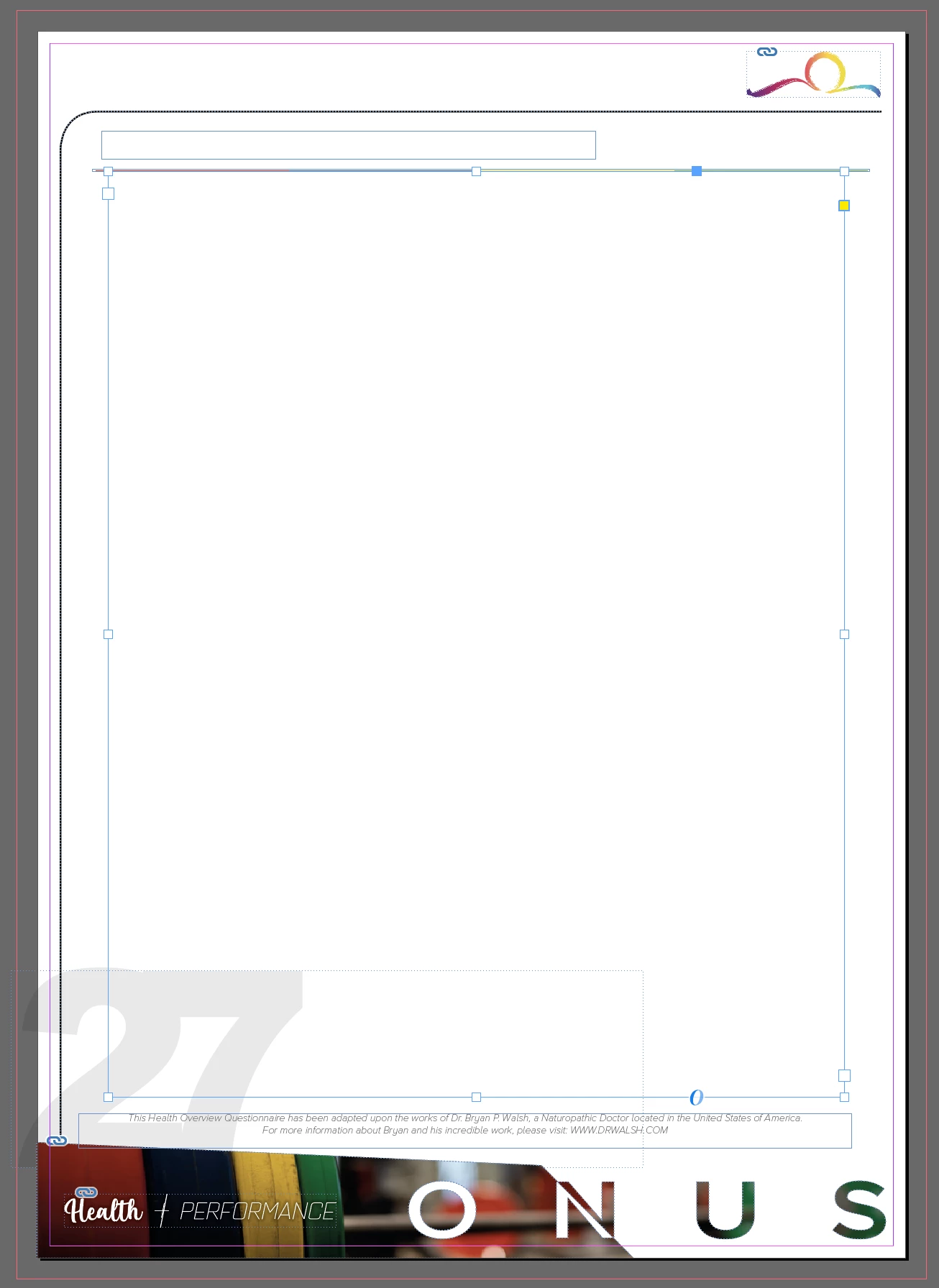
I was working on a form for myself, and when I scrolled down to my last 7-8 pages, all the content has completely disappeared and I have no idea how or why?

Any ideas if it was a mistake on my behalf? Or if it's a bug, or a corrupt file?

I can't recover any old versions or 'undo'. Pretty much F**ked.

I can still see the frame from where the old tables were, but there's no way to get them back.
This topic has been closed for replies.

5 replies

XXIV.Journey
Participant
February 24, 2019

Hey Guys,

Thanks for the input.

I tried all the above recommendations, as well as exporting and reopening in IDML format, as well as updating ID.

Restarting my Laptop. Trying to recover back ups and going through Time Machine on my Hard Drive.

None were successful in restoring content.

Will just take it as a lesson and save back ups in future.

*Facepalm*

jane-e
Community Expert
Community Expert
February 24, 2019

XXIV.Journey  wrote

I tried all the above recommendations, as well as exporting and reopening in IDML format, as well as updating ID.

Hi

What did you see when you looked in the Story Editor with an insertion point in the threaded text frame?

Jane

manal shanableh
Legend
February 22, 2019

I had the same Issue when I was working on a tables comes from Word doc.

try to enlarge the text frame for the maximum you can you will see the content.. its overset, fix the table size, rows and columns.

Barb Binder
Community Expert
Community Expert
February 22, 2019

Hi XXIV.Journey:

The first thing I would do is click inside one of those empty frames and tap Ctrl/Cmd Y. This puts you in Story Editor view. Is the content visible, or is there just an empty frame? (Ctrl/Cmd Y will return you to Layout view.)

The empty frame is bad if you don't have back-ups to restore. (We've all been there—and this is why you need to have regular back-ups.) Hopefully you will see the missing content and then we can help you recover it, beginning with the advice you have already received about table widths.

~Barb

~Barb at Rocky Mountain Training
Bill Silbert
Community Expert
Community Expert
February 22, 2019

If you compare your before and after screen shots it looks like you shortened the width of your text frame (possibly on your Master Page). This would explain the tables appearing to disappear. Try doing as rjcaldwell suggested and opening the frames back up.

Inspiring
February 22, 2019

Have you tried resizing the width of the frames with the missing table? There’s been a bug at least up to ID2017 where continuing tables sometimes disappeared in frames.

Community Expert
February 22, 2019

rjcaldwell70  wrote

Have you tried resizing the width of the frames with the missing table? There’s been a bug at least up to ID2017 where continuing tables sometimes disappeared in frames.

Hm. There should be a red [+] sign at the out port of the text frame when that happens…

I cannot see this in the screenshots so I fear that all the contents is really missing and is not moving to overset.

FWIW: Changing the width of a text frame will never force a table into overflow.

Regards,
Uwe

Inspiring
February 22, 2019

Uwe,

With the bug I was referring to, the content isn’t overset. It’s actually there, but not being displayed. Adjusting the width of the box in any way was my fix to get it to show the table.

Yes, odd, but I was bit by that several times.