



colinrogger
Inspiring
March 1, 2023
Answered

Page numbering spreads rather than pages

  • March 1, 2023
  • 2 replies
  • 1189 views

Hi.

I am looking to have automatically updating spread numbers. My reasoning is so that I can decide wether to export the document as a a4 booklet, or as a3 spreads, without having to place it into a additional non-facing a3 document with seperate page numbers set up there.
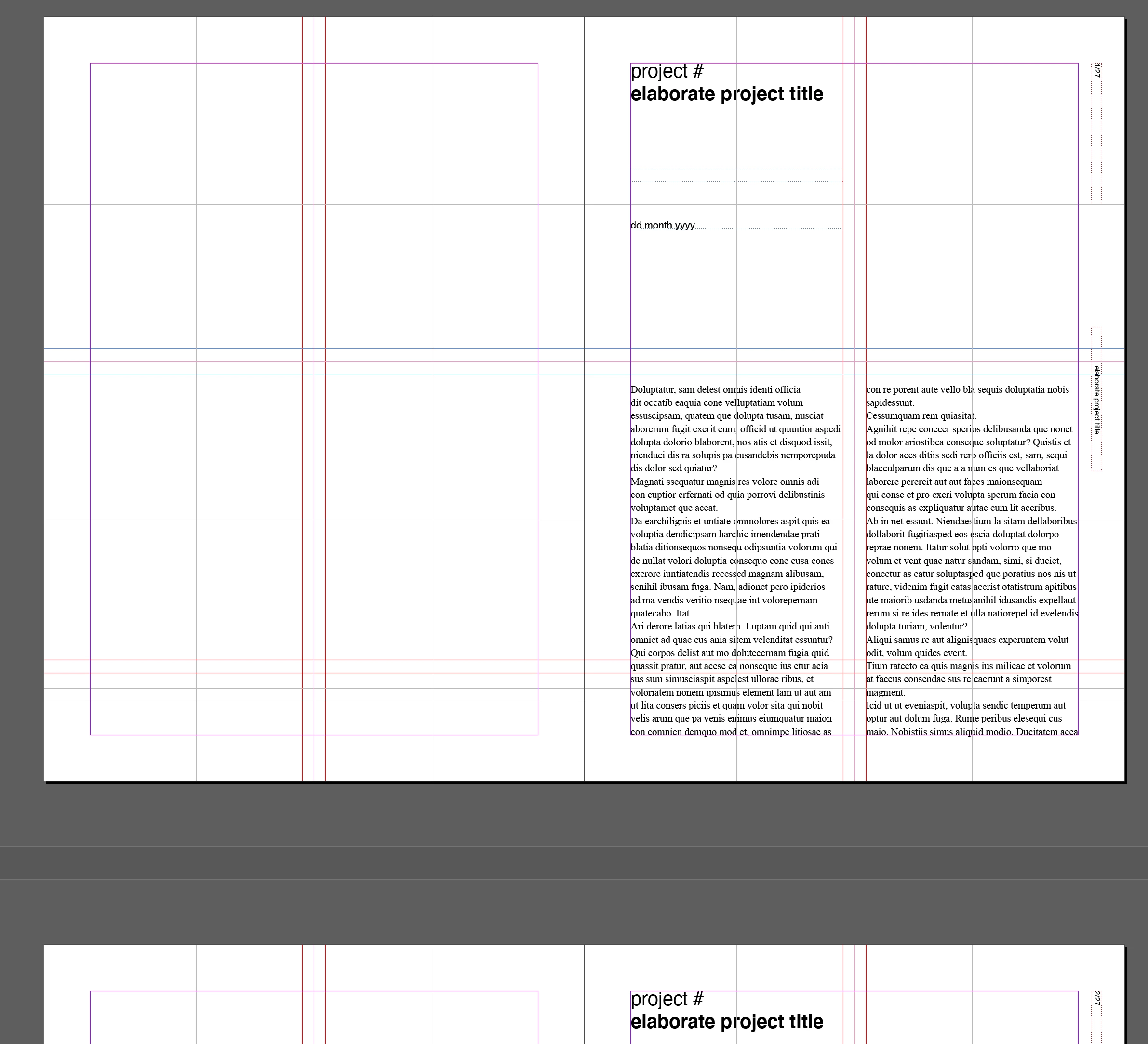
I found an option using the numbering and lists panel. This however requires me to cmd+shift click each one for it to update. Additionally, this doesn't work as a solution, as I have my page numbers set up on one master, on which 10 other masters are based. When cmd+shift clicking in the main pages, it does not update, but when clicking in the master pages, it does.


I hope this is clear, if not let me know.


Thanks for any help.

This topic has been closed for replies.
Correct answer Barb Binder

Hi @colinrogger:


This is an old post, but would still work the same way in 2023:

https://creativepro.com/create-spread-numbers/#comments


~Barb

2 replies

Barb Binder
Barb BinderCorrect answer
Community Expert
March 1, 2023

Hi @colinrogger:


This is an old post, but would still work the same way in 2023:

https://creativepro.com/create-spread-numbers/#comments


~Barb

~Barb at Rocky Mountain Training
colinrogger
Inspiring
March 1, 2023

Hi @Barb Binder, yeah I had seen this, I will give it another go with this guide, that should probably do the trick.


Thanks

Steve Werner
Community Expert
March 1, 2023

There's no automated way in the InDesign interface to do what you want. I may be accomplished with scripting. You may get a response from a scripter to see if that's possible.

Eric Dumas
Community Expert
March 1, 2023

Also, you can add the page numbering later, in the PDF you export. Acrobat as a 'Edit header and footer' option.

colinrogger
Inspiring
March 1, 2023

Oh that is a great idea @Eric Dumas, quite simple and would do the trick.

Thanks