
ChristopherGale
Participant
January 16, 2017
Answered

Page tool not moving other pages in spread

  • January 16, 2017
  • 2 replies
  • 3848 views

Hi all,

So I have created a script that builds a 3 page spread book cover template. Page 1 being the back cover, page 2 being the spine and page 3 being the front cover.

I have always created this template manually and it has allowed me to adjust the spine page width using the Page Tool. This is necessary as often spine widths change depending on the length of the book.

However, the document built using my script behaves differently. If I change the width of a page using the Page Tool, it doesn't affect the other pages in the spread. eg. If I make a page wider, it extends behind the page next to it, rather than pushing it along accordingly. If I make a page narrower, it creates a gap between the pages in the spread.

Any ideas?

Thanks,

C
This topic has been closed for replies.
Correct answer ChristopherGale

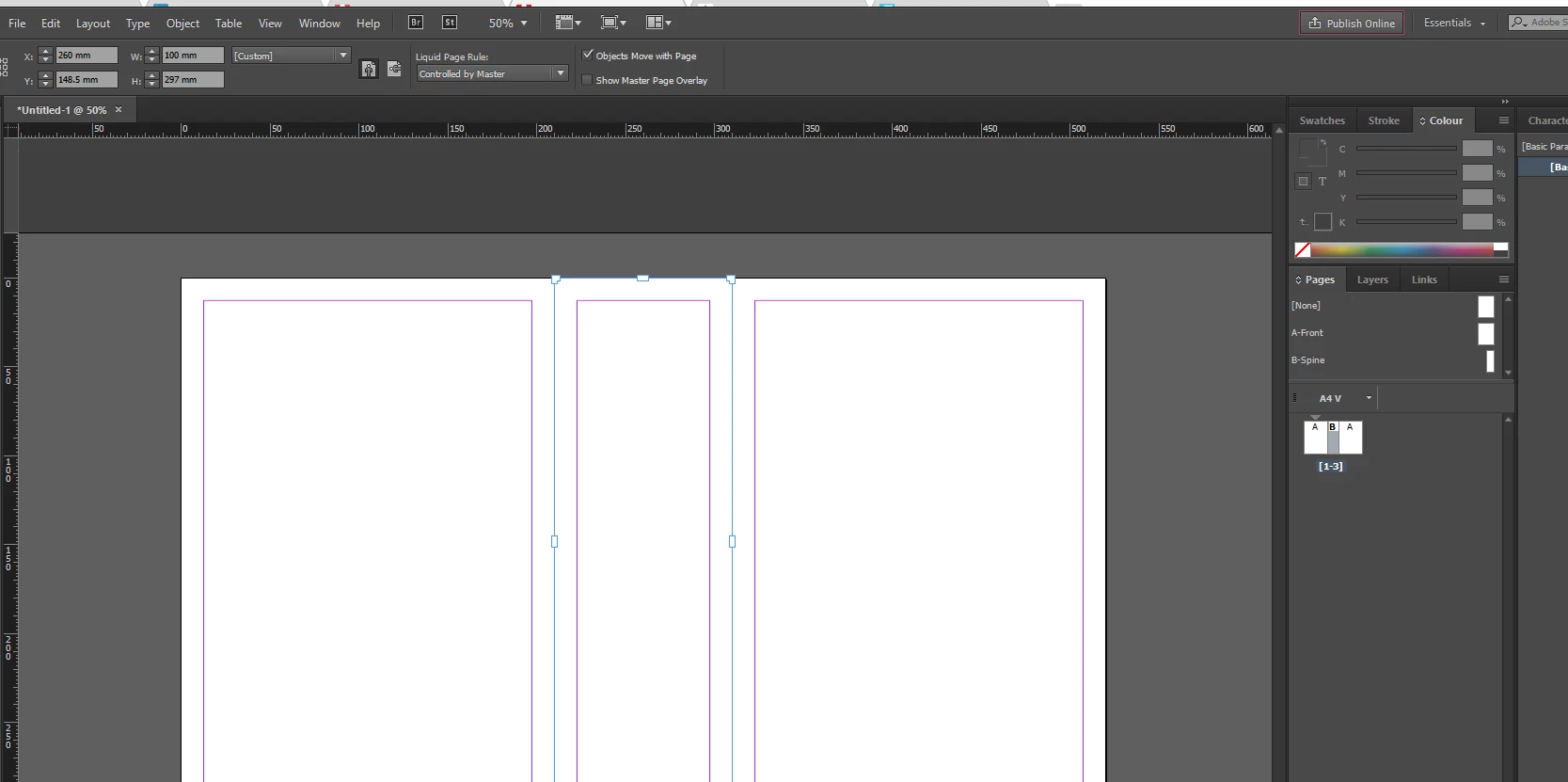
Have you tried using two(or three) types of master pages in a liquid page layout and then have the master pages control things?  I think this would solve the problem 90% of time...

But you may still need to use the page tool if they try and overlay each other and also change the spine widths by editing the Master page spine width (in this example master page B).

I'm still trying to figure out any other solutions.. but it would look like this:

P.s. I had the allow document pages to shuffle and selected spread to shuffle turned off


Thanks so much for your help. I think I've now found the solution though:

I switched the document to Facing Pages and it now adjusts properly!

Thanks again,

C

2 replies

vinny38
Legend
January 16, 2017

hi

Check facing pages feature is ON

regards

vinny

Eternal Warrior
Inspiring
January 16, 2017

I get that this is the answer (and I already had it enabled in my example) but aside from organising pages into spreads I don't understand how this automatically adjusts the distance between pages?

Forgive me for sounding foolish.

Community Expert
January 16, 2017

Eternal Warrior wrote:

… but aside from organising pages into spreads I don't understand how this automatically adjusts the distance between pages?

In facing pages documents when using the Page Tool the x-direction is always grayed out, it is not available:

InDesign's pages cannot be moved in x-direction. Thus all pages have to be ordered around the spine or follow exactly as next neighbor to the next or previous page horizontally.

In non-facing documents there is no spine.

As you can see from the Page Tool you can move pages in x- and y-direction around throughout the spread's pasteboard.
Also overlapping of pages is possible. Rotating pages and sheering pages as well.

That's how the developers of InDesign CS5 implemented the feature of different page sizes with InDesign.
It has not changed until now.

Regards,
Uwe

Eternal Warrior
Inspiring
January 16, 2017

Perhaps you could try explaining more visually what the problem is as I'm a little confused?

ChristopherGale
Participant
January 16, 2017

Sure thing! So here's the start point. I want to resize that middle page which is currently 40mm wide.

This is what happens when I resize to 80mm. The enlarged page appears to go behind the page to its right. The total spread width doesn't change.

And this is what I want to happen. (I achieved this by moving the 3rd page out of the spread and then readded it to the spread, but this is clunky)

Eternal Warrior
Inspiring
January 16, 2017

Have you tried using two(or three) types of master pages in a liquid page layout and then have the master pages control things?  I think this would solve the problem 90% of time...

But you may still need to use the page tool if they try and overlay each other and also change the spine widths by editing the Master page spine width (in this example master page B).

I'm still trying to figure out any other solutions.. but it would look like this:

P.s. I had the allow document pages to shuffle and selected spread to shuffle turned off