
Participant
April 16, 2023
Question

Page tool resize causes collision

  • April 16, 2023
  • 2 replies
  • 375 views

Hi, I've got a book I'm working on. I'm attempting to increase the page size using the Page Tool and Liquid Layout Scale. Here's what it looks like before the resize:
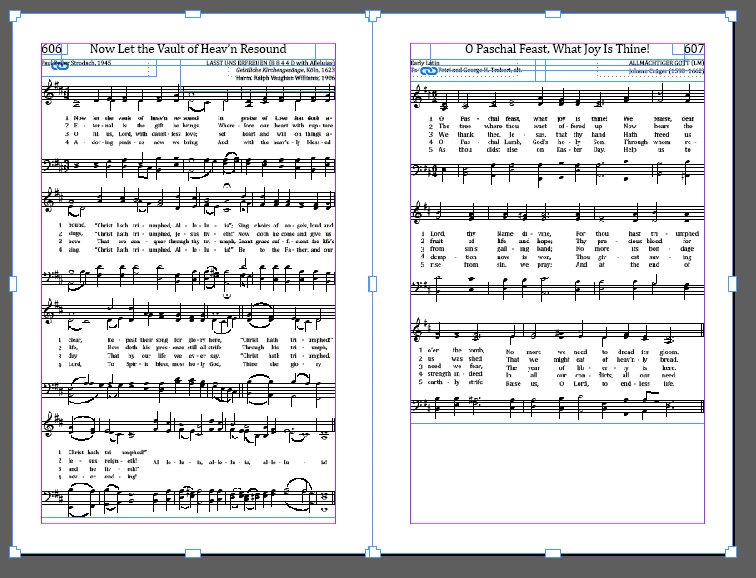

and once I've resized:
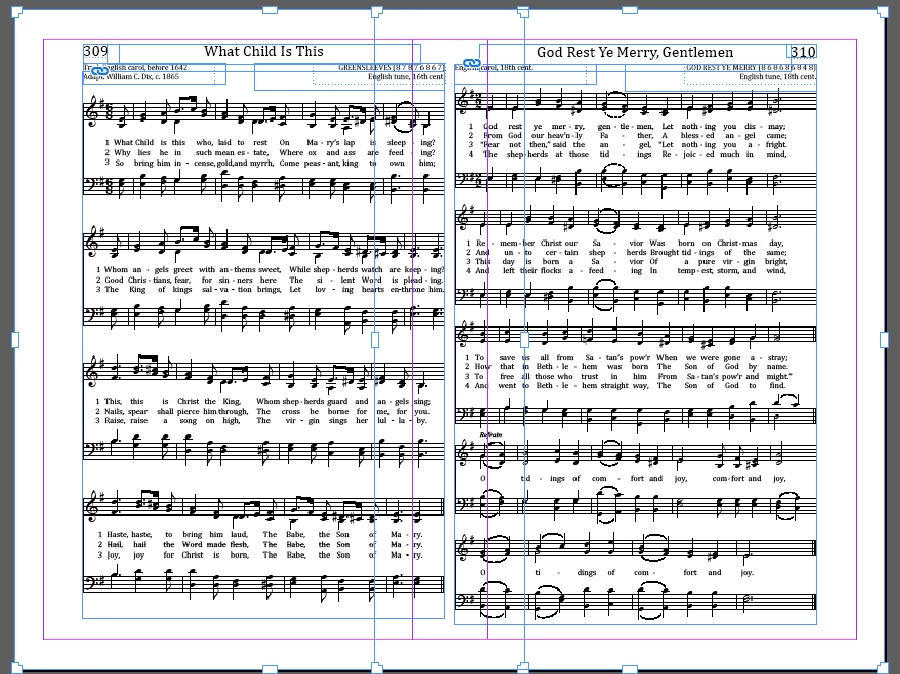
 and 

Why are the pages increasing in size and overlapping?

Thanks, everyone, for your help!

This topic has been closed for replies.

2 replies

Steve Werner
Community Expert
Community Expert
April 16, 2023

When using the Page Tool to change the width of side-by-side pages, the most accurate way to work is to use the settings in the Control Panel when the Page Tool is selected.


Imagine I'm starting with three side-by-side pages with are each 8 inches wide.


When the middle page is selected, it is W = 8 inches, its X (horizontal) position is 8 inches.


To make the middle page 9 inches wide, you want to change W to 9 inches, but you need to set the X value of the right page to 17 inches so it won't overlap with the page to the left.


Steve Werner
Community Expert
Community Expert
April 16, 2023

In other words, ignore the Liquid Layout features and be more precise.

Participant
April 16, 2023

This also happens when using Document Setup.