Participant
December 31, 2020
Answered

Pages Tab - No Preview of Pages

  • December 31, 2020
  • 2 replies
  • 5265 views

Pages Tab doesn't show preview of what is on my pages:
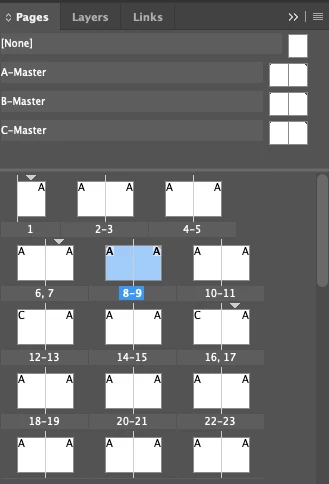


How do I change this? I'd like to view like this:

(sorry -  blurry picture but it's grabbed from a video)
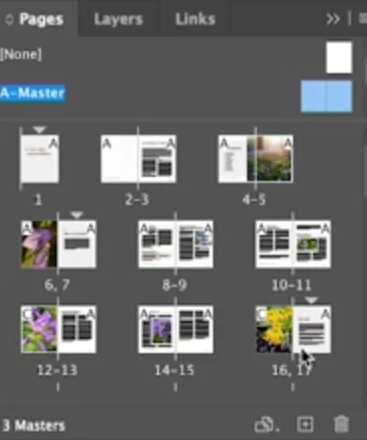


Any help would be greatly appreciated. Thanks! 

Correct answer Mike Bro

Hello,

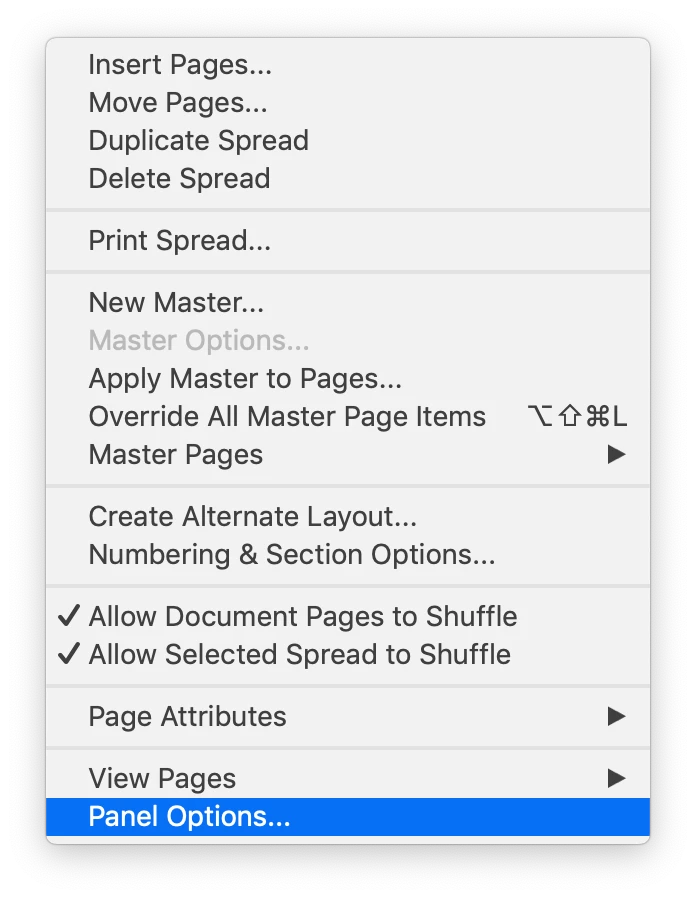
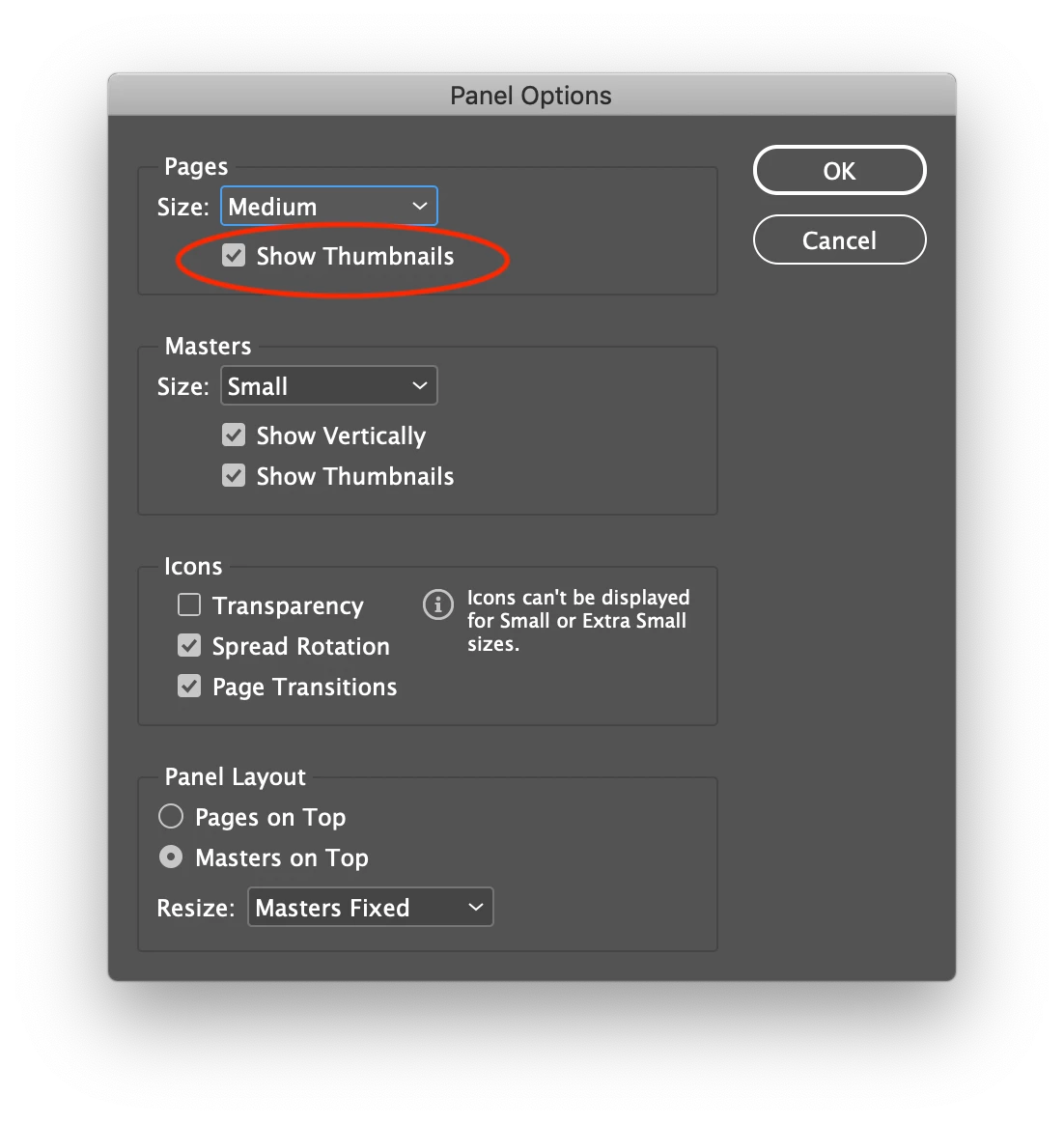
 In the Page panel go to the flyout menu, select "Panel Options" In the Panel Options make sure that Pages Show Thumbnails is checked on.
 

Regards,

Mike

2 replies

Diane Burns
Inspiring
January 1, 2021

Do as Mike suggested, and note you can also change the size of the page previews, to Medium or Large or Extra Large--even Jumbo! 🙂

Participant
February 4, 2021

My page previews are not showing the thumbnails at all. I hope someone here knows how to get it back. 

I've restarted, shut down, opened the file as an idml. But still not showing anything in the page tab. I'm not able to upgrade to the next InDesign. I'm working in 15.1.3. 

Community Expert
May 5, 2021

Hi cfishman,

in this case it would help to trash and restore either InDesign cache files and/or InDesign preferences when InDesign is not open or started. See:


Restore all preferences and default settings
https://helpx.adobe.com/indesign/user-guide.html/indesign/using/setting-preferences.ug.html#restore_all_preferences_and_default_settings


Regards,
Uwe Laubender

( ACP )

Mike BroCorrect answer
Legend
January 1, 2021

Hello,

 In the Page panel go to the flyout menu, select "Panel Options" In the Panel Options make sure that Pages Show Thumbnails is checked on.


Regards,

Mike

nle1234Author
Participant
January 2, 2021

This worked! Thanks for this clear walk through. I really appreciate it.