mhinescreative
Participant
March 13, 2018
Answered

Pages won't delete in Indesign

  • March 13, 2018
  • 6 replies
  • 17732 views

I'm working on a 280 page document and I am trying to delete some pages. Every time I delete a page it somehow just reappears. It will appear to have deleted (the next page will slide into the deleted pages space and the number of pages goes down) but then whenever I click on the page in the pages panel, it hasn't gone anywhere. Also it is messing other stuff up. It's altering the headers on the pages and mixing everything up. I have no clue what to do because these pages have to be deleted. SOMEONE PLEASE HELP.
Correct answer Barb Binder

If you'd like to share all (or just pages 49-52) I'd be happy to take a look. Put the file on dropbox and post a link here (public) or hover over my name and click message (private).

~Barb


Hi Greg:

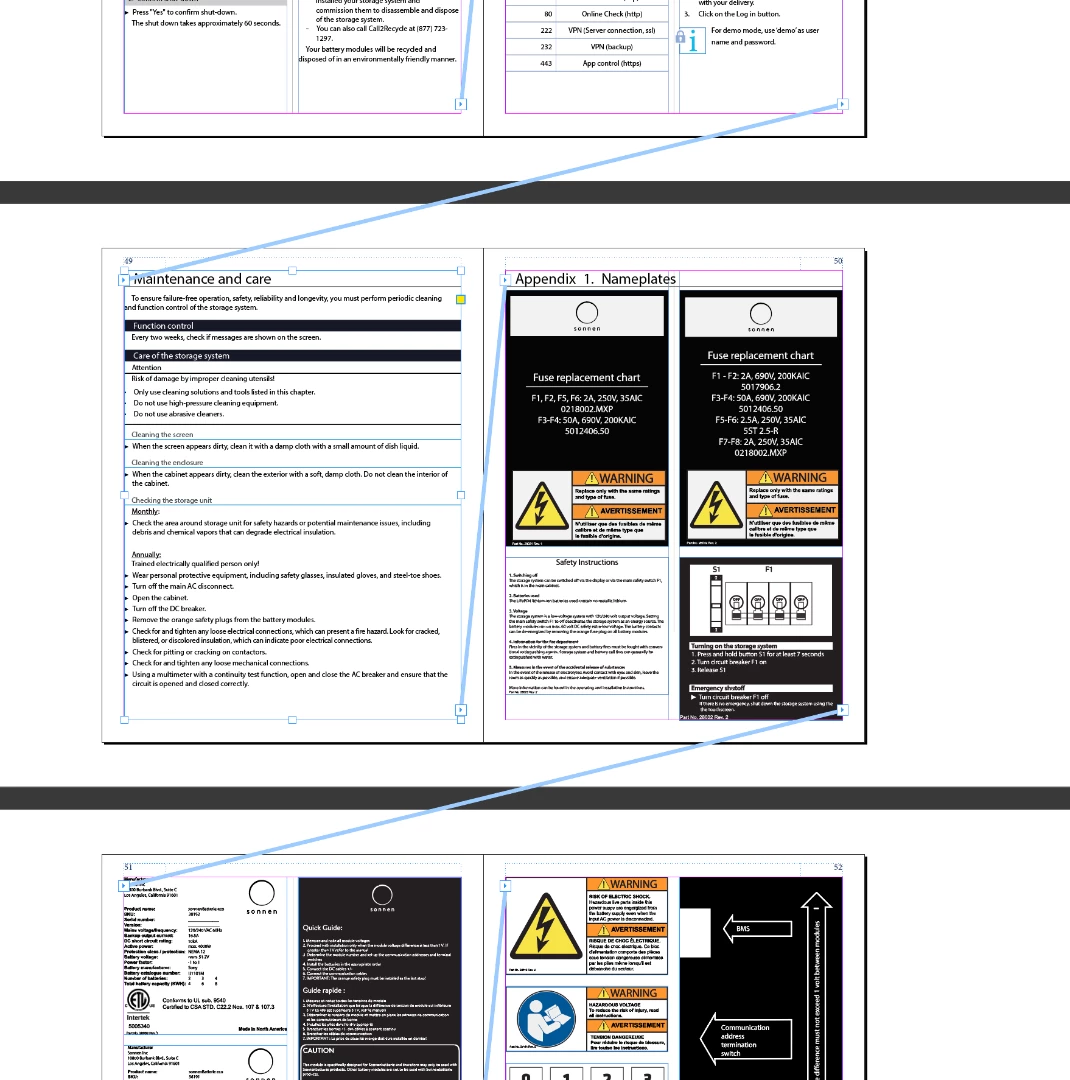
What's happening is that your document is has threaded text frames with anchored graphics inside, so when you delete page 50, the content sticks around. I turned on text threads and zoomed out to show you:

So, to remove page 50, you actually need to remove the contents, which isn't as simple as it could be. Here's my recommendation:

  1. Choose Type > Show Hidden Characters
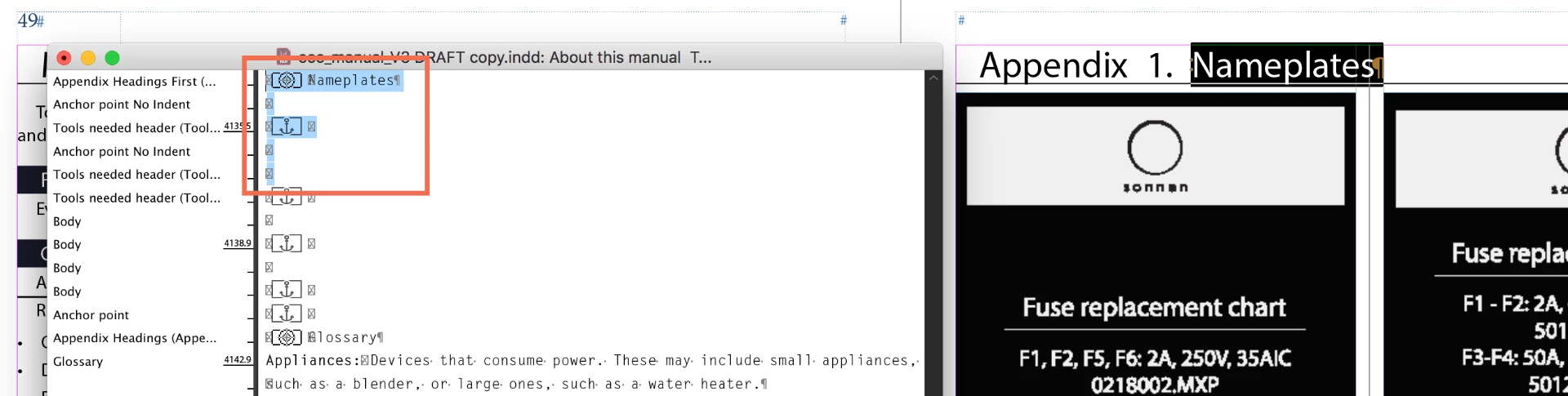
  2. Navigate to page 50 and double click Nameplates to select it
  3. Tap Ctrl+Y to open Story Editor (Cmd+Y on a Mac)—Nameplates will be highlighted in both views
  4. Drag to select the following 5 lines in Story Editor (or if you need "the title Appendix 1: Nameplates" just select the 4 lines underneath that line):
  5. Press Delete or Backspace to remove the selected content.
  6. There will a blank page at the end of the file. You can delete it by dragging it into the trash can.

~Barb

6 replies

Participant
February 14, 2021

Thank you so much! This solved my problem immediately!!


Participant
April 12, 2020

Great answer! 5 star!

happie_97
Community Expert
Community Expert
May 23, 2018

Did any of the suggestions above solve your issue?

If not, please let us know so that we can continue to troubleshoot for you.

If they solved the issue, please update the thread.

Thanks so much, Andrea

Participant
May 13, 2019

Thank you Barb! This saved me. I never would have worked this issue out without your advice. Much appreciated.

Barb Binder
Community Expert
Community Expert
May 14, 2019

Glad to hear it!

~Barb

~Barb at Rocky Mountain Training
happie_97
Community Expert
Community Expert
May 23, 2018

Try deleting two pages or an even number of pages at a time and see if they delete.

Participant
April 26, 2025

Two pages worked. I have 10 pages total so I'm still not sure which are the legit pages and which pages I should delete ... or if it matters.


Thanks!


Bevi Chagnon - PubCom.com
Legend
May 22, 2018

Are you using a Primary Text Frame on the master page?

That will add pages when there is content, even if the content is only blank hard returns, spaces, or page break markers.

Also, when using a Primary Text Frame, deleting the page doesn't work because it will recreate it all over again...like what you're describing.

With Primary Text Frames, you'll have to use the text tool to select the content you want to delete, and then delete it.

|    Bevi Chagnon   |  Designer, Trainer, & Technologist for Accessible Documents ||    PubCom |    Classes & Books for Accessible InDesign, PDFs & MS Office |
Participant
May 23, 2018

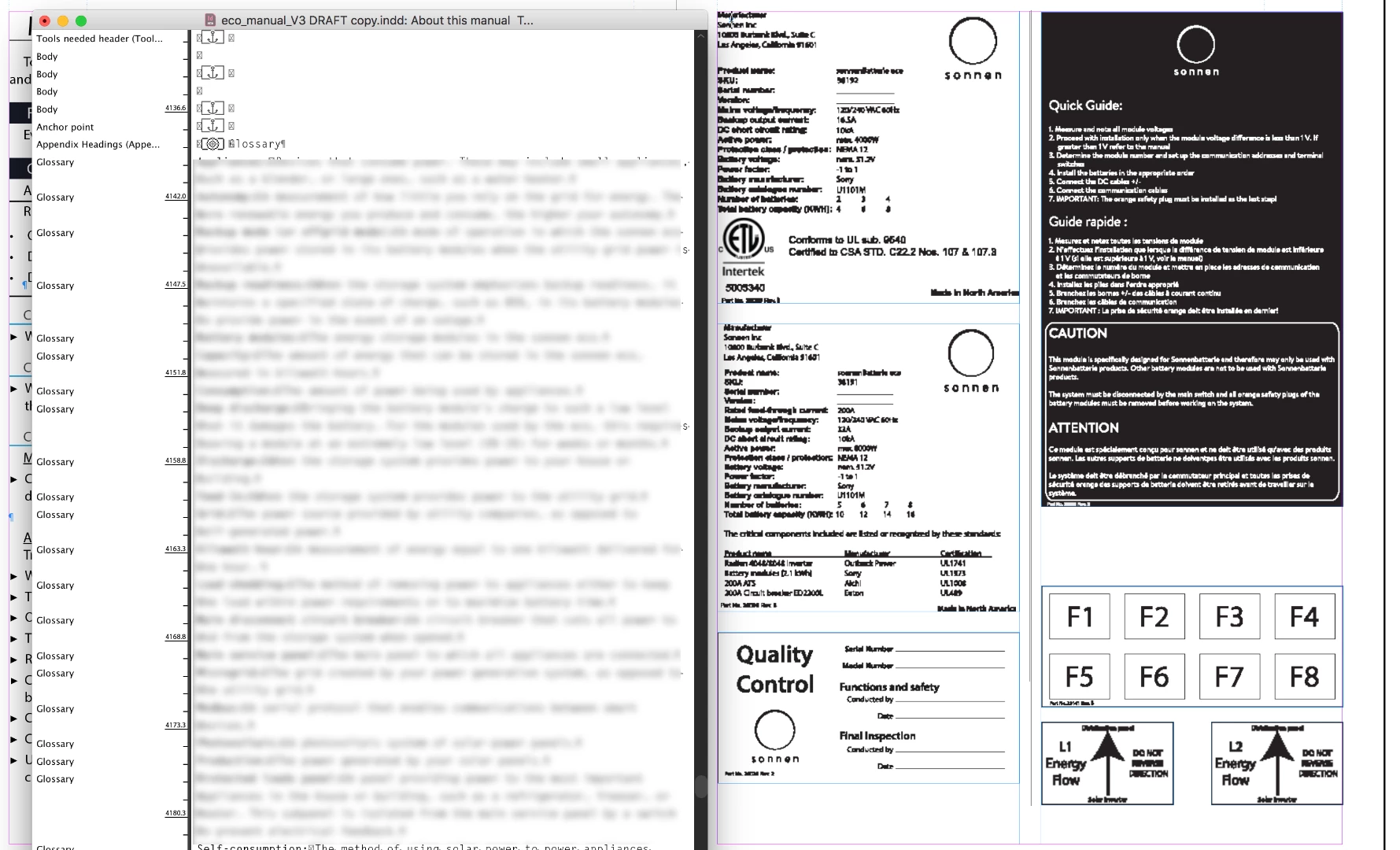
There is nothing on the page and I have selected Override All Master Page items. This master page is set up as a dual page and looks like the image pasted here.

This is what my pages look like:

Barb Binder
Community Expert
Community Expert
May 23, 2018

If you'd like to share all (or just pages 49-52) I'd be happy to take a look. Put the file on dropbox and post a link here (public) or hover over my name and click message (private).

~Barb

~Barb at Rocky Mountain Training
Barb Binder
Community Expert
Community Expert
March 13, 2018

Is smart text reflow enabled in Preferences > Advanced Type?

~Barb

~Barb at Rocky Mountain Training
mhinescreative
Participant
March 13, 2018

No it is not... Should it be?

Barb Binder
Community Expert
Community Expert
March 13, 2018

Smart Text Flow can cause a page to return after you remove it.

How are you deleting the page(s)?

~Barb

~Barb at Rocky Mountain Training