Inspiring
January 11, 2018
Resuelto

Pantone Spot CMYK vs Pantone Spot Lab - Will it print differently?

  • January 11, 2018
  • 2 respuestas
  • 10763 visualizaciones

So in the old days, InDesign and other software were using Pantone colours with CMYK values. Nowadays they use LAB values.

We all understand that, and I know we can change one and another to use whatever values we want. My question is, does this only make a difference on how we see it on screen, or will it actually affect the printing job, the way how it is printed?

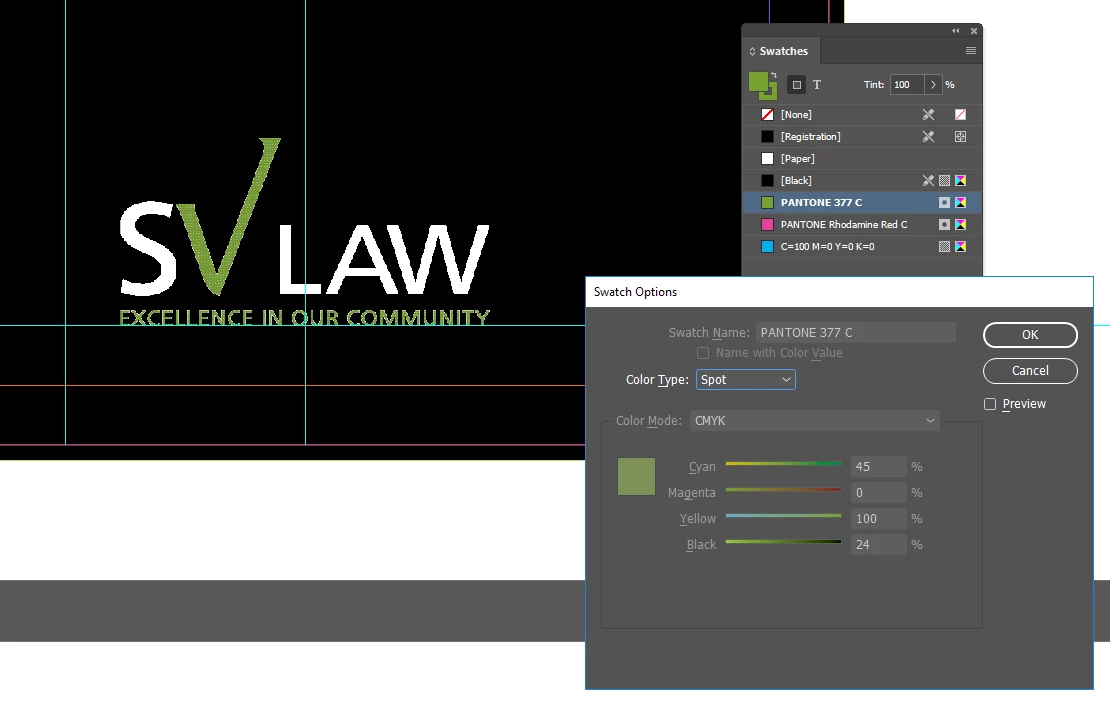
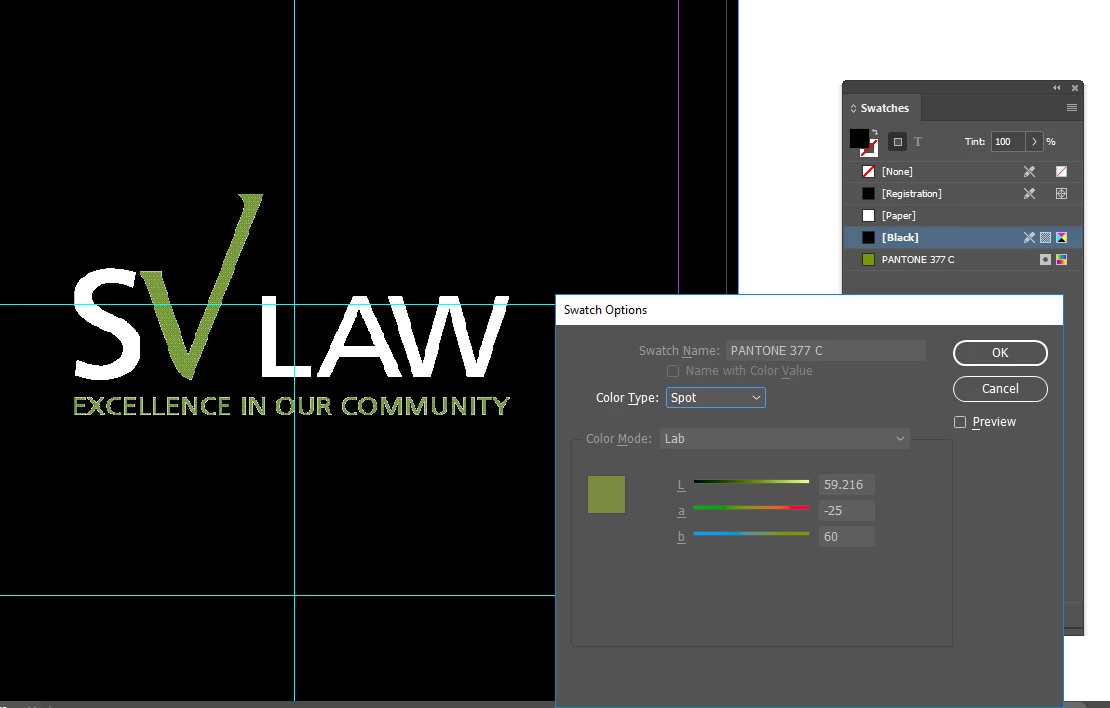
Because I have old client files that used SPOT CMYK and when I create new files with the same Pantone but LAB values, the high res PDF looks different than the older ones. My client is going to ask me why and I want to be able to explain.

Will it still print the same way as the older files? (below are the examples of what I have: old vs new)
Este tema ha sido cerrado para respuestas.
Mejor respuesta de Dov Isaacs

They will only look different for printing if you are not actually printing using the spot color inks! In other words, if you are using spot color definitions simply to get a certain look, but have no intention of actually printing with inks (i.e., you are printing entirely with CMYK process colors), yes, you will likely see some shift in colors. If you are using ICC color management, such as is available with PDF/X-4, the printed results when not using spot color inks will be more true to the actual spot color with LAB alternates, but may look very different from the results that you may previously achieved with the DeviceCMYK alternates.

          - Dov

2 respuestas

rob day
Community Expert
Community Expert
January 11, 2018

So in the old days, InDesign and other software were using Pantone colours with CMYK values. Nowadays they use LAB values.

Also, Pantone now offers separate libraries with a single process CMYK simulation of the solid ink color— PANTONE+ Color Bridge libraries. Picking process color from a solid color swatch is never a great way to manage color, but the new system clearly distinguishes the difference between spot and process color output. With the legacy libraries it was often impossible to accurately represent solid ink colors on screen—they were always process color simulations even when the output was going to be a solid spot. With the legacy libraries you can't accurately display an out-of-gamut solid ink color like Orange 21C.

Inspiring
January 11, 2018

Thanks, Rob! That is also very useful

I do use PANTONE Color Bridge when I want the CMYK match but I know a lot of people still convert those to process.

I just wasn't understanding if the new SPOT with LAB values would print different from the legacy SPOT with CMYK values. I am glad that it is just a matter of color simulation on screen.

rob day
Community Expert
Community Expert
January 11, 2018

When printing solid inks the match between the Pantone swatch book and the printed piece depends on the press person getting the ink mix and density right—you could have a spot color named purple but that wouldn't stop the operator from putting orange ink on the spot plate.

Also, there was nothing reliable about your client's soft proof view of spot colors using the legacy system. In fact, because the solid ink definitions were CMYK, the colors would change depending on the document's assigned CMYK profile (even though there are no CMYK inks involved in spot color printing).

So here on the left are the new lab spot colors compared with the legacy CMYK definitions on the right.

With US SWOP Coated assigned:

With US Sheetfed Coated assigned. You can see the new lab values are not affected by the profile assignment.

Dov Isaacs
Dov IsaacsRespuesta
Legend
January 11, 2018

They will only look different for printing if you are not actually printing using the spot color inks! In other words, if you are using spot color definitions simply to get a certain look, but have no intention of actually printing with inks (i.e., you are printing entirely with CMYK process colors), yes, you will likely see some shift in colors. If you are using ICC color management, such as is available with PDF/X-4, the printed results when not using spot color inks will be more true to the actual spot color with LAB alternates, but may look very different from the results that you may previously achieved with the DeviceCMYK alternates.

          - Dov

- Dov Isaacs, former Adobe Principal Scientist (April 30, 1990 - May 30, 2021)
Inspiring
January 11, 2018

Yes, we want the file to print spot color inks. But when the client sees this new PDF compared with the older PDF the colours are going to look different and they are going to ask me why I changed it. I wanted to be able to confirm that even if it looks different on screen, it will Print the same way as before. Will it?

Sorry, I didn't really understand the last part. Which should we use for Spot Ink printing: The old spot with CMYK values or the new with LAB values? Or it doesn't matter?

Thanks kindly,

Dov Isaacs
Legend
January 11, 2018

For purposes of printing with actual spot inks, it won't make a difference whatsoever. It will print exactly the same.

The screen preview with LAB color alternate definitions is more precise than with the CMYK color alternate definitions.

          - Dov

- Dov Isaacs, former Adobe Principal Scientist (April 30, 1990 - May 30, 2021)