
geoffreyb72269713
Inspiring
May 13, 2018
Answered

Paragraph Breaks Reading As Frame Breaks

  • May 13, 2018
  • 1 reply
  • 473 views

I've never encountered this problem before. But every time I add a paragraph break or try to "place" a document that has paragraph breaks, those are all reading as frame breaks. the text goes onto the next frame or page. I can't seem to turn it off! Does anyone know how?
    This topic has been closed for replies.
    Correct answer geoffreyb72269713

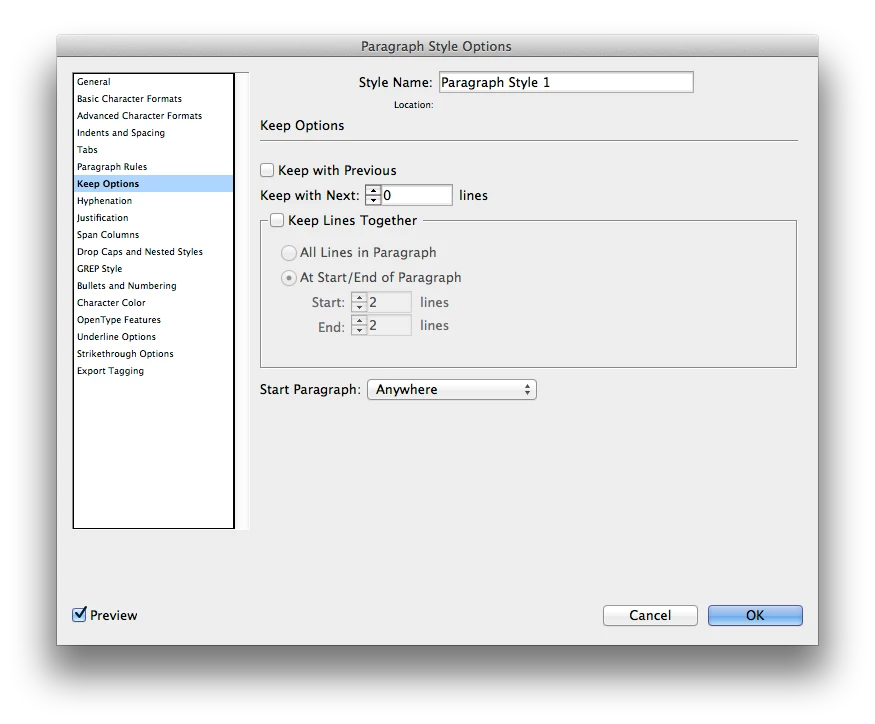
    It was a "keep options issue." sorry for bothering the message board. Not sure if I was supposed to include the correct answer at the end of the thread

    1 reply

    BobLevine
    Community Expert
    Community Expert
    May 13, 2018

    The enter key on the numeric keypad is a frame/column break. If you’re using the enter key on the main keyboard, make sure it’s mapped properly.

    geoffreyb72269713
    Inspiring
    May 13, 2018

    Even when I skip the keyboard and go to "Insert Break Character" and choose "Paragraph Return" it still functions as a frame/column break. Even looking at the hidden characters, it shows a paragraph break but acts like a frame/column break. It's very frustrating lol.....

    geoffreyb72269713
    geoffreyb72269713AuthorCorrect answer
    Inspiring
    May 13, 2018

    It was a "keep options issue." sorry for bothering the message board. Not sure if I was supposed to include the correct answer at the end of the thread