

Paragraph numbering not working after adding new pages
I use Windows and Indesign 15.0.1 x64
Using primary text boxes on master pages.
Imported the text from a .txt file into indesign, indesign filled and created pages accordingly.
Problem
I created numbered paragraph styles (3 levels in total) and everything worked fine until i decided to add pages to my existing document.
I wanted to add one page between page 1 (C master, title page) and 5 (A master, regular page) see screenshot and thought that indesign would update the paragraph numbering on page 5 as soon as I add a numbered paragraph style on the title of the newly added page.
But unfortunately the title numbering on page 5 stayed the same. Indesign considers page 2-4 as a separate section, unlinked to page 5.
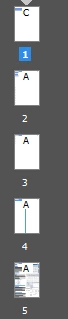
Indesign does not link the added pages to page 5. So when i add text to page 2 and the textbox is filled, indesign does not go to page 5 but creates new pages between 2 and 5. Here is my setting for the level 1 title:
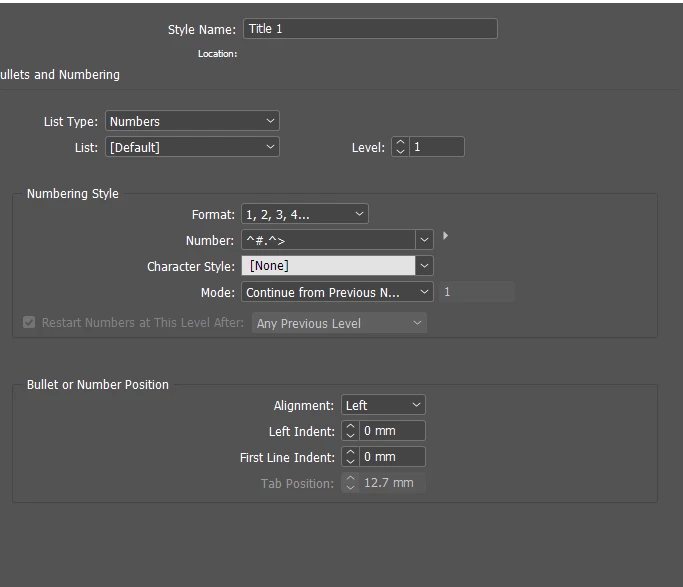
I suspect it might have to do something with the restart numbering i used for the 2nd chapter of the document, after about 20 pages the numbering restarts from 1. I created a different paragraph style for the 2nd part of the document.

I'm stuck, does anyone know what I'm doing wrong?
I can't figure out what I'm doing wrong.
 AdChoices