Participant
March 26, 2021
Answered

Paragraph Styles applying different Font Style

  • March 26, 2021
  • 3 replies
  • 1947 views

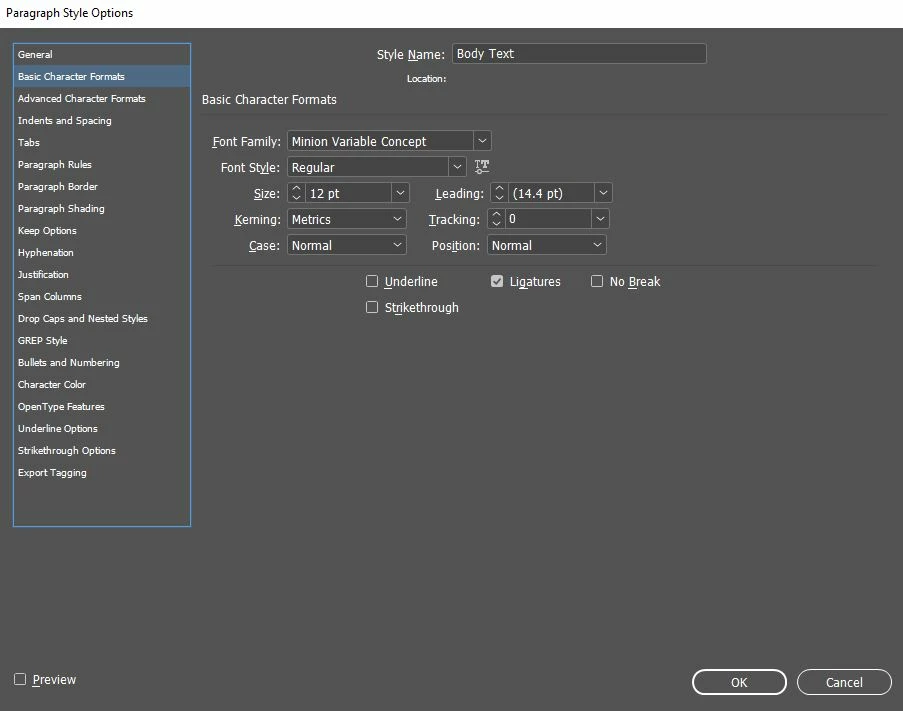
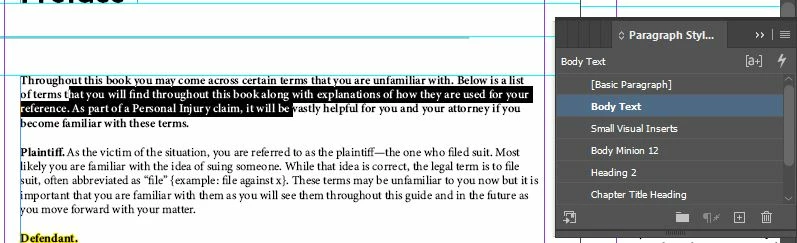
I am setting up a book in Indesign using paragraph styles. My 'body text' paragraph style is set to Minion Variable Concept, Font Style Regular, Font size 12. However, whenever I apply 'body text' to a paragraph, it changes the style from 'Regular' to 'Semibold' or doesn't change anything. Below you can see the text selected shows up as 'body text' for the normal paragraph and the semi-bold paragraph. However, the 'clear formatting' option doesn't seem to be available. Highlighting manual overrides suggests that semibold is the set paragraph style, but the 'body text' style clearly shows it to be Regular text (not Semibold). Does anyone have any suggestions on how to fix this? Thanks in advance!
Correct answer Brad @ Roaring Mouse

Do you perhaps have a Character Style applied that you are not aware of?

3 replies

Brad @ Roaring Mouse
Community Expert
Community Expert
March 26, 2021

If you hold down Option and then click the style, does it clear the override?

Participant
March 27, 2021

I'm using windows so I tried pressing the 'Alt' key while the text was selected and pressing the style in the paragraph styles window. Unfortunately, it still seems to be glitching and reset the selected text to a previous style... I'm honestly just confused at this point lol

Participant
February 4, 2025

(I'm 4 years late but hopefully this is still useful for anyone who finds their way here)

The same kind of thing was happening with me, and I realized there was a also character style applied to this chunk of text. I hadn't created the character style -- it buried in the Word doc my client had given me -- so wasn't on my mind to look for until reading the ideas in this thread. Bad character style deleted, and everything is now as it should be 🙂

Scott Falkner
Community Expert
Community Expert
March 26, 2021

Check Nested Styles. It looks like the Semibold is a character style that is applied up to the first period.

Participant
March 27, 2021

Nested styles was a really good idea (Thank you for the suggestion). Unfortunately, there aren't any nested styles applied 

Community Expert
March 27, 2021

How about GREP Styles (under the nested styles)?

How about the character panel?


You can also show the overrides by clicking the [a+] in the Paragraph Panel.


Or can you share a sample file with us?


Brad @ Roaring Mouse
Community Expert
Brad @ Roaring MouseCommunity ExpertCorrect answer
Community Expert
March 26, 2021

Do you perhaps have a Character Style applied that you are not aware of?