
Participant
June 7, 2025
Answered

Paragraph syle problem. Typing letter "r" assigns paragraph style instead of showing letter "r".

  • June 7, 2025
  • 1 reply
  • 717 views

Typing letter "r" applies a style sheet instead of actually showing letter "r". Can't type any "r" in the document. Can type uppercase "R" with shift key. But not with caps lock. I removed all innocent paragraph styles and attached a resulting InDesing file and a PDF. Thank you.

Correct answer jmlevy

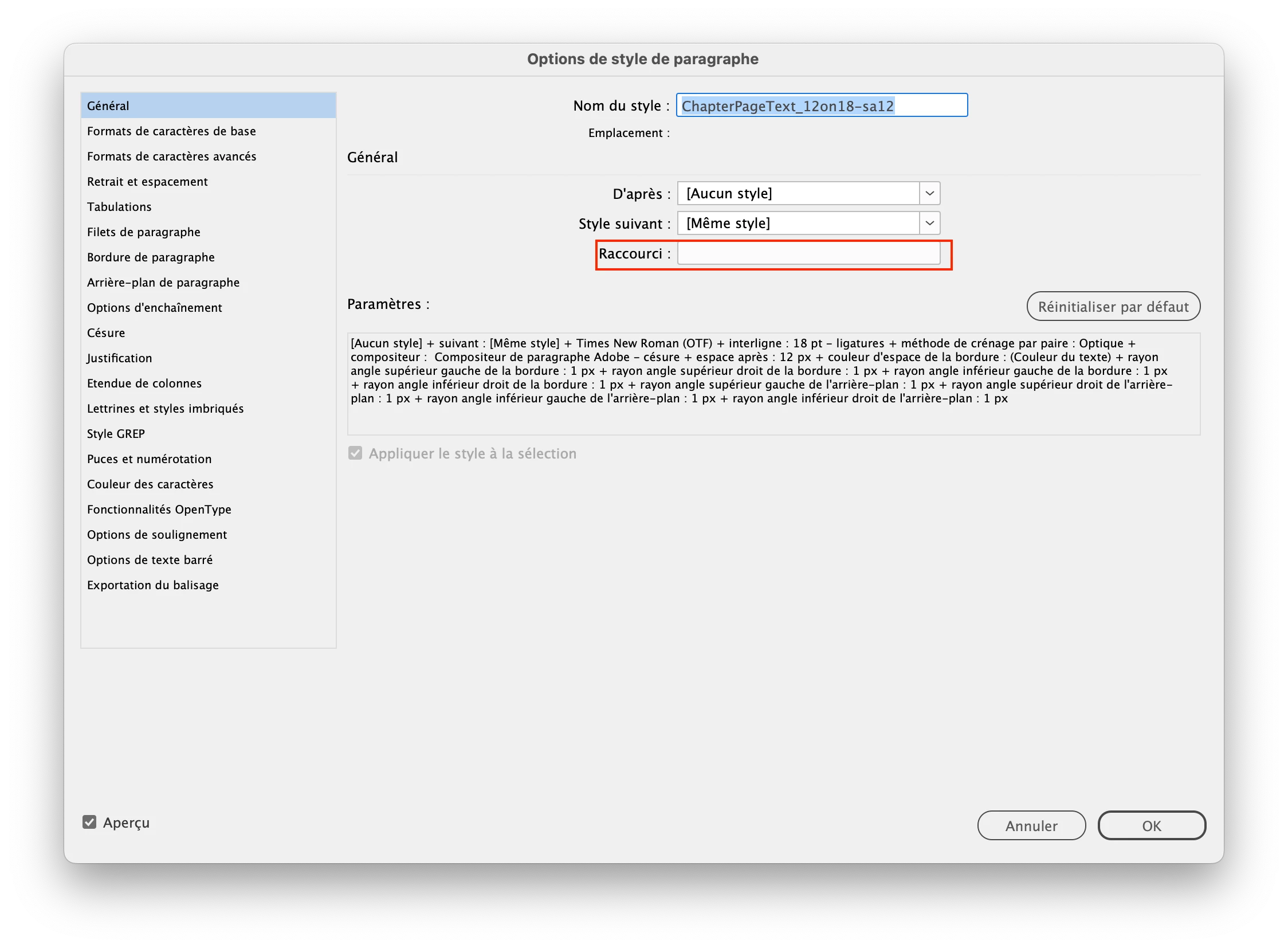
I don't know what happened but you have an invisible r in the shortcut field of the “ChapterPageText_12on18-sa12” style. You can fix the problem by assigning another shortcut (does not matter which one you choose) and the problem disappears. You can even delete the new shortcut if you want.

1 reply

jmlevy
Community Expert
jmlevyCommunity ExpertCorrect answer
Community Expert
June 7, 2025

I don't know what happened but you have an invisible r in the shortcut field of the “ChapterPageText_12on18-sa12” style. You can fix the problem by assigning another shortcut (does not matter which one you choose) and the problem disappears. You can even delete the new shortcut if you want.

Dave Creamer of IDEAS
Community Expert
Community Expert
June 7, 2025

That's a great catch, @jmlevy . It doesn't even look like anything is entered in there. 


@ks1313 Generally, you can only enter a numeric keyboard number with a modifier key. The fact there was an unknown character there makes me concerned about document corruption. 

At very least, save your document as an IDML file, open the IDML file, and save back to an INDD file.


David Creamer: Community Expert (ACI and ACE 1995-2023)
leo.r
Community Expert
Community Expert
June 8, 2025
quote

That's a great catch, @jmlevy . It doesn't even look like anything is entered in there. 

I seem to remember that someone reported the same issue a few years ago.


By @jmlevy


Yes, it's a known issue. If you happen to inadvertently (or intentionally, for that matter) type a letter in the Shortcut field, the letter won't appear in the field but will be assigned as the shortcut.


A solution is to select all (Cmd-A) in the field, then click delete. 


I remember it being discussed several times. I'd consider it a serious bug. I'll try to look up earlier discussions and also see if the bug was submitted.


I could only find one thread from 2021 regarding this issue, but I'm pretty sure there were several more recent ones (the forum search is not that reliable).


I also submitted this bug now:

https://indesign.uservoice.com/forums/601180-adobe-indesign-bugs/suggestions/50005143-typing-letter-in-paragraph-character-style-shortcu