Participating Frequently
September 2, 2024
Answered

Pasteboard and Document Disappearing After Placing Image in Preview Mode

  • September 2, 2024
  • 4 replies
  • 1141 views

Mac OS - 14.6.1 (23G93)

Mac Studio - Apple M1 Max | 64GB RAM

InDesign - 19.5

Preview on PC - PRIOR to placing image
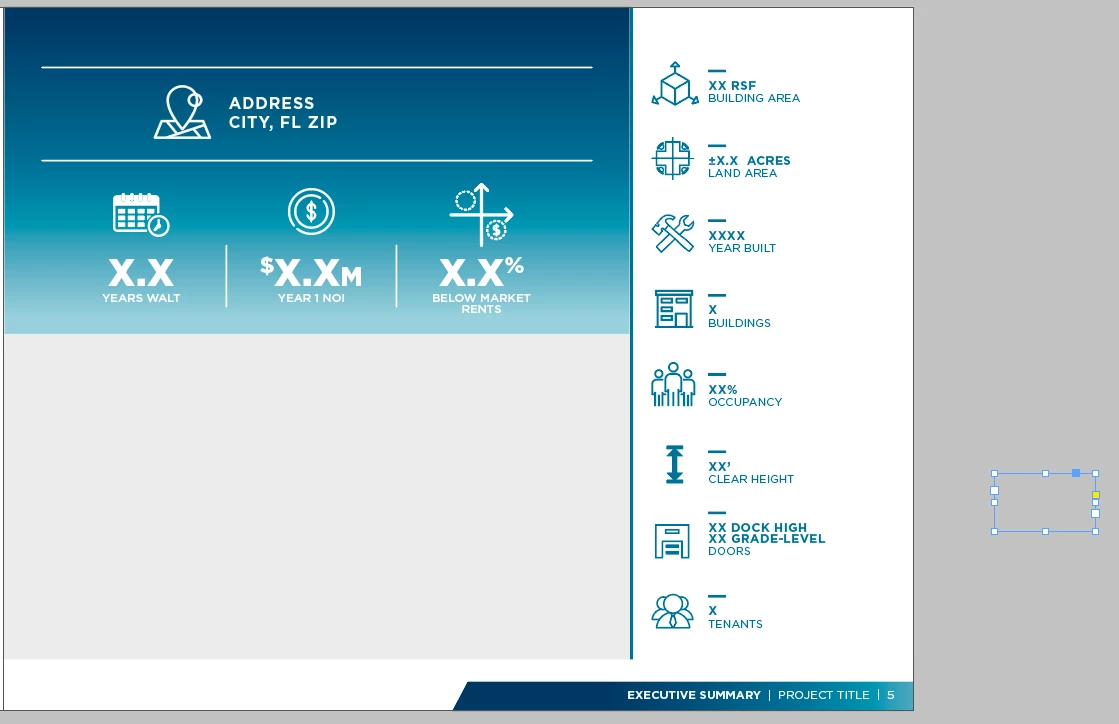
Preview Mode - PRIOR to placing image
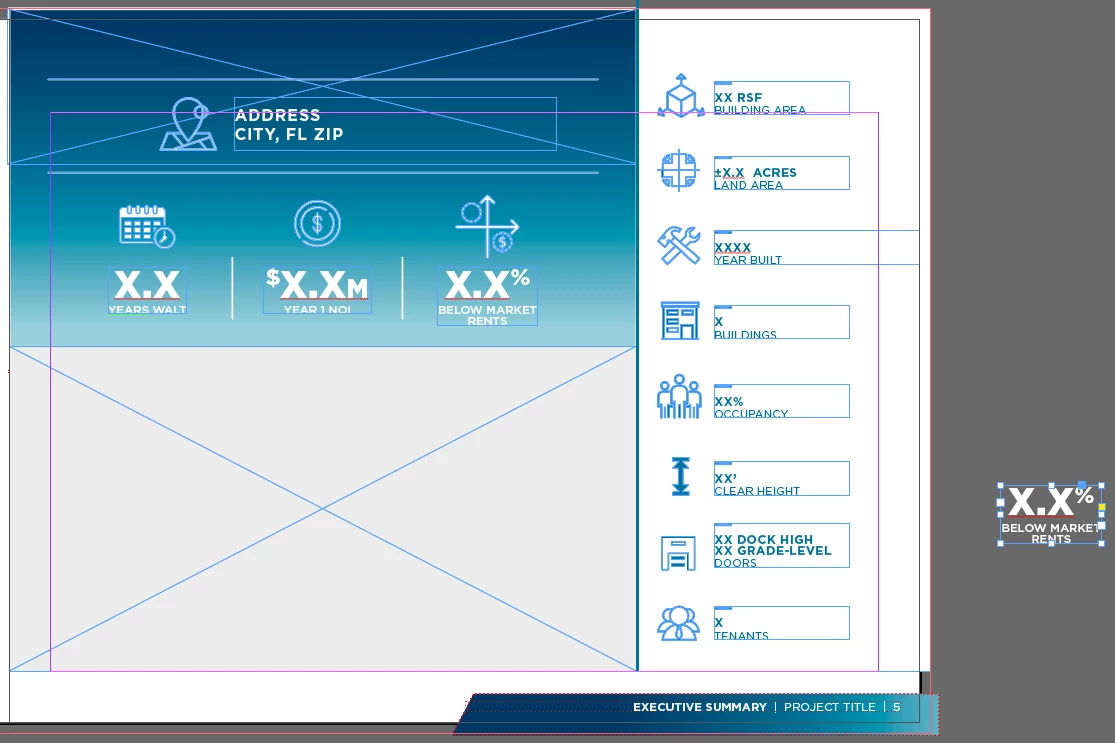
Prieview mode - AFTER placing image
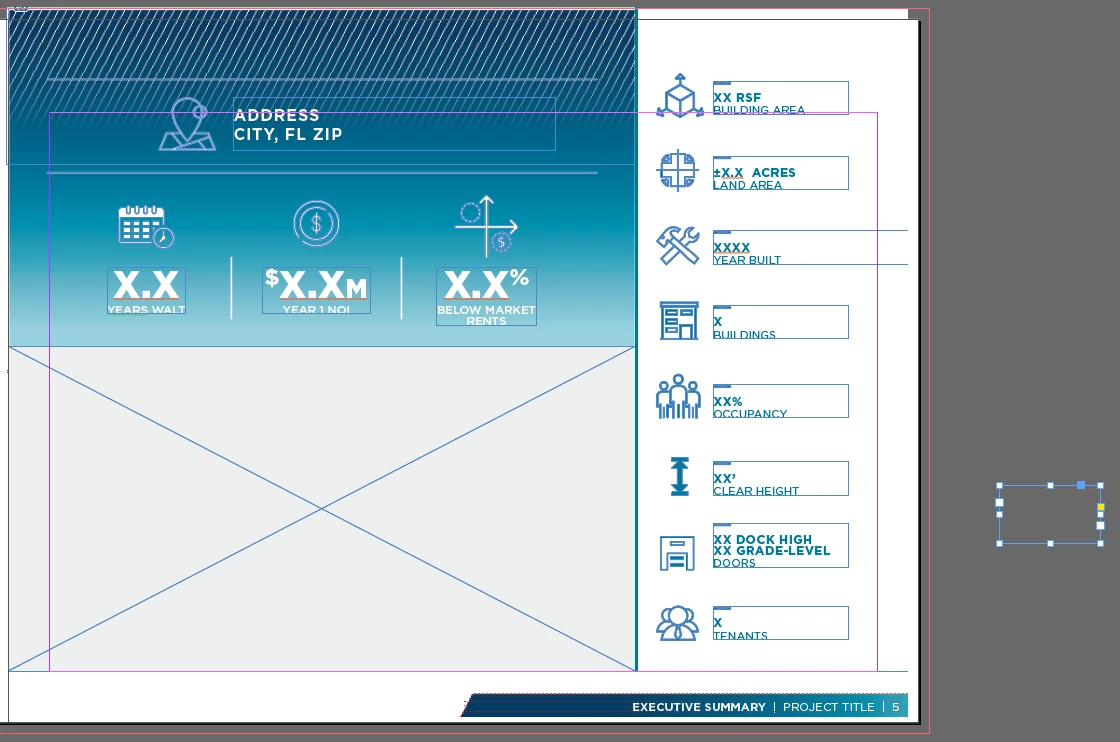
NOTE the edge at the bottom now has a margin as well as my pasteboard isn't visible.

PLEASE HELP.

I've been using InDesign since it's release in 1999 and I've never had this problem till after the latest update. My work requires me to be on the latest version.

However, it prints fine. So at least there's that.


<Title renamed by MOD>

This topic has been closed for replies.
Correct answer Robert at ID-Tasker

There's no need to get snippy. We're here trying to help you, and your posts were't entirely clear.

Have you tried turning off video accelleration?


quote

There's no need to get snippy. We're here trying to help you, and your posts were't entirely clear.

Have you tried turning off video accelleration?


By @Peter Spier


You are most definitely right Peter about the display problem:


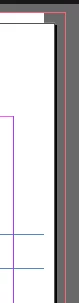
Those horizontal lines at the bottoom of my screenshot - they should be touching edge of the page.

Then it looks like there is a white frame in the background - under the legend - that is also cut at the top-right corner - outside of the page edge. 


Similarily to how the bottom page footer - mentioned by OP - is cropped:


But the linked graphics with a gradient isn't affected?


4 replies

Peter Spier
Community Expert
Community Expert
September 3, 2024

Pasteboard is never visible in Preview Mode -- that's the point of preview...

Large FryAuthor
Participating Frequently
September 3, 2024

Sorry for the mistake almighty PETER SPIER. You can see from the pictures I was speaking of Normal Mode. I'm frustrated here and don't need someone pointing out an obvious mistype.


Peter Spier
Community Expert
Community Expert
September 3, 2024

There's no need to get snippy. We're here trying to help you, and your posts were't entirely clear.

Have you tried turning off video accelleration?

Robert at ID-Tasker
Legend
September 3, 2024
quote

Mac OS - 14.6.1 (23G93)

Mac Studio - Apple M1 Max | 64GB RAM

InDesign - 19.5

Preview on PC - PRIOR to placing image


By @Large Fry


So do you work on a PC or a Mac? 


Large FryAuthor
Participating Frequently
September 3, 2024

I thought that was obvious based on the info I supplied

Mac OS - 14.6.1 (23G93)

Mac Studio - Apple M1 Max | 64GB RAM

Robert at ID-Tasker
Legend
September 3, 2024

@Large Fry


Yes, your first two lines indicated Mac platform - but then, in the 4th libe - you wrote "PC" - so I've asked just for clarification.


Robert at ID-Tasker
Legend
September 2, 2024

@Large Fry


How long are you working on this file and how often are you doing Save As with a new name? 


Can you try IDMLing - export as IDML, open, save with a new name - do not overwrite your original file. 


Large FryAuthor
Participating Frequently
September 3, 2024

How long are you working on this file and how often are you doing Save As with a new name? 

Fresh InDesign Start. Fresh Document. If I save the document there is nothing to reverse it, even removing the image. 

Can you try IDMLing - export as IDML, open, save with a new name - do not overwrite your original file. 

This worked! But now I have to save and work in Legacy format? Thanks for the workaround.

Robert at ID-Tasker
Legend
September 3, 2024

No, IDMLing is just a process of cleaning up the INDD document - you don't have to do it all the time. 


Are you saying, that you have this problem all the time? 


Try resetting preferences:


https://community.adobe.com/t5/indesign-discussions/reset-indesign-preferences-and-other-troubleshooting/td-p/11990234


leo.r
Community Expert
Community Expert
September 2, 2024

A few questions:


-Does the problem go away after you switch to the Normal mode?

-Does the problem happen if you place images in the Normal mode?

-Does the problem go away after you close and reopen the document?

-Does it happen with all documents or only a specific one?


Also, try to toggle GPU Performance in preferences - sometimes it solves unusual display issues.


Large FryAuthor
Participating Frequently
September 3, 2024

-Does the problem go away after you switch to the Normal mode? Negative

-Does the problem happen if you place images in the Normal mode? Any time, any document

-Does the problem go away after you close and reopen the document? Negative

-Does it happen with all documents or only a specific one? Any time, any document